


Microsoft is preparing a broad refresh for several built-in Windows 11 apps, and the changes are already visible to Windows Insider users. The update touches core tools that have long been part of the everyday Windows experience, suggesting a more deliberate push to improve the system’s native apps.
The work spans Calculator, Camera, Clock, Media Player, Paint, Photos, and Sound Recorder. Microsoft has also started reorganizing the Microsoft Learn pages for these apps, adding a dedicated section with dropdown menus and shortcuts to pages such as Calculator, Camera, and Media Player.
Clock receives some of the most noticeable changes
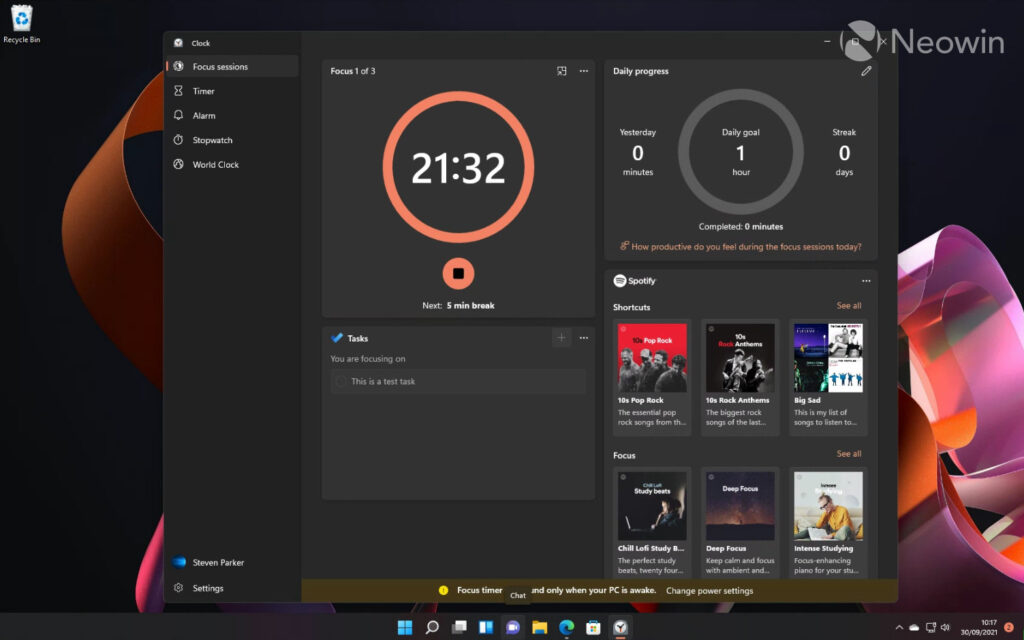
Clock is one of the most feature-packed updates in the group. Timers now keep counting upward after they end, making it easier to see how far past the set time they have run.
Focus Sessions also gains an “Off” option, while alarms now include a 15-minute snooze. Microsoft has added support for up to three simultaneous countdowns in the Countdown Widget, along with notifications that appear when a timer is launched from the widget.
The app also receives fixes for Focus Sessions, World Clock, and alarm settings. Accessibility and usability improvements are part of the package too, including better screen reader behavior, improved High Contrast display, a corrected back-button response, and the proper Newfoundland time zone.
Other apps are being tightened up as well
Calculator is getting more accurate square root results, plus text display fixes for High Contrast Aquatic and Desert themes. Microsoft has also adjusted its layout for right-to-left languages such as Arabic and Hebrew, and improved how the app opens after an upgrade from an older version.
Camera is seeing practical fixes aimed at daily use. The zoom slider now works with more cameras, follows the system zoom setting, and updates when that setting changes.
Microsoft has also addressed an issue where the zoom slider showed only three steps on some devices. In addition, the front camera now works on more wide-angle devices, hidden video resolution options are visible again with a warning, and QR scans can still be useful by copying the link to the clipboard when no matching app is available.
Media Player is gaining better caption controls and more stable playback behavior. Users can now adjust closed captions through Windows caption settings, while a new “Indexing” banner explains why some items may not appear yet while a media library is still being scanned.
The app also improves file-type detection so more media can play correctly. Microsoft has fixed unnamed saved playlists, clarified codec-missing messages, and reduced crashes when the play queue is changed during a session switch.
Paint, Photos, and Sound Recorder also move forward
Paint now offers more precise control over eraser transparency and several stability fixes. Microsoft has corrected problems with the stamp brush, JPEG saving after rotation, crashes when opening damaged image files, and crashes when the app closes.
Photos is adding a notable AI-related option. Images generated by AI can now carry a visible Copilot watermark, with Never, Always, and Ask Every Time available in Settings, and the feature remains off by default.
Photos also sharpens the display of small images and pixel art, improves keyboard navigation when text is detected in an image, and fixes a crash tied to text recognition. Sound Recorder rounds out the set with waveform fixes for Bluetooth microphones, removal of an unnecessary scrollbar, disabled markers for WAV files, and a memory leak fix that occurred each time recording started.
The overall pattern is clear even without a dramatic single headline feature. Microsoft is steadily making its built-in Windows 11 apps feel more native, more stable, and better aligned with the operating system itself.
That matters because Windows 11 is still often compared with the less satisfying experience of web-style apps. By continuing to refine these in-box tools, Microsoft is showing that its core apps remain a priority rather than a leftover part of the platform.