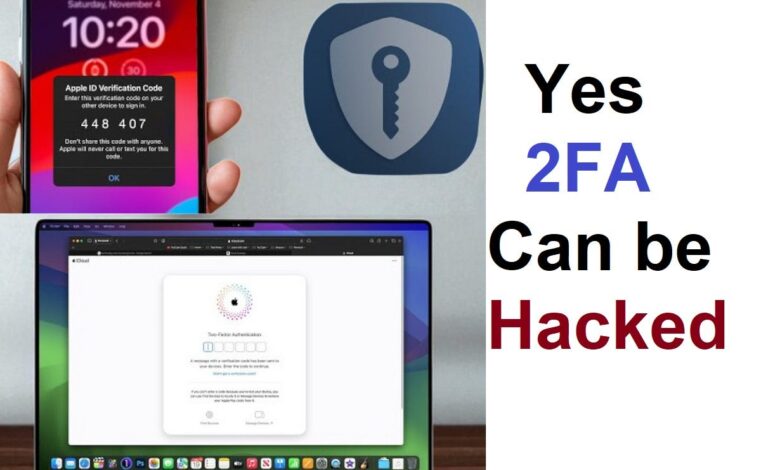
Apple Account protection now depends heavily on more than a password. Two-factor authentication adds a second verification step that can stop unauthorized access even when login credentials are already exposed.
The system is designed to protect personal information and digital identity at a time when cyber threats are becoming more sophisticated. That is why Apple places 2FA as a practical layer of defense rather than an optional extra.
How the verification flow works
The process begins with the usual password entry. After that, Apple asks for a six-digit verification code sent to a trusted device or a trusted phone number.
This extra step prevents a stolen password from being enough to take over an account. Without access to the code, the login attempt cannot be completed.
When someone signs in from a new device, the code is sent to a trusted device such as an iPhone or iPad already linked to the account. The new device only becomes authorized after the user approves the sign-in and enters the code.
Trusted devices and trusted numbers carry the most weight
Trusted devices are the core of Apple’s 2FA system. These are already authenticated devices such as an iPhone, iPad, or Mac owned by the user.
They can receive verification codes and approve login attempts, which makes account access both safer and more convenient during routine use. Once a device is trusted, repeated verification is not required every time that device is used to sign in.
Trusted phone numbers serve as an important backup when the main device is unavailable. Apple can send the verification code by text message or phone call to that number.
That fallback helps users keep access to the account even if a device is lost, damaged, or out of reach. For that reason, trusted device and phone number details should always be kept current.
If a phone is replaced or a number changes, the account settings need to be updated quickly. Delays can create problems later when account recovery becomes necessary.
Security without making daily use difficult
Apple’s 2FA model is built to balance protection and convenience. Once a device has been verified, it becomes a trusted device and does not need the verification code every time.
That approach keeps the experience lighter for everyday use while preserving the account’s security layer. The trusted status does not last forever in every case, however, because logging out or resetting a device can require verification again.
The result is a system that reduces friction without weakening the account’s core protection. Users still get a second barrier, but the process does not become a repetitive burden.
Why the extra layer is important
The biggest benefit of 2FA is the sharp drop in the chance of unauthorized access. Even if a password has been compromised, the account remains protected by the second code.
Apple also provides real-time alerts when a login attempt comes from an unrecognized device. Those warnings give users a chance to react quickly if suspicious activity appears.
Beyond that, 2FA offers a stronger sense of control over private data. Apple has designed the feature to stay straightforward so users can keep security enabled without feeling overwhelmed by complexity.
In practice, activating two-factor authentication is not just about adding one more step at sign-in. It is a critical safeguard for an Apple Account that may hold access to devices, personal information, and a user’s digital identity.