


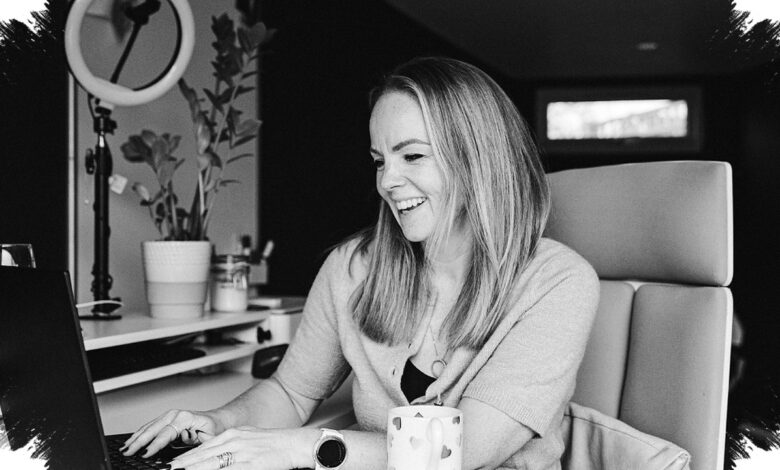
Work from home photos are increasingly being refined with Gemini AI to look more polished without losing the subject’s natural face or the atmosphere of the scene. The focus is not on changing identity, but on improving lighting, composition, and expression so the image feels more professional.
That appeal is easy to understand. A well-arranged workspace, calm expression, and soft daylight can turn a routine WFH image into something that feels both familiar and editorial.
Why the prompt matters
Good results depend on more than the technology itself. The quality of the original photo and the clarity of the instructions both shape whether the final image looks realistic or exaggerated.
More detailed prompts help the AI understand which parts should be refined while keeping skin texture, hair, clothing, and facial characteristics natural. Simple visual elements also carry weight, including a tidy desk, a laptop, notebook, coffee, small plants, and soft window light.
| Prompt Focus | Main Setting | Visual Direction |
|---|---|---|
| Minimal desk scene | Sitting at a modern minimalist workstation | Soft side window light, calm gaze at the laptop, coffee, notebook, and a small plant |
| Work activity documentation | Typing while slightly turning toward the camera | Bright minimalist room, natural light from a large window, realistic hair, clothing, and skin texture |
| Relaxed editorial mood | Standing near the desk with a cup of coffee | Looking out the window, warm morning light, sharp eyes, realistic editorial feel |
| Confident office look | Sitting in an ergonomic chair with a tablet | Bookshelf, green plants, wooden desk, natural light combined with a warm desk lamp |
| Online meeting scene | Leaning slightly forward at the desk | Laptop open, wireless headphones, work notes, attentive eyes, natural smile |
| Elegant home portrait | Relaxed on a sofa near a small table | Reading documents, large window, warm afternoon light, minimal decor, indoor plants |
Six prompt directions that shape the final result
The first prompt is designed for a clean, minimalist desk scene in a modern room. It asks Gemini AI to preserve the original face, skin tone, and natural character while adding soft sunlight from the side window, a focused look toward the laptop, and details such as coffee, a notebook, and a small plant.
The second prompt shifts the tone toward everyday documentation. It places the subject typing while slightly facing the camera in a bright minimalist workspace, with natural light from a large window and strong attention to realistic hair, clothing, and skin texture.
For a more relaxed editorial style, the third prompt positions the subject standing beside the desk with a cup of coffee. The scene uses a modern, clean, and comfortable home office, while warm morning light and a sharper eye detail help the photo feel more alive without losing realism.
The fourth prompt is aimed at a confident portrait. The subject sits in an ergonomic chair holding a tablet, with a simple bookshelf, green plants, and a wooden desk behind them, supported by natural light and a warm desk lamp to create a comfortable work atmosphere.
The fifth prompt captures the feel of a remote meeting. It shows the subject leaning forward with both hands on the desk, an open laptop, wireless headphones, and work notes, while the expression remains energetic with a subtle natural smile.
The sixth prompt delivers a more elegant home portrait. It places the subject on a sofa near a small table, reading documents and occasionally looking at the camera, with a large window, warm afternoon light, minimal decoration, indoor plants, and a laptop still on in the background.
Across all six directions, the consistent goal is clear: keep the person recognizable while making the photo look cleaner, more balanced, and more professional. That is what gives Gemini AI prompts their value for WFH-style images, especially when the scene already carries a natural sense of productivity.