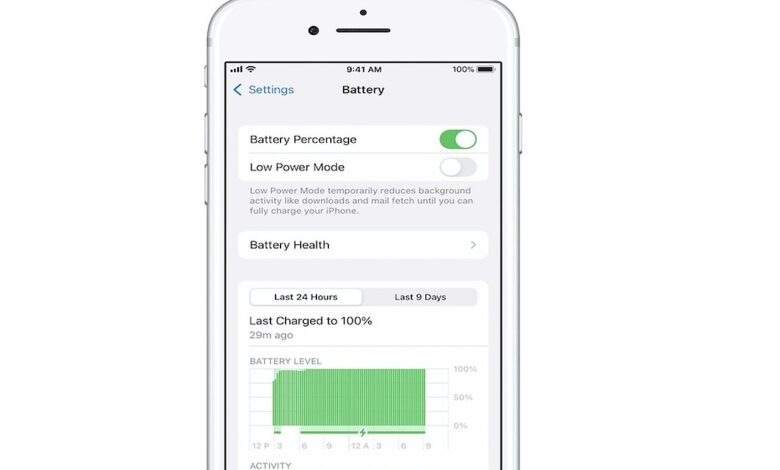
An iPhone that suddenly no longer shows Battery Health does not always point to a damaged battery. In many cases, the issue is tied to component verification, repair completion, or an iOS problem that interrupts normal battery reporting.
That missing menu matters because Battery Health is one of the clearest tools for checking maximum capacity and deciding when a battery may need replacement. Apple has offered it as a standard feature since iPhone 6 and later models, which is why its sudden disappearance can be alarming.
When the battery is not verified
One of the most common causes is an unverified battery replacement. Apple uses a strict security system, so a non-genuine, modified, or digitally unpaired replacement can trigger warnings such as “Unknown Part” or “Unable to Verify This iPhone Has a Genuine Apple Battery.”
In that situation, the system may hide or disrupt Battery Health data even if the phone still powers on normally. The key issue is not only the battery itself, but whether it can be authenticated by the device.
Repair work that was not fully completed
On newer iPhone models, battery replacement often requires software finalization after the hardware work is done. Users can check this status under Settings > General > About > Parts and Service History.
If the phone shows “Finish Repair” or a similar prompt, the process has not been completed. Apple requires the device to connect to Wi-Fi and have more than 20 percent battery so the synchronization step can finish properly.
Why recalibration can also delay the reading
Apple also carried out a recalibration process for iPhone 11, iPhone 11 Pro, and iPhone 11 Pro Max. During this period, maximum capacity readings can be delayed while the system recalculates battery performance through normal charging cycles.
This means the Battery Health menu may appear incomplete or temporarily unavailable even though the phone is still gathering data. In practice, the device needs time and regular use before the reading stabilizes again.
| Status | Likely Cause | Effect |
|---|---|---|
| Genuine Apple Part | Verified original battery | Battery Health works normally |
| Unknown Part | Third-party or unverified battery | Battery Health percentage may disappear |
| Recalibrating | System recalculating on iPhone 11 series | Capacity data is temporarily not updated |
iOS glitches and hardware faults
A software issue can also make the battery menu behave abnormally. An older iOS version, an incomplete update, or a bug in the operating system may cause the reading to freeze or fail to display correctly.
If the battery is confirmed to be genuine but the data still does not return, the cause may be hardware related. Apple classifies faults in the battery connector, power management circuit, or communication path to the logic board as “Unknown” component issues.
MediaIndonesia.com noted that an “Important Battery Message” after service does not automatically mean the battery is defective. It mainly indicates that Apple’s security system has not yet been able to verify the unique identity of the component against the device.
Steps that can help restore the menu
The first step is a simple restart, which can refresh how the system reads battery information. After that, users should check for iOS updates in Settings > General > Software Update, since software bugs are often resolved through patch releases.
It is also worth returning to Settings > General > About to see whether the device shows “Restart & Finish Repair.” If that appears, the phone should stay connected to Wi-Fi and have enough charge for the final verification step.
For phones still in recalibration, the best approach is to continue normal use for several weeks. The battery reading is expected to improve gradually as the system completes its calculation.
If none of those steps work, an official repair check is the safest option. Apple Authorized Service Providers or other approved service channels can determine whether the problem comes from the battery, a connector, or a communication path on the device.
In most cases, disappearing Battery Health is linked to component verification and post-repair synchronization rather than immediate battery failure. That is why an official battery replacement remains the safest way to keep iPhone battery monitoring functioning as intended.