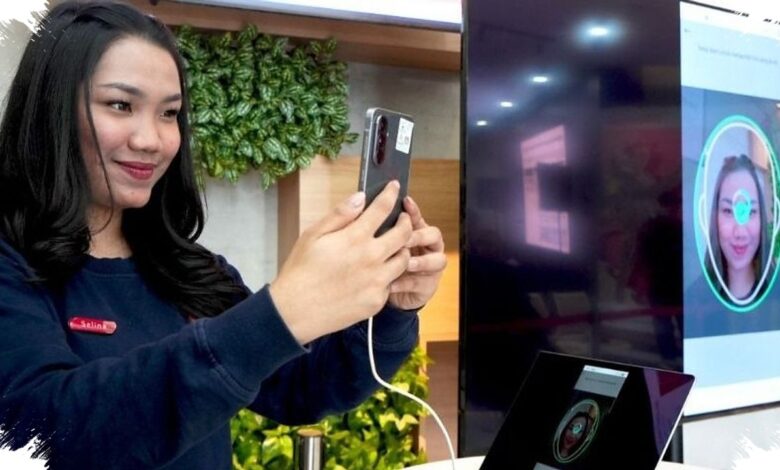
Telkomsel subscribers who want to activate a new prepaid number now face a stricter registration process. Starting 1 July 2026, new SIM registration requires biometric verification, including facial recognition, before a number can be used.
The policy applies nationwide across all mobile operators in Indonesia and is part of the data-matching process with the Directorate General of Population and Civil Registration, known as Dukcapil, under the Home Affairs Ministry. For users, the key change is simple but significant: a new number will not be fully active until identity verification is completed.
How the registration process works
Telkomsel customers can complete the process independently through tsel.id/registrasi or by scanning the available QR code. Those who need assistance can also visit the nearest GraPARI outlet for direct support.
The registration flow begins by opening the registration page and selecting Prepaid Registration. Users then enter the Telkomsel number to be registered and request an OTP code.
After receiving the OTP, the code must be entered before moving to the next step. The system then asks for the National Identity Number, or NIK, followed by a selfie upload through the Take Image button.
| Step | Action | Details |
|---|---|---|
| 1 | Open the registration page | Use tsel.id/registrasi or scan the QR code |
| 2 | Select Prepaid Registration | Enter the prepaid registration flow |
| 3 | Enter the Telkomsel number | Continue by requesting an OTP |
| 4 | Input the OTP | The code is sent to the registered number |
| 5 | Fill in NIK and upload a selfie | Use the Take Image button for the photo |
| 6 | Agree to the terms and register | The process ends after a successful notification appears |
Once all data has been filled in, users must tick the terms and conditions agreement before pressing Register. If the process succeeds, the system will send a notification confirming that registration is complete.
The Ministry of Communication and Digital Affairs has urged customers to use the correct identity and to register only numbers they are entitled to use. The guidance is intended to support comfort and security in mobile service use.
For those who still need help, registration can be completed directly at the nearest GraPARI branch. That option keeps the facial verification and data-matching process available before the Telkomsel number becomes active.