


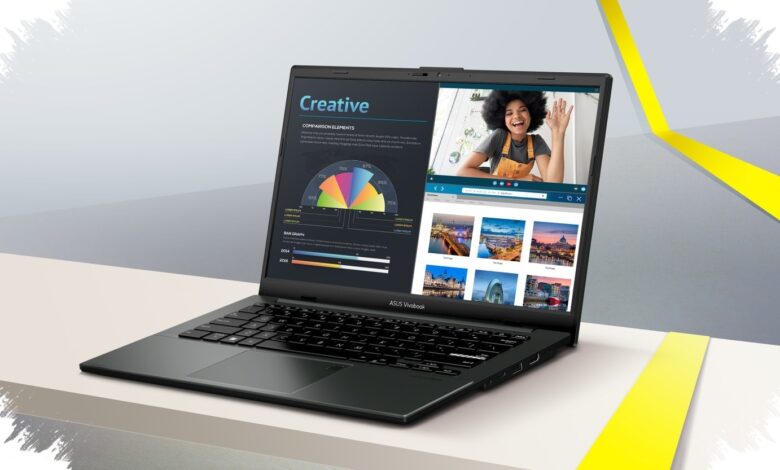
Students who regularly connect to classroom projectors or external displays may find a practical advantage in the Asus Vivobook Go 14 (E1404). The laptop includes a broad selection of ports, reducing the need to carry an additional USB hub.
It can connect to flash drives, headsets, external monitors, projectors, and its charger through built-in connectors. That arrangement addresses a common need for users who move between classes or work from different locations.
Ports placed for everyday use
| Port | Availability on Asus Vivobook Go 14 |
|---|---|
| 3.5 mm audio jack | Available |
| USB-C | Available |
| USB-A | Available on both sides |
| HDMI and DC-in | Available |
One USB-A port is positioned on the left side of the device, while most of the major connections are placed on the right. HDMI provides a direct option for compatible projectors and external monitors.
USB-A ports on both sides offer added flexibility when attaching peripherals or storage devices. The 3.5 mm audio jack also remains available for wired headset use.
Asus markets the Vivobook Go 14 in Indonesia from Rp 11 jutaan, depending on the promotion available. Tekno Kompas reported that the laptop is already available through various Asus sales channels in Indonesia.
Designed for moving between classes
The laptop measures about 17.9 mm thick and weighs about 1.38 kg. These dimensions make it easier to place in a bag for school, university, or work outside the home.
Despite being positioned in a more affordable segment, the device carries US Military Grade 810H durability certification. The certification reflects Asus’s attention to body durability alongside portability.
A 14-inch Full HD display serves as the main workspace for documents, class materials, and presentations. Its matte anti-glare surface is intended to reduce reflections when used near windows or in bright rooms.
The display hinge can open up to 180 degrees, allowing the panel to lie flat. This position can make it easier to show content to someone seated across the table.
Workspace features beyond the exterior
The interior includes a full-size keyboard with relatively large keys for routine typing. It is intended to support assignments, documents, and other daily study tasks.
A large touchpad sits below the keyboard and includes a fingerprint sensor in its upper-right corner. The sensor enables faster Windows sign-in through fingerprint recognition.
These elements complement the laptop’s connectivity-focused approach. The matte display, full-size keyboard, and spacious touchpad are all relevant to users who spend substantial time working with documents.
Three color options
| Color variant | Visual character |
|---|---|
| Mixed Black | Black with a premium impression |
| Green Grey | A soft blend of green and grey |
| Cool Silver | Silver with an elegant impression |
The Asus Vivobook Go 14 is offered in Mixed Black, Green Grey, and Cool Silver. Green Grey can appear light grey from certain angles and pastel green when exposed to light.
The lid uses a smooth matte finish and follows a minimalist design direction. A separate Asus Vivobook badge appears on the right side of the lid instead of a standard Asus logo alone.
Final pricing can vary with ongoing promotions, so buyers should review the current offer before purchasing. For students prioritising direct connections over extra accessories, the available ports remain a central consideration.