Random
»Tech» 6 Ways to Replace Music on Instagram Posts Without Losing Existing Engagement

6 Ways to Replace Music on Instagram Posts Without Losing Existing Engagement

Qoo Media
Author: Qoo Media Wednesday, 22 July 2026 | 9:46 pm
6 Ways to Replace Music on Instagram Posts Without Losing Existing Engagement
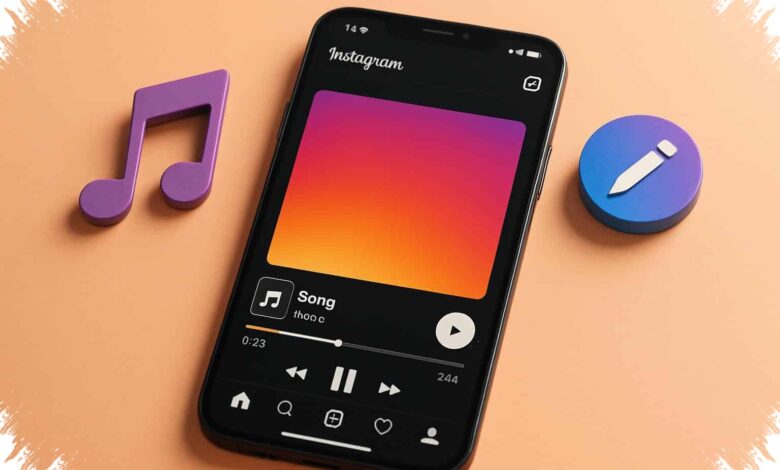
cara mengganti musik postingan Instagram (Img: findarticles.com)

Changing the soundtrack on an older Instagram post no longer has to mean deleting a post and sacrificing its existing engagement. Instagram’s Replace Audio feature allows eligible posts to receive a new song while keeping their accumulated interactions.

Likes, comments, shares, and accumulated reach remain attached to the original post after the music is changed. The feature can be particularly useful when an older track faces licensing issues or no longer matches an active campaign.

What Remains on the Post

Replace Audio changes the selected music without creating a new Feed post. Photos, videos, captions, and location information remain in place during the edit.

Instagram does not provide an automatic algorithmic boost merely because the music has been changed. An edited post also will not be pushed back to the top of followers’ Feeds as if it were newly published.

Related
  • 3 New Samsung Foldables Put Z Fold8 Ultra Ahead With a 200 MP Camera
  • 5 Phones with 67W Charging That Cut the Wait for a Full Battery
Retained DataWhat Happens After Replacement
Likes and commentsAudience interactions remain stored on the post.
SharesThe post’s share count remains recorded.
Accumulated reachTotal reach records remain available in Insight.

A more relevant or trending song may still refresh the feel of older content when users discover it organically. This can help tutorials, product catalogs, and evergreen posts that remain useful but need a more current musical mood.

6 Steps to Change the Song

1. Select an eligible post

Open the Instagram profile and select the Feed post or carousel whose music needs to be changed. The post must already use music from the Instagram library.

The initial scope includes standard Feed posts, including single photos and short videos, as well as carousels containing multiple photos or videos. Availability for Reels and Stories has not been confirmed.

2. Open the post menu

Enter the selected post and tap the menu icon in the upper-right corner. The control may appear as a three-dot icon or as a More Options menu.

This menu provides access to settings for content that has already been published. Users do not need to delete the original post before continuing.

3. Choose Edit

Select Edit from the available menu options to enter the post editing screen. This action does not remove the visual content, caption, or location.

The feature is limited to changing library music. It cannot be used to edit original sound, dialogue, or carry out deep audio mixing within a video.

4. Find the audio control

Tap the audio section currently used on the post or select Replace Audio. This opens the path to remove the old music selection and choose another track.

Mediaindonesia.com reported that the feature was announced on July 21, 2026, with a phased global rollout beginning in the same week. The tool is intended for music sourced from Instagram’s own library.

5. Search for a replacement track

Search the available Instagram post music library for a replacement song. Music availability depends on regional licensing rules and the type of account in use.

Personal and business accounts may not receive access to the same music selection. A song available on one account may therefore not appear on another.

6. Set the clip and save

Choose the portion of the song that will play with the content, then tap Done. The new music is applied to the same post rather than to a newly created Feed upload.

Jimmy O’Keefe, Instagram’s Head of Creator Product Marketing, said creators can experiment with repeated music changes as long as the music remains available on the platform. This gives creators more flexibility without forcing them to rebuild their Instagram engagement from the beginning.

Feature Availability May Differ

Replace Audio is being introduced gradually, so the option may not yet be visible on every account. Users who do not see it can check whether their Instagram app has been updated to the latest version.

The feature remains subject to the music catalog available in each territory and for each account type. Those restrictions mean a replacement track must still comply with the licensing options shown inside the app.


Add as preferred sourceon Google+
Also Read
A Rs. 1,500 Bank Discount Makes Vivo T5 Lite 5G’s Large Battery More Appealing
Gadget
3 New Samsung Foldables Put Z Fold8 Ultra Ahead With a 200 MP Camera
Tech
Nokia C31 Brings Big Screen and Battery Value, but Performance Is Not the Draw
Gadget
Argentina’s Final Defeat Turns Ugly as Messi Faces Fresh Questions Over His Future
International
5 Phones with 67W Charging That Cut the Wait for a Full Battery
Tech
5 Samsung Devices Open for Pre-Order in India, Fold 8 Ultra Reaches Rs. 2,59,999
Gadget

Instagram EngagementInstagram Post MusicInstagram Replace Audio
X Facebook LinkedIn WhatsApp Telegram
Related
3 New Samsung Foldables Put Z Fold8 Ultra Ahead With a 200 MP Camera
3 New Samsung Foldables Put Z Fold8 Ultra Ahead With a 200…
Tech16 minutes ago
5 Phones with 67W Charging That Cut the Wait for a Full Battery
5 Phones with 67W Charging That Cut the Wait for a Full…
Tech37 minutes ago
Galaxy Watch Ultra 2 Packs an 800 mAh Battery While Getting Thinner and Lighter
Galaxy Watch Ultra 2 Packs an 800 mAh Battery While Getting Thinner…
Tech2 hours ago
A 136.8°C Divide as Antarctica Falls to -84.1°C While Iran Reaches 52.7°C
Tech3 hours ago
9 Smartwatch Buying Checks Before Your Phone Cuts Off Key Features
Tech4 hours ago
Google Raises Gemini Flash Coding Scores While Cutting Token Use by 17%
Tech4 hours ago
Latest
1
A Rs. 1,500 Bank Discount Makes Vivo T5 Lite 5G’s Large Battery More Appealing
Gadget6 minutes ago
2
3 New Samsung Foldables Put Z Fold8 Ultra Ahead With a 200 MP Camera
Tech16 minutes ago
3
Nokia C31 Brings Big Screen and Battery Value, but Performance Is Not the Draw
Gadget24 minutes ago
4
Argentina’s Final Defeat Turns Ugly as Messi Faces Fresh Questions Over His Future
International26 minutes ago
5
5 Phones with 67W Charging That Cut the Wait for a Full Battery
Tech37 minutes ago
6
5 Samsung Devices Open for Pre-Order in India, Fold 8 Ultra Reaches Rs. 2,59,999
Gadget1 hour ago
Recommended
17 Free Fire Redeem Codes Offer Event Items as Blue Lock Collaboration Continues
Tech3 days ago
4 Street Fighter 6 Skins Enter MLBB, Each Icon Has a Matching Hero
Tech7 days ago
France vs England Third-Place Match Streams on Phones From Rp25,000
Tech4 days ago
ChatGPT Hits a Morning Snag, OpenAI Confirms Login Problems and Error Spike
Gadget7 days ago
Asus Adol HC112 Brings 11 Ports, Three Displays and 100W Laptop Charging
Gadget4 days ago
Japan Raises 6 iPhone Prices by Up to 11%, iPhone Air Takes Sharpest Hit
Tech4 days ago
Pages
  • About
  • Contact
  • Disclaimer
  • Privacy Policy
Categories
  • Discover
  • Gadget
  • International
  • Lifestyle
  • Tech
© 2026 Qoo Media All rights reserved