


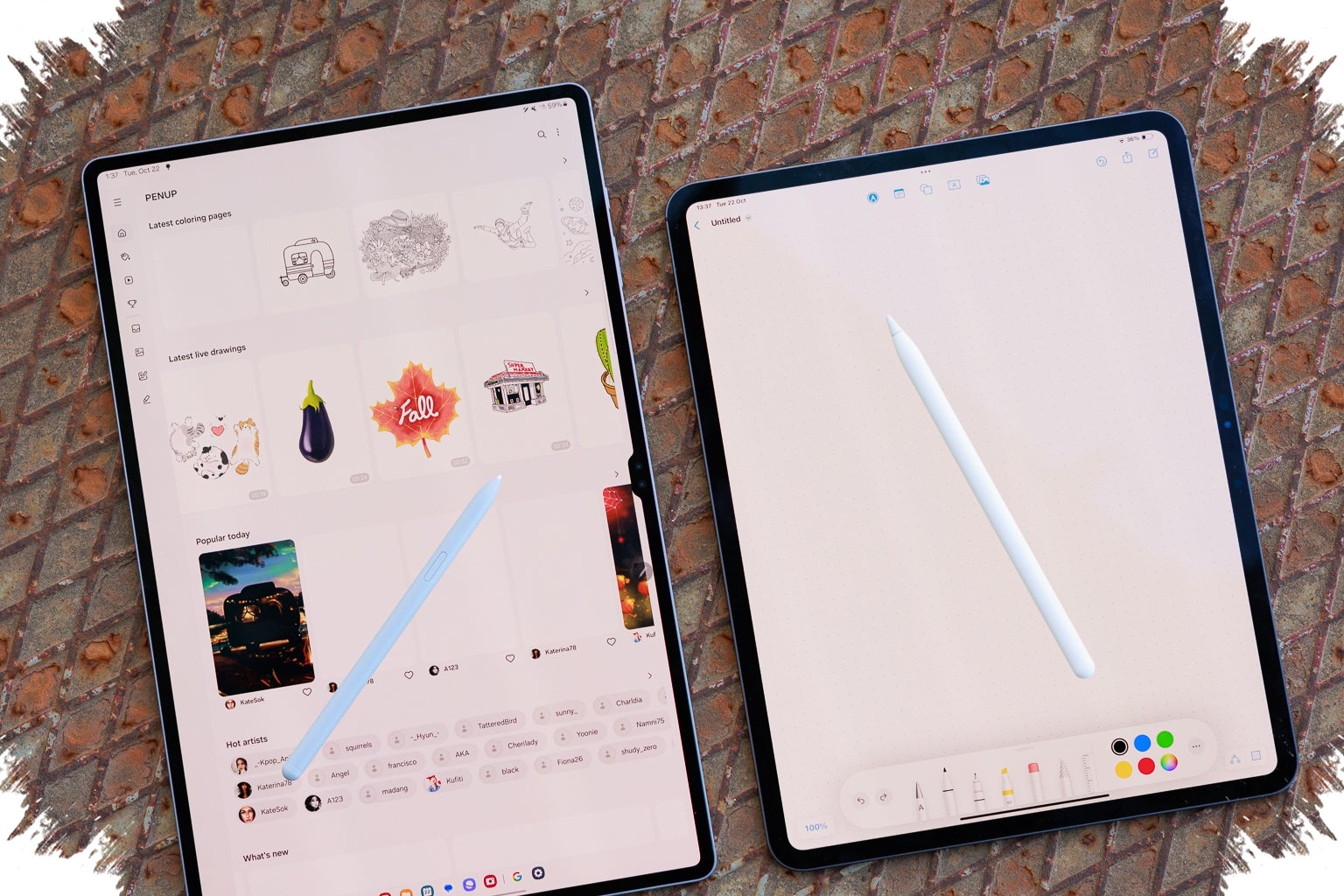
The line between tablet and laptop is getting harder to draw as premium devices add the tools that matter most for work and study. Strong processors, keyboard support, stylus input, and desktop-style interfaces are turning several tablets into serious alternatives in everyday productivity.
That shift is especially visible in the latest flagship models, where portability no longer means giving up on performance. For users who split their time between classes, meetings, calls, and content creation, tablets such as iPad Pro M4 and Samsung Galaxy Tab S10 Ultra are becoming more than secondary screens.
Why tablets are starting to replace laptops in daily use
The appeal begins with mobility, but it does not end there. Modern premium tablets now handle typing, multitasking, presentations, note-taking, and creative work that once pushed users straight to a laptop.
This is why the discussion around laptop replacement has grown stronger. A compact device that still supports heavy daily tasks fits the needs of students and professionals who want one machine for practical work and light travel.
iPad Pro M4 leads on raw performance
Among high-end tablets, iPad Pro M4 stands out because of its M4 chipset. The device is described as powerful enough to run demanding applications, including video editing and graphic design.
Its value is not limited to processing power. Magic Keyboard support gives it a more natural typing experience for serious work, while the sharp OLED display helps creative users see visuals more precisely when editing content.
Galaxy Tab S10 Ultra brings a desktop-like workflow
Samsung Galaxy Tab S10 Ultra takes a different route by emphasizing screen size and multitasking. Its 14.6-inch display gives users more room to work, which makes it easier to manage several pieces of content at once without the interface feeling cramped.
The main differentiator is Samsung DeX. When this mode is activated, the interface changes into a desktop-like layout, making the tablet feel closer to a computer than a standard mobile device.
Surface Pro remains the Windows-safe choice
For users who depend heavily on Windows desktop software, Microsoft Surface Pro still holds a practical advantage. It runs full Windows, so software compatibility is closer to a conventional laptop than to tablets built on iPadOS or Android.
That matters in work and academic settings where Windows remains part of the daily routine. With keyboard and stylus support, Surface Pro can handle documents, presentations, and note-taking while staying flexible enough for users who want a more portable setup.
Mid-range tablets still have a strong role
Not every user needs a flagship model to stay productive. For document work, browsing, online classes, and light multitasking, several mid-range tablets are positioned as more sensible options.
Huawei MatePad 11.5 PaperMatte is one example. Its PaperMatte display is designed to feel more like paper, which makes long reading and typing sessions more comfortable, and it also supports PC version WPS Office.
Other practical options for everyday tasks
Honor Pad 9 offers another path for users who need a large display and high resolution without moving into the premium tier. It is suitable for studying, working, or viewing multiple content windows during daily use.
Its eight speakers add value during online meetings and media consumption. For standard needs such as browsing and light work, its performance is considered sufficient.
What decides whether a tablet can truly stand in for a laptop
Keyboard and trackpad support are among the first things to look at. These accessories have a major impact on long typing sessions, especially for users who regularly handle school assignments or office tasks.
Desktop mode is equally important because it creates a more familiar working environment. Features such as Samsung DeX or full Windows support help reduce the gap between a tablet and a traditional laptop when multiple app windows need to stay open at the same time.
Multitasking tools also matter. Split screen support lets users manage document work while joining a meeting, browsing while taking notes, or completing assignments alongside reference material.
Stylus input adds another layer of flexibility, especially for students and creative professionals. In many situations, it allows direct writing and sketching on the screen in a way that standard laptops cannot match.
Taken together, the current tablet market shows clear differences in purpose: iPad Pro M4 is built for high performance and creative workloads, Galaxy Tab S10 Ultra focuses on large-screen multitasking with a desktop feel, Surface Pro remains the strong option for those tied to Windows, while MatePad 11.5 PaperMatte and Honor Pad 9 offer practical productivity for users who want efficiency in a more portable form.