For many laptop users, a 100W charger sounds excessive when the device only needs 65W. In practice, that difference in power rating does not automatically create a problem, as long as the technical specifications match.
The key issue is not the higher wattage alone, but whether the charger and laptop share the same voltage requirements and support the same charging standard. When those elements line up, a 100W adapter can be used for a 65W laptop without causing damage.
Why a higher wattage charger is not automatically unsafe
Modern laptops generally draw only the amount of power they need. That means a 65W laptop will not simply absorb the full 100W just because the adapter is capable of supplying it.
Charging systems are designed to communicate and negotiate power delivery between the charger and the device. If the match is correct, the charger provides only what the laptop requests, not its maximum output at all times.
This is why the watt figure on its own does not determine safety. Compatibility depends on how the charger and the laptop handle voltage, current, and charging protocol.
Voltage and current remain the deciding factors
Voltage must match between the charger and the laptop. If the voltage is not aligned, charging problems can appear even when the charger looks powerful on paper.
Current also matters because the charger must provide a value that is equal to or greater than what the laptop needs. If the current is too low, charging may become unstable and can create issues in use.
The source material notes that mismatched voltage or current can lead to excessive heat and may even damage the battery. For that reason, checking the label on both devices remains an important step before connecting them.
USB-C and Power Delivery make compatibility easier
Laptops that support USB-C charging with Power Delivery, or PD, are generally easier to pair with different adapters. PD is a USB-C charging standard that can deliver up to 100W and adjust voltage automatically.
In this setup, a 100W USB-C charger is often a safe choice for a 65W laptop, provided both devices support PD. The same logic can also apply to some USB-C chargers made for phones, as long as the specifications are truly aligned.
That flexibility is one reason many users prefer USB-C charging. One adapter can serve multiple devices, but only when the standard and output fit the laptop’s requirements.
When proprietary chargers need extra caution
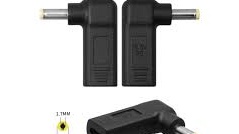
The situation changes with laptops that use proprietary chargers or special connectors. These models are usually not compatible with universal adapters, so replacement cannot be done casually.
For those devices, using the official charger or a replacement that exactly matches the required specifications is the safer option. The output should still be checked carefully so it does not differ from the laptop’s basic power needs.
What should be checked before using a 100W charger
Before connecting a 100W adapter to a 65W laptop, the first step is to confirm whether the laptop supports USB-C or PD charging. After that, the voltage output on the charger should be compared with the laptop’s requirements.
It is also important to make sure the charger’s current rating is the same as or higher than what the laptop expects. Chargers without clear branding or uncertain specifications should be avoided if compatibility cannot be confirmed.
A larger watt rating can be useful, but only when the technical details are correct. If voltage, current, and charging standard all match, a 100W charger can power a 65W laptop safely and offer more flexibility for users who manage several devices with one adapter.