


When an iPhone gets uncomfortably hot in severe heat, the warning signs are often subtle before performance starts to slip. A sudden drop in screen brightness, slower response times, or charging that pauses unexpectedly can all signal that the device is protecting itself from overheating.
Apple says the iPhone is designed to operate best in ambient temperatures of about 0 degrees Celsius to 35 degrees Celsius. Once the surrounding temperature rises beyond that range, the phone’s thermal system begins taking automatic protective measures.
The first signs are often visual and easy to miss
One of the clearest symptoms is a sharp dimming of the display. This commonly happens after the phone has been exposed to direct sunlight for too long, making the screen harder to see outdoors.
That reduction in brightness is not only about visibility. The display is also one of the biggest sources of heat inside an iPhone, so lowering it helps the device cool more quickly.
Charging behavior can reveal the problem early
Heat can also interfere with charging. If the iPhone gets too warm while connected to a cable or wireless charger, it may show a “Charging on Hold” notification.
In that state, charging stops temporarily until the temperature returns to normal. Apple also limits charging beyond 80 percent in some cases to help protect battery health.
Performance drops when the temperature keeps rising
Overheating does not just affect the screen or charging. It can make the entire device feel slower and less responsive. Camera performance may slow down, the flash can be disabled for a while, and scrolling or opening apps may feel less smooth.
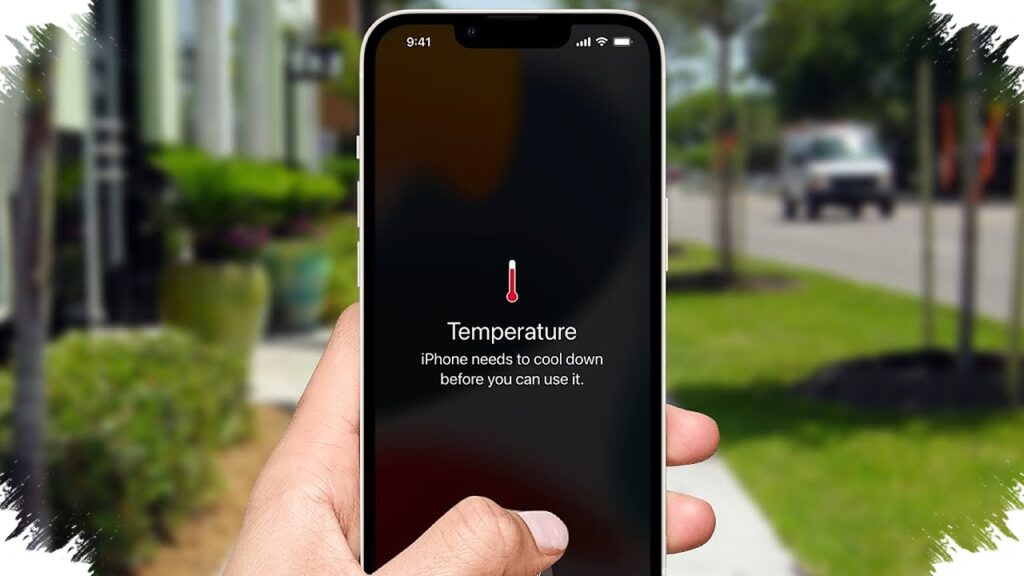
At the most severe end of the scale, the iPhone can display a black warning screen with a thermometer icon. When that appears, most functions are restricted until the device cools, although emergency calls remain available.
Heat is not caused by weather alone
High outdoor temperatures are only part of the issue. Heavy apps, background activity, charging habits, and direct sunlight can all add to the heat load.
A phone used while walking outside or left in an open area absorbs environmental heat while also generating heat from normal use. Wireless charging can raise temperatures further, which is why a wired charger is considered safer during very hot weather.
Small changes can reduce the risk
Casing choice also matters. Thick rugged cases can trap heat around the body of the phone, even if they offer stronger physical protection.
Removing the case when the device starts feeling warm can help heat escape faster. Low Power Mode can also reduce background activity and ease processor load when temperatures are high.
Using the phone in a cooler place and avoiding direct sun exposure are practical steps that help keep temperatures under control. If the iPhone is already dimming the display, pausing charging, or slowing down, the built-in protection system is already working to prevent further strain on the battery and internal components.