


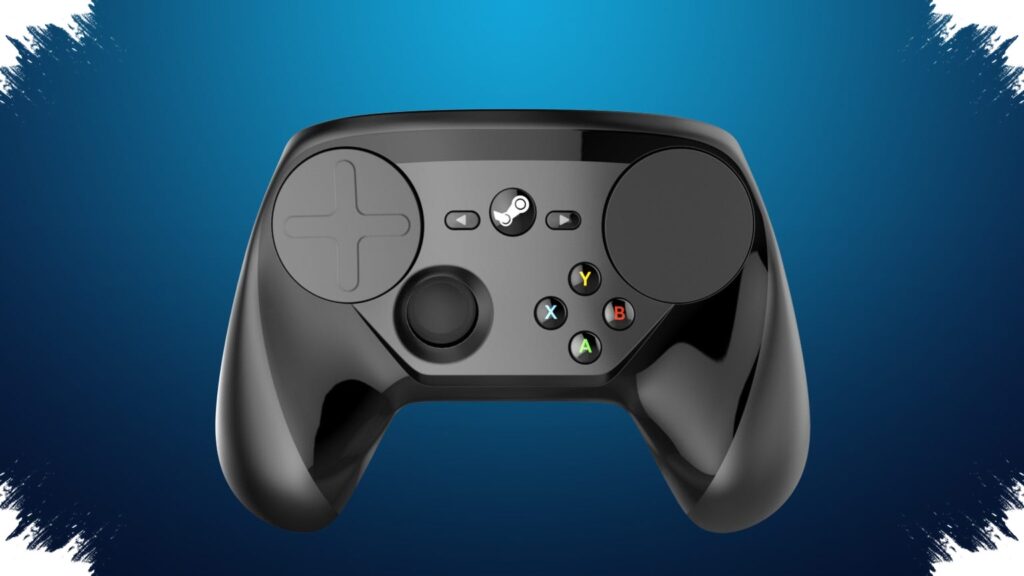
For many PC players, Steam Controller stands out less as a conventional gamepad and more as a flexible control system. Its strongest appeal is the way it compensates for the limits of standard controllers in games that were never designed with full controller support.
That flexibility comes from a mix of mouse emulation, virtual keyboard access, and highly granular input tuning. The result is a single device that can adapt to modern titles, older PC games, and even routine navigation outside gaming.
Mouse control without leaving the couch
One of the most notable features is the right trackpad’s ability to behave like a mouse. That makes strategy games, simulations, and older PC titles that depend on pointer input much easier to handle.
The system also includes an on-screen keyboard that can be opened through specific button combinations. That keeps players from constantly reaching for a physical keyboard just to type or move through menus.
The joystick is not limited to movement alone. It can be turned into a mouse region, with its size, position, and sensitivity adjusted to fit the game being played.
A controller built for dense command layouts
Steam Controller also handles complex inputs through virtual menus. Touch menus, radial menus, and hotbars can all be assigned symbols, layouts, and different activation methods.
That setup is especially useful in games with crowded inventories or many abilities. Instead of memorizing long button combinations, players can place key commands into menus that are faster to reach.
Button mapping adds another layer of flexibility. A single button can be assigned multiple commands at once, allowing more complex actions to be triggered through one input.
The rear buttons contribute to that same approach. They let players add extra commands without changing their grip, which helps keep control steady during fast gameplay.
Fine-tuning for precision
Steam Controller also offers deeper adjustment options for players who want tighter control. Trigger dampening can reduce unwanted cursor movement, while the joystick’s outer ring radius can trigger a command once the stick is pushed fully outward.
Dead zone settings are another important part of the package. They help eliminate accidental movement caused by minor joystick deflection, which matters in games that demand precision.
Haptic feedback is part of the experience as well. Its vibration can be tuned so menu navigation and in-game actions feel more immersive without becoming distracting.
Different games, different setups
The real strength of Steam Controller becomes clearer when it is used across different genres. In Torchlight 2, which lacks native controller support, inputs can be mapped to feel closer to a traditional controller layout.
In Vampire Survivors, users can even set up dual joystick behavior to alternate between hands during longer play sessions. That kind of setup shows how far the device can be tailored to individual needs.
It also supports more specialized actions that a game may not provide on its own. Players can create weapon wheels, ability menus, or layouts that simplify resource collection and inventory management in survival games.
Not limited to Steam titles
Steam Controller is not restricted to games purchased on Steam. Non-Steam games can be added to the Steam library, which keeps the same customization tools available.
That makes the device useful for PC libraries spread across different platforms. Players can still rely on one consistent control scheme for both classic titles and newer releases.
Sensitivity can also be adjusted across inputs, from the trackpad to the triggers. Users who prefer faster response can raise sensitivity, while those who want slower, more controlled input can tune it down.
Community-made configurations add another practical advantage. Players can browse presets created by others, download them, and apply them right away instead of building everything from scratch.
Those shared setups are often a starting point for new users before they move on to more personal adjustments. And because the controls can be changed while a game is still running, the system remains flexible without interrupting play.
Beyond gaming, the same mouse emulation and customizable input tools make Steam Controller useful for PC navigation and media control as well. That keeps the device relevant even when it is not being used as a game controller.
Source: www.geeky-gadgets.com