


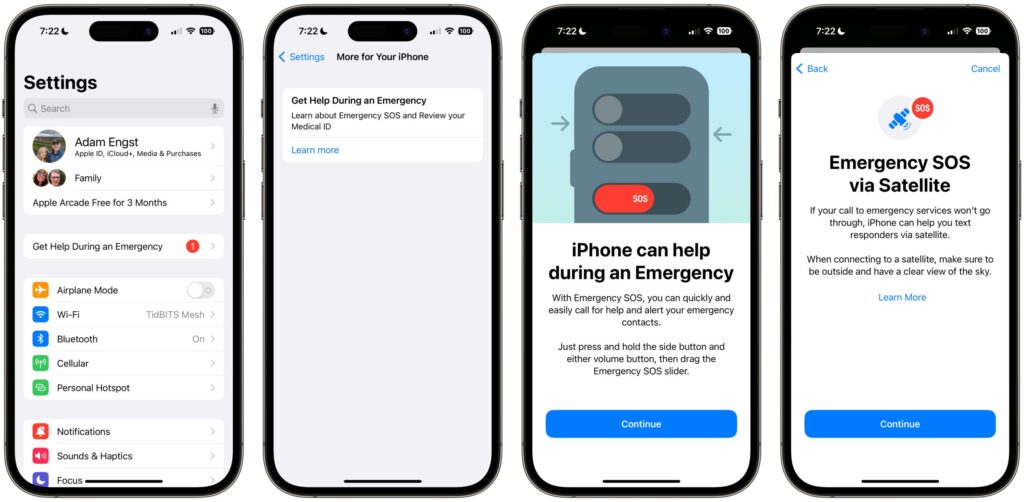
Some of the most important safety tools on iPhone are not the ones most users see first. Several emergency settings must still be checked manually, and that can make a critical difference when someone is lost, injured, or facing a sudden medical problem.
The device already includes features that work automatically in supported models, including Emergency SOS via satellite on iPhone 14 or newer. But other functions require a quick trip through Settings, Health, or Watch before they are ready to help.
Medical details that can appear on the Lock Screen
Medical ID is one of the first settings worth reviewing because it can be viewed without unlocking the phone. That means a bystander or first responder can see essential information even when the device remains locked.
The profile can include medical conditions, allergies, medication, blood type, surgical history, and emergency contacts. It can be set up in the Health app by opening Summary, tapping the profile photo in the top right, entering Medical ID, and turning on Show When Locked.
Emergency calling options that reduce hesitation
iPhone also offers more than one way to trigger emergency calling, which matters when panic makes it hard to remember a single method. In Settings > Emergency SOS, users can enable Call with Hold and Release and Call with 5 Button Presses.
Call with Hold and Release starts a countdown when the side button and a volume button are pressed together, then places the call after the buttons are released. Call with 5 Button Presses works by pressing the side button five times quickly.
Both options are useful in different situations. One can help users who cannot hold buttons for long, while the other gives a faster alternative for people who may struggle with a longer press.
Government alerts and safety warnings
The phone can also receive official alerts about dangerous conditions, including AMBER alerts, extreme weather, and threats that are about to happen. These messages help users react quickly without waiting for someone else to pass along the warning.
To check the setting, open Settings, choose Notifications, then scroll to Government Alerts. Enhanced Safety Alerts can also be turned on for events such as earthquakes and other urgent dangers.
This feature works only on an iPhone with an active SIM or eSIM. Availability also varies by country, and in some places, such as Canada, these alerts are mandatory and cannot be switched off.
Fall Detection for Apple Watch users
For Apple Watch owners, Fall Detection can act like an automatic medical assist after a hard fall. The watch sounds an alarm, displays a confirmation message, and lets the wearer call SOS or indicate that everything is fine.
If there is no response for one minute, the device calls emergency services when the paired iPhone is nearby and connected, or when an Apple Watch Cellular model has an active plan. It also sends emergency contacts a message that includes the location and the fall notification.
The feature is available on Apple Watch Series 4 or later and can be enabled in the Watch app on iPhone by opening My Watch, choosing Emergency SOS, then Fall Detection, and switching it on.
Legacy Contact for access after death
Legacy Contact is another setting that often goes unnoticed, even though it matters for family planning and digital inheritance. It allows a selected person to access certain data after the account owner has died.
That access can include photos, messages, notes, files, and device backups. It does not include subscriptions or iCloud Keychain data such as payment details and passwords.
The setup is available on devices running iOS 15.2 or later, as well as iPad and Mac. The path is Settings, then the account name, then Sign-In & Security, then Legacy Contact, where a Family Sharing member or another contact can be selected and given an access key.
Features that already work by default
Two important safety functions are already enabled on supported devices. Emergency SOS via satellite is available on iPhone 14 or later and lets users send a text to emergency services even when there is no Wi-Fi or cellular signal.
The feature is free for two years and needs a clear view of the sky when an emergency call is attempted. Crash Detection is also enabled automatically on supported iPhone and Apple Watch models, and it plays an alarm for 10 seconds before contacting emergency services if a severe crash is detected.
That combination can make response times much faster when every second matters. A short check of the relevant menus can help confirm that the most useful settings are ready before an emergency arrives.