


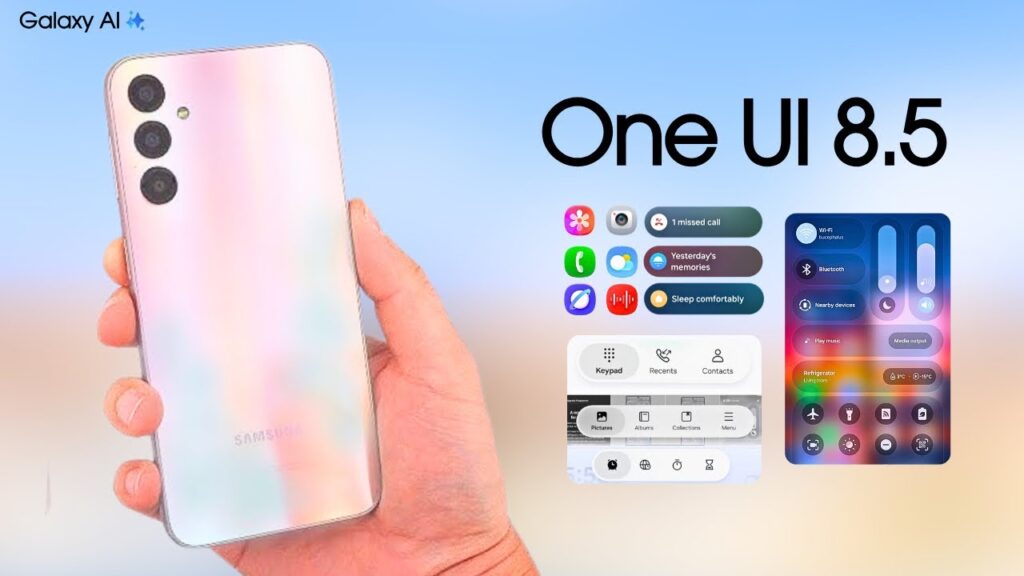
Samsung has started rolling out One UI 8.5 to the Galaxy A24, bringing a major software update to a midrange model that had not yet been fully confirmed on the list of expected devices. The release is notable because it turns a previously uncertain upgrade into an active stable rollout.
For now, the update is limited to the South Korean variant of the Galaxy A24, model SM-A245N. Samsung has begun distribution there first, with wider availability expected to follow in stages.
What the update changes
One UI 8.5 is built on Android 16 QPR2 and introduces a refreshed interface along with new functions for the device. The software package weighs about 2,400MB, which makes it significantly larger than a routine monthly patch.
Among the visual changes are transparent blur effects and a floating bottom bar in Samsung’s own apps. Those adjustments give the interface a more modern appearance and make One UI 8.5 one of the clearest design shifts the Galaxy A24 has received so far.
The update also adds several features, including Apple AirDrop support, partial screen recording, and direct voicemail. That combination makes the rollout more than a simple maintenance release, since it affects both everyday usability and the look of the phone.
Why the rollout matters
The Galaxy A24 had been one of the models expected to receive One UI 8.5, but it had not been clearly confirmed before this rollout began. With stable firmware now live in Korea, Samsung is effectively moving the device into the next phase of its software cycle.
This step also shows that Samsung is not limiting the biggest interface updates to premium devices. The Galaxy A24, a popular midrange phone, is now joining the group of models getting the latest generation of One UI features.
Samsung usually launches major firmware first in one market before expanding it elsewhere, and this release follows that pattern. At the moment, users outside South Korea do not have a specific timetable, although expansion is expected after the initial launch window.
What Galaxy A24 owners should check
Users can look for the update by going to Settings, then Software update, and selecting Download and install. Because the package is large, the download and installation may take longer than a regular security update.
A stable internet connection and enough free storage are recommended before starting the process. If the update does not appear immediately, that does not necessarily mean the device has been excluded, since firmware rollouts are often staggered across regions and units.
The Galaxy A24 now has a clear path into One UI 8.5, and the next question is how quickly Samsung will extend the same firmware beyond Korea. For many owners, the rollout marks both a visual refresh and a meaningful feature upgrade in one package.