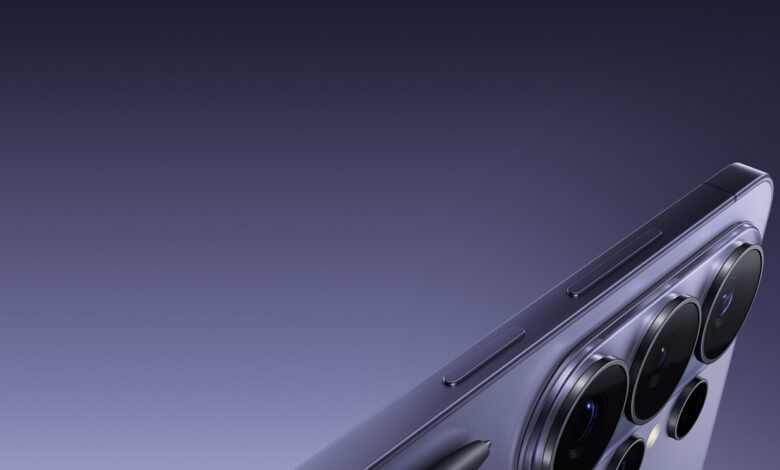
Samsung’s Galaxy S26 Ultra is built to solve two of the most common problems in handheld video: shake and a tilted horizon. The phone combines Super Steady and Horizontal Lock to keep recordings smoother and visually level while users are moving.
That combination makes the device more practical for walking shots, hiking, cycling, and fast everyday action. It does more than reduce vibration, since it also corrects rotation in real time during recording.
Two features, two different jobs
Super Steady is the video stabilization mode built into the standard Video mode on the Galaxy S26 Ultra. When it is turned on, the feature reduces the shake that usually appears when video is recorded by hand, especially while walking or moving continuously.
Horizontal Lock serves as a companion feature with a different focus. If Super Steady softens motion along the phone’s travel path, Horizontal Lock keeps the horizon line straight when the device tilts or twists in the hand.
That separation matters because smooth video can still look awkward if the frame leans left or right. With Horizontal Lock, the composition stays more controlled even when the grip changes or the movement becomes less predictable.
Why it matters for everyday use
Most day-to-day videos are recorded without a tripod and without any special setup. Walking on a sidewalk, following a running child, filming a pet, or capturing a travel moment can all produce footage that is hard to watch if stabilization is weak.
That is where the Galaxy S26 Ultra is trying to close a familiar gap in smartphone video. Super Steady and Horizontal Lock add a practical layer to the camera system so handheld clips stay more manageable in less ideal conditions.
The benefits are most visible in situations that keep the body in motion. Uneven hiking trails, bicycle rides, or action scenes such as dancing, spinning, and jumping are all scenarios the feature set is meant to handle.
How Horizontal Lock works
Horizontal Lock works through real-time motion analysis. The Galaxy S26 Ultra uses the gyroscope and accelerometer to read how the phone is being moved, then corrects rotation as it happens.
That approach is useful when motion comes from several directions at once. If the hand shifts, the body changes direction, or the device turns slightly in the palm, the system still tries to keep the horizon from appearing slanted in the final result.
The feature gives action footage a more deliberate visual structure. In outdoor sports clips or other fast-moving moments, keeping the frame level can matter just as much as reducing shake.
Available directly from Video mode
These features are not hidden inside a separate recording mode. Users can simply open the camera app, switch to Video mode, and turn on the Super Steady icon in the viewfinder toolbar.
After that, the Super Steady setting offers the option to enable or disable Horizontal Lock. This lets users decide whether they want only shake reduction or also horizon correction.
Because it still runs within standard Video mode, the user does not lose access to other features in that mode. That provides more flexibility than an approach that requires switching to a special mode just to get extra stabilization.
There is a trade-off in field of view
Super Steady does not come without consequences. When it is active, the camera uses a slightly narrower field of view so the system has room to stabilize and correct motion.
As a result, framing looks tighter than it does in standard Video mode. For some users, that is a fair trade when recording while moving, but it remains a factor when a wider composition is the goal.
For that reason, Super Steady is better treated as a tool for specific situations rather than a setting that should stay on all the time. When conditions demand stability, the feature offers a clear advantage.
When it is better to turn it off
For still shots with the phone placed on a stable surface or mounted on a tripod, Super Steady is not really necessary. In those cases, standard Video mode provides a full field of view without needing extra stabilization.
The same applies to camera movement that is intentionally slow and controlled. Landscapes, gentle tracking shots, or ultra-wide framing are often better recorded without Super Steady so users keep maximum control over composition.
That difference also highlights how Super Steady compares with ordinary smartphone video stabilization. Standard stabilization helps with small motions during normal use, while Super Steady is designed for heavier movement.
| Feature | Main Role | Key Effect |
|---|---|---|
| Super Steady | Video stabilization | Reduces shake during handheld movement |
| Horizontal Lock | Horizon correction | Keeps the frame level when the phone tilts or rotates |
Samsung also notes that Super Steady results can vary depending on editing methods and shooting conditions. Even so, in situations that demand recording while moving, Super Steady and Horizontal Lock stand out as some of the most practical camera upgrades on the Galaxy S26 Ultra.