


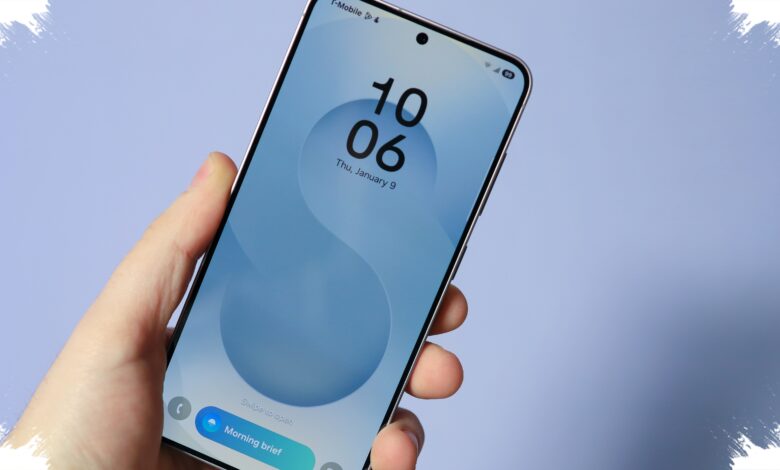
One UI 8.5 gives the Galaxy S26 Ultra a noticeably different feel from the first moment it is used. Samsung is not only refining the interface, but also pushing Galaxy AI deeper into everyday tasks that people actually use.
That shift matters because it arrives right at first setup, when the phone is turned on and explored for the first time. The result is a device that feels more flexible in use, more polished in motion, and more focused on helping with photos, notifications, audio, and daily planning.
Quick Panel becomes far more adaptable
The most immediate change is in the Quick Panel, which Samsung has redesigned across layout, behavior, and customization. The new approach is less rigid and gives users more control over what appears first.
Controls are no longer locked into a fixed grid size. Users can resize quick toggles freely, move them around, remove the ones they do not use, and add them back later from the available control list.
This makes the Quick Panel easier to match with personal habits. The Galaxy S26 Ultra also adds a Privacy Display toggle there, designed to make on-screen content visible only to the owner.
The interface looks cleaner and moves more smoothly
One UI 8.5 also brings a visual refresh that is easy to notice while navigating the phone. Settings menus now look cleaner, with fewer subheadings and a more streamlined layout.
Samsung has moved the search bar to the bottom of the screen, making it easier to reach with one hand. Scrolling now feels softer too, thanks to blur effects at the top and bottom edges that replace the sharper cutoffs used before.
App icons have also been updated with stronger depth and more vivid colors. Inside apps such as Gallery, Phone, and My Files, floating menus now appear above the content instead of sitting against a hard bottom bar.
| Area | What Changed | Why It Matters |
|---|---|---|
| Quick Panel | Resizable controls, rearrangeable layout, removable toggles | More personal and easier to tailor |
| Settings | Cleaner layout, fewer subheadings, bottom search bar | Better one-handed use |
| Navigation Feel | Smoother transitions with blur at screen edges | Less abrupt scrolling experience |
Galaxy AI moves closer to daily routines
Samsung is also extending Galaxy AI into more everyday moments. One of the clearest examples is Now Brief, the morning summary that appears on the Galaxy S26 Ultra.
Now Brief does more than collect appointments that users entered themselves. It pulls information from different apps, including calendar events, meeting times, reservations, weather, and other details into a single view.
In One UI 8.5, the feature can also surface information mentioned in messages. That includes reservation times that appear in chats, reducing the need to check multiple apps before starting the day.
Samsung says Now Brief will learn user habits over time. As the phone is used longer, the information it shows should become more relevant.
Notifications get a smarter priority system
Notifications are another area where AI is being used more directly. Notification Highlights has two main roles that are especially useful in daily use.
It can condense long or busy chat notifications into shorter summaries. It also studies which notifications are opened most often and places the most relevant ones higher in the notification shade.
The feature can be turned on through Settings > Galaxy AI > Notification Highlights. Samsung says it needs several days of normal use before its prioritization becomes more accurate.
Creative tools see the biggest expansion
Photo Assist receives one of the largest updates in One UI 8.5. Samsung has added a new Create tab, letting users describe image changes with voice or text commands.
Instead of depending mainly on sketches drawn over an image, users can now type instructions to change colors, swap objects, or add new elements to a photo. Photo Assist also keeps edit history, which makes it easier to go back and try another version.
The Style tool has also been expanded. Rather than focusing only on faces and people, it can now be applied to any photo to turn it into pop art, comic art, watercolor, or 3D cartoon styles.
Samsung has also added on-device processing for object removal. With that option enabled, the task can run entirely on the Galaxy S26 Ultra without sending data to the cloud.
Creative Studio is another new Galaxy AI app introduced with this update. It can generate visuals from scratch based on text prompts.
The app can create wallpapers, stickers, greeting cards, profile cards, and invitation cards. It can also use an existing photo as inspiration for a new visual result.
Samsung integrates Creative Studio into Samsung Notes, allowing created stickers or cards to be inserted into notes without switching apps.
Audio and file sharing get practical upgrades
Audio Eraser is now expanding beyond Samsung’s own video recording workflow. On supported third-party apps, it can work in real time while watching videos on platforms such as YouTube, Netflix, and Instagram.
The feature can detect and reduce six types of sound: voices, music, wind, nature, crowd, and noise. Users can open the Quick Panel, tap the Audio Eraser toggle, and use the slider and Voice Focus button to bring dialogue forward.
Samsung says the feature is useful for sports clips, concert footage, and videos where background sound makes conversation harder to hear. A Samsung account is required, and a network connection is needed when the feature is used in supported apps.
Quick Share also gains an important expansion in One UI 8.5. By enabling the Share with Apple devices toggle in Quick Share settings, the Galaxy S26 Ultra can send and receive files from nearby Apple devices without a third-party app or cloud service.
Nearby Apple devices appear in the Galaxy share sheet alongside other Galaxy devices. In the other direction, the Galaxy S26 Ultra also shows up as a sharing target on Apple devices, making cross-ecosystem transfers much more practical.
Overall, One UI 8.5 pushes the Galaxy S26 Ultra in two directions at once. Samsung makes the interface easier to shape, while also placing Galaxy AI into the tasks people are most likely to use every day.
That combination is what gives the update its immediate impact, especially for users who notice the changes from the first swipe rather than after days of use.