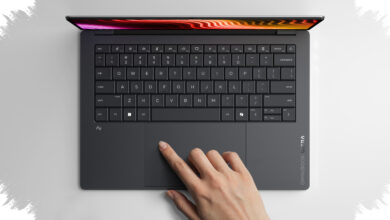
A low-priced laptop can look like a smart purchase at first glance, but the real cost often appears later. Once the device starts aging or failing, repairs, replacements, and performance losses can quickly erase the savings.
The biggest risk is not only weak performance. In many cases, the hidden burden comes from durability problems, hard-to-find spare parts, and service costs that can approach the price of the laptop itself.
What often makes budget laptops fragile
Many entry-level or older laptops use plastic materials that are less sturdy than higher-tier models. Their cooling systems are also often less effective, while some internal components are soldered in place and cannot be replaced easily.
That combination makes overheating more likely. When the processor and motherboard keep running at high temperatures, the risk of solder cracks and permanent chipset damage also rises.
| Common Issue | Why It Matters | Potential Impact |
|---|---|---|
| Plastic chassis | Less durable under frequent use | Higher chance of physical damage |
| Weak cooling | Heat builds up faster | Greater overheating risk |
| Soldered components | Hard to replace or upgrade | Repairs become more difficult and costly |
Parts and service can cost more than expected
Spare parts are another major concern, especially for budget laptops or older series that are no longer in production. Replacement screens, hinges, or batteries may be difficult to find.
Even when parts are available, the price is not always reasonable. In some cases, the cost of a single component can get close to the original purchase price of the laptop.
Software pressure can also add to the problem. Budget laptops often come with only the minimum specifications needed for current operating systems, leaving little room for future updates.
When the operating system receives a major update, performance can drop sharply and the device may feel laggy. That can disrupt daily work, especially for users who rely on the laptop throughout the day.
Upgrades are not always a simple fix
Adding RAM or an SSD may seem like a practical way to extend a laptop’s life, but budget models are not always designed for frequent opening and closing. A fragile casing can increase the risk of physical damage during repair or upgrade work.
For buyers, the lesson is that the cheapest laptop on the shelf is not always the most economical over time. A slightly higher upfront cost can be easier to justify if it reduces the likelihood of repeat service visits.
Buying for the right use case matters
The decision should also be based on how long the laptop is expected to be used. If the target is one to three years, a model with slightly better specifications may be more cost-effective in the long run.
Laptops with better build quality usually offer stronger durability and better thermal management. Manufacturers also tend to provide longer driver support, which helps the device remain stable for longer.
Use case should guide the purchase as well. A budget gaming laptop that is prone to problems is not a safe choice for simple browsing and typing, while a basic office machine may struggle under creative workloads.
Checking the laptop series, reading user reviews, and confirming the availability of an official service center in the buyer’s city can help avoid a purchase that looks cheap up front but becomes expensive later.