


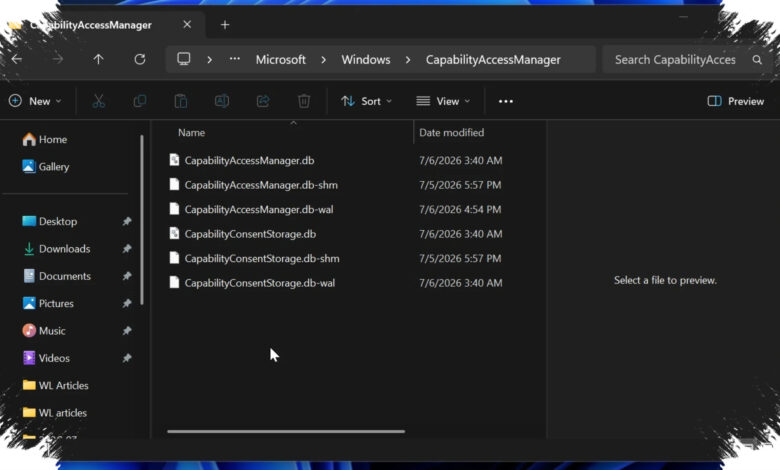
A Windows 11 bug has surprised users by quietly consuming storage space on an extreme scale, with reports reaching as high as 500GB. Microsoft has now released a fix intended to restore the affected storage.
The issue centers on CapabilityAccessManager.db-wal, a file Windows uses to record app capability access and privacy permissions such as camera, microphone, location, and screenshots. Under normal conditions, a WAL file can grow temporarily, but it should not expand to the point of taking up hundreds of gigabytes.
What users reported
| Reported Issue | File Size | After Cleanup |
|---|---|---|
| Extreme case | 500GB | Not specified |
| Other reports | 12GB to 200GB | 4GB or 15GB |
| TechSupport community | 70GB, 110GB, and 200GB | Not specified |
Windows Latest reported that some users had been dealing with the problem for several months. One report described the file swelling to 500GB, while other cases placed the size somewhere between 12GB and 200GB.
In the TechSupport subreddit, several comments described a similar bug with impacts of 70GB, 110GB, and 200GB. After cleanup, the file size reportedly dropped to 4GB or 15GB in some cases.
How to check for the problem
Users can inspect system storage by opening Settings > Storage > Show more categories > System & Reserved. If the system usage appears to reach hundreds of gigabytes, the device may be affected by this bug.
Microsoft said it was aware of the problem and released a fix on 29 June 2026. The company did not explain in detail why the file kept expanding in the first place.
According to Windows Latest, the file may keep growing because Windows 11 records repeated events for access requests or other privacy controls. Affected users can install the update through Settings > Windows Update > Advanced options > Check for optional update, then choose the June 2026 update.
The issue has drawn attention because the storage loss can appear suddenly and look like a major hardware problem, even though it stems from software behavior. For users seeing unusual system storage consumption, checking the System & Reserved category may help determine whether the bug is present.