


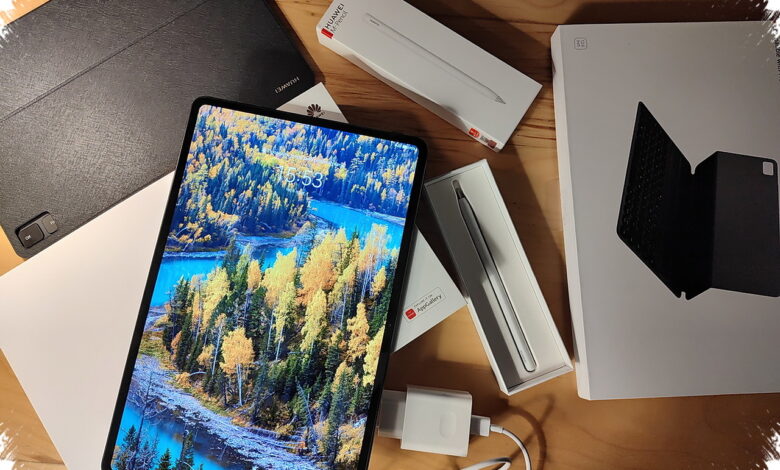
The choice between the Huawei M-Pencil Pro and Lenovo Moto Pen Pro is less about picking a universally better stylus than matching the device to a working routine. Huawei prioritizes detailed visual work, while Lenovo places more emphasis on notes, navigation, presentations, and remote control tasks.
Lenovo Moto Pen Pro extends its role beyond writing on a tablet through a remote-control button. The button can assist with presentation navigation and can also be used to take photos from a distance.
Its built-in haptic feedback is designed to add a subtle vibration when the pen tip contacts the screen. Lenovo positions this tactile response as a way to make writing feel closer to using physical paper.
Lenovo Official Support, as cited by techno.viva.co.id, lists the Moto Pen Pro at about 17.6 grams with a 1.4 mm pen-tip diameter. The stylus is claimed to last up to 10 hours of active use and to reach a full charge in about 30 minutes.
High-precision tracking is intended to maintain stable lines for quick note-taking. Lenovo also states that the stylus remains responsive when paired with its flagship tablet lineup.
Different tools for different tablet routines
| Category | Lenovo Moto Pen Pro | Huawei M-Pencil Pro |
|---|---|---|
| Primary focus | Productivity, presentations, navigation | Illustration, sketching, brush control |
| Main interaction | Haptic feedback and function button | Tactile Feedback, Pinch, Rotate |
| Connection approach | Responsive with Lenovo flagship tablets | NearLink with very low latency |
| Pen-tip option | 1.4 mm diameter | Three transparent tip variants |
The table highlights two distinct interpretations of a premium tablet stylus. One is built around versatile controls for daily work, while the other is built around direct adjustments during drawing.
Huawei focuses on the stroke itself
Huawei M-Pencil Pro supports more than 10,000 pressure-sensitivity levels, allowing finer transitions between thick and thin lines. That capability is particularly relevant for painting in the GoPaint application.
Its NearLink connection is presented as a key differentiator because it is designed to provide a stable link with almost imperceptible response delay. For digital artists, reduced delay matters when the movement of a pen needs to closely follow the stroke on screen.
The stylus also uses a Pinch gesture to open a radial menu without frequent switches to the app interface. A Rotate gesture provides more immediate control over brush-stroke characteristics during the drawing process.
Huawei provides three interchangeable transparent pen-tip variants for different uses. Details cited by techno.viva.co.id from the Huawei Official Store indicate that the tips can be changed for drawing or for writing smaller text.
The practical dividing line
Huawei M-Pencil Pro is better aligned with creators whose tablet work centers on detailed illustrations, pressure control, and brush adjustments. Its combination of NearLink, high pressure sensitivity, and gestures is tailored to visual workflows.
Lenovo Moto Pen Pro is aimed more directly at users who shift between notes, workplace navigation, presentations, and remote control functions. Its tactile feedback and multi-purpose button give it a different advantage when a stylus is expected to support more than creative tasks.
Both devices show how tablet styluses have become more specialized tools rather than interchangeable accessories. The deciding factor is whether the user spends more time shaping digital artwork or managing everyday work on a tablet.