


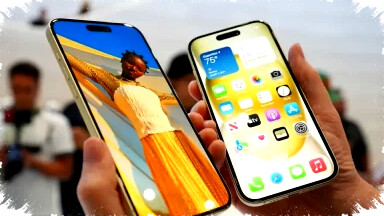
Buying an iPhone at a lower price can be tempting. However, distinguishing between an official iPhone iBox and an imported iPhone inter model is crucial. Mistaking one for the other can lead to serious issues such as signal problems, warranty complications, or even device unusability due to legal concerns.
The primary difference lies in the distribution channel. iPhone iBox units are officially imported through Apple Indonesia’s authorized distributors like iBox and Digimap. In contrast, iPhone inter models are imported unofficially from overseas. This impacts IMEI registration, warranty coverage, and network stability.
Check the Model Code on Your iPhone
The simplest way to tell the difference is by checking the device’s model number through its settings. Navigate to Settings > General > About > Model Number. If the model ends with PA/A or ID/A, it indicates an official iBox unit for Indonesia. Conversely, endings like LL/A, ZP/A, ZA/A, or JA/A represent iPhone inter devices from countries such as the USA, Singapore, or Japan.
For example, the model code LL/A belongs to units originally distributed in the United States or Canada. This code acts as a clear marker for the region of the device’s initial distribution.
Verify the IMEI Registration Status
IMEI registration is a critical factor in legal recognition and network compatibility. Official iPhone iBox units have IMEI numbers registered with the Indonesian Ministry of Industry (Kemenperin). This registration ensures the device can operate smoothly on Indonesian networks without service interruptions.
On the other hand, many imported iPhone inter units lack official IMEI registration, which may lead to losing cellular service ("no service" status) after a period. Problems such as sudden signal drops and inability to connect to cellular networks are common risks. Manual registration processes, if required, are often complicated and do not guarantee permanent solutions.
Understand the Warranty Differences
Warranty coverage affects after-sales service quality. iPhone iBox units come with official Apple Indonesia warranties. Users can seek repairs or support through authorized outlets like iBox, Digimap, or official Apple service centers. This warranty is integrated within Apple’s global system.
Imported iPhone inter models usually only carry store-level warranties. These devices are not eligible for official Apple warranty claims in Indonesia. Repair costs under such warranties tend to be higher, and support options are limited, potentially causing inconvenience and extra expenses over time.
Examine Packaging and Completeness
Packaging details provide additional clues. iPhone iBox devices typically include Indonesian-language labels, manuals, and official distributor seals from iBox or Erajaya. These features ensure authenticity and adherence to local standards.
In contrast, iPhone inter units often feature foreign language packaging. Some may lack protective plastic or have incomplete accessories due to refurbishment or repackaging. These signs suggest unofficial import status and lower reliability.
Compare Market Prices Wisely
Price differences can reveal important information. iPhone iBox devices are generally priced higher due to official tax payments and distribution costs. Imported iPhone inter units are cheaper because they bypass such channels, but this comes with inherent risks.
Low prices may seem attractive but often correspond with greater risks in network compatibility, IMEI legality, and warranty protection. Buyers should carefully weigh cost savings against potential future problems.
Summary Table: iPhone iBox vs. iPhone Inter
| Aspect | iPhone iBox | iPhone Inter |
|---|---|---|
| Distribution | Official Apple Indonesia | Imported via unofficial routes |
| Model Codes | PA/A, ID/A | LL/A, ZP/A, JA/A |
| IMEI Status | Registered with Kemenperin | Risk of unregistered IMEI |
| Network Signal | Stable and reliable | Risk of no signal |
| Warranty | Official Apple Indonesia warranty | Store warranty only |
| Packaging | Indonesian labels and seals | Foreign language, often no seal |
| Price | Higher (includes taxes) | Lower (no official taxes) |
| Risk Level | Lower | Higher |
Safe Buying Tips for iPhone
To avoid costly mistakes, follow these steps before purchasing an iPhone:
- Check the model code via device settings.
- Ensure the IMEI is officially registered using government databases.
- Confirm warranty type clearly with the seller.
- Compare prices with official market rates.
By understanding these indicators, buyers can secure a genuine and fully supported iPhone. Official iBox units provide peace of mind for long-term use without hidden issues. Imported iPhone inter devices may offer short-term savings but carry substantial risks that could outweigh their affordability.
Informed decisions based on these guides reduce the chance of regret after purchase. Choosing official distribution ensures legal compliance, better service, and network stability which directly contribute to a satisfactory smartphone experience.