


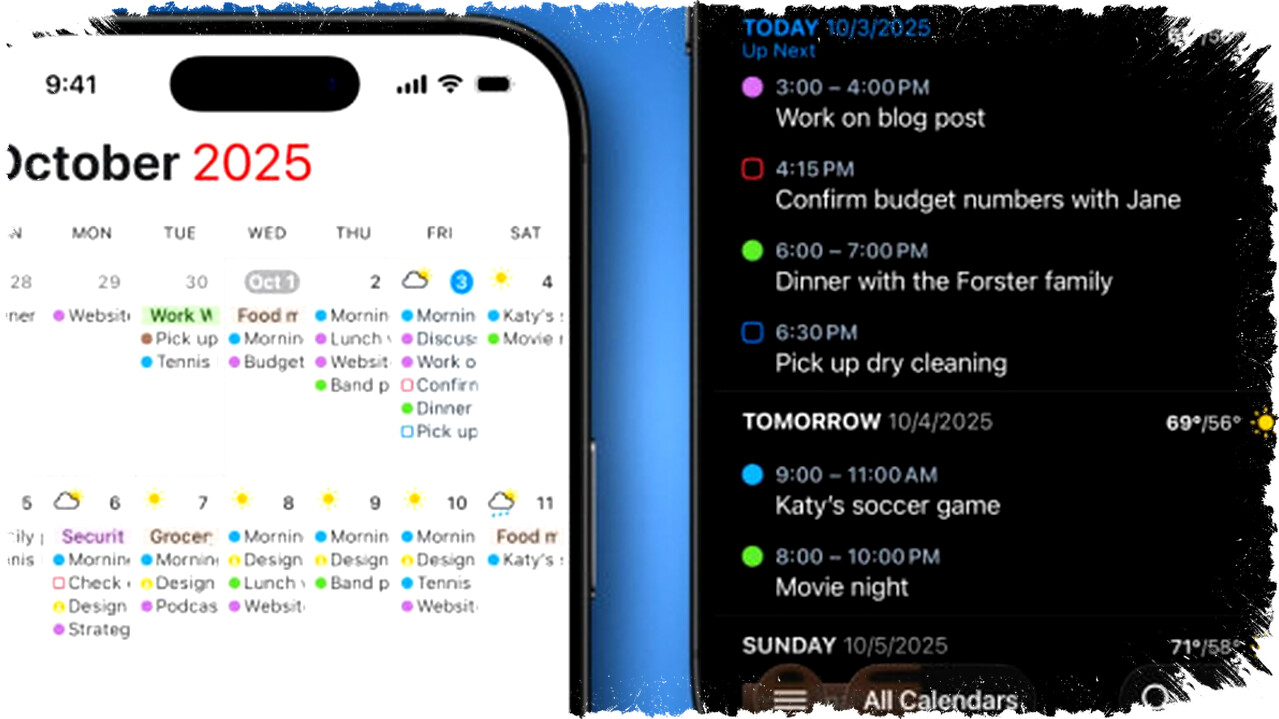
Managing schedules across different devices often creates challenges for users who rely on mixed ecosystems like iPhone, Mac, and Windows PC. Inconsistent calendar synchronization can lead to missed appointments and reduced productivity. Fantastical Calendar App emerges as a comprehensive solution, now officially supporting Windows alongside Mac and iPhone.
Fantastical guarantees real-time synchronization across all devices, so any changes are instantly reflected everywhere. This capability removes the hassle of switching between platforms or struggling with limited web interfaces.
Cross-Platform Synchronization and Integration
Fantastical shines by offering seamless synchronization of calendar entries across Mac, iPhone, and Windows PC. Users can maintain a single Fantastical account, which ensures that updates on one device automatically appear on others without delay. This capability is crucial for users who switch frequently between systems throughout their day.
Moreover, Fantastical supports integration with Apple’s iCloud Calendar. This feature is particularly useful for those who want the convenience of Fantastical’s interface while still using Apple’s native calendar ecosystem on the iPhone. The app synchronizes with iCloud in real time, keeping all platforms aligned.
User Interface Designed for Productivity
A clean and intuitive interface distinguishes Fantastical on every supported device. Whether on desktop or mobile, users can toggle between full and compact calendar views effortlessly. The weekly view offers a detailed snapshot accessed through simple swipe gestures. Features like drag-and-drop event rescheduling on desktop enhance usability.
Fantastical allows users to merge multiple calendars — such as work, personal, and social — into a unified display. This minimizes the risk of overlooking appointments and streamlines daily planning. By centralizing various calendars, Fantastical eliminates the fragmentation typical in multi-calendar setups.
Advanced Features to Boost Scheduling Efficiency
Fantastical takes scheduling beyond basic calendar functions with productivity-enhancing tools. A standout feature is its natural language input system. Users can type event details casually — for example, “Lunch with Sam tomorrow at 3 pm at The White Horse, Wembley” — and the app automatically converts this into a structured calendar entry. This natural language parsing accelerates event creation and minimizes errors.
The app also supports automation via email integration. Users can forward event-related emails, such as booking confirmations, to a dedicated Fantastical email address. The app intelligently extracts relevant data and creates corresponding calendar entries without manual input.
For recurring appointments, Fantastical allows users to create reusable templates. This saves time by replicating frequently scheduled events or tasks without repetitive entry, a useful feature for professionals managing complex calendars.
Another sophisticated tool, the “Openings” scheduling feature, facilitates meeting coordination by allowing users to share available time slots. Recipients can select convenient times from these options, streamlining the booking process. The system supports automatic addition of conferencing tools such as Zoom, Microsoft Teams, or Webex links to scheduled meetings, enhancing remote collaboration.
Impact on Workflow and Cross-Device Users
Fantastical’s expansion to include Windows PC addresses a significant gap in multi-platform calendar management. Previously, Apple users faced the limitation of lacking a native Windows calendar app, often resorting to less efficient web interfaces. Fantastical bridges this gap by providing consistent and powerful functionality across all major platforms.
Users report substantial improvements in workflow due to synchronized real-time updates and automation features. The app’s robust capabilities make it an optimal choice for professionals and individuals requiring streamlined calendar management on Mac, PC, and iPhone.
Summary of Fantastical’s Key Features:
- Official support for Windows PC alongside Mac and iPhone
- Real-time, reliable synchronization across devices
- Integration with Apple iCloud Calendar
- Intuitive UI with drag-and-drop scheduling and versatile calendar views
- Natural language event entry for quick, accurate scheduling
- Email-based event creation automation
- Reusable templates for recurring events
- “Openings” for meeting scheduling with embedded conferencing links
Fantastical’s capabilities reflect a significant advancement for users facing the complexity of managing calendars across heterogeneous device landscapes. Its combination of real-time sync, automation, and user-friendly design contribute to more efficient time management and reduced scheduling errors in daily routines.