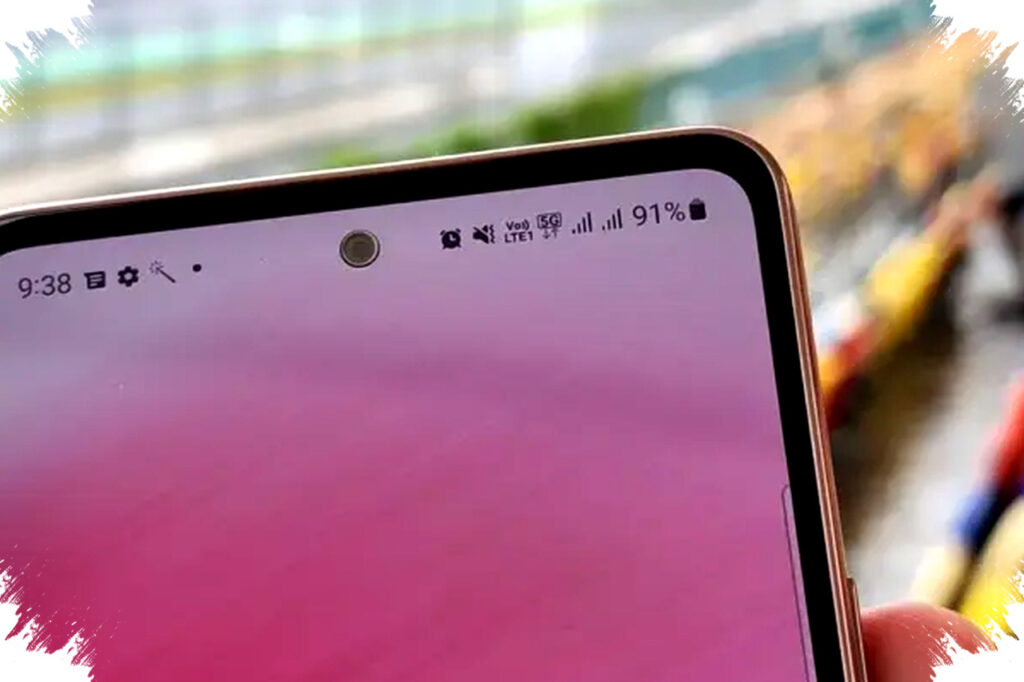
The fifth-generation network, or 5G, is rapidly expanding across major cities worldwide, including Indonesia. Many Android users already own 5G-capable smartphones but do not experience the full speed advantage due to improper settings. Optimizing your Android device for 5G connectivity only takes a few minutes and can significantly boost your download speeds. Here are five effective ways to set up 5G on your Android phone for lightning-fast downloads.
1. Verify Device and SIM Card Compatibility
First, check whether your Android phone truly supports 5G networks. Despite marketing claims of “5G Ready,” not all models support the specific frequency bands used by local carriers. To confirm compatibility, review official specifications from the manufacturer’s website or your device packaging.
Equally important is your SIM card version. Older SIM cards often limit connectivity to 4G. Visit your mobile operator’s store to upgrade to a 5G-capable SIM without changing your phone number. This step can prevent hidden connectivity issues that hinder 5G activation.
2. Enable 5G Network Mode in System Settings
Once your device and SIM are 5G-capable, the next step is to activate the 5G mode. Navigate to:
- Settings → Network & Internet → Mobile Network → Preferred Network Type.
Select the option indicating “5G/4G/3G/2G (Auto)” to allow your phone to automatically switch to the fastest available network. If the 5G choice does not appear, it may indicate firmware restrictions or incompatibility with local frequency bands.
Some smartphone brands provide a “Smart 5G” feature. This intelligent mode switches between 4G and 5G depending on your data needs and battery status, conserving power without sacrificing speed when necessary.
3. Update Your Android System Regularly
Software updates often include enhancements to modem firmware that improve signal stability and data throughput. Both manufacturers and the Android Open Source Project periodically release patches optimizing 5G performance.
Regularly check for system updates through:
- Settings → System → Software Update.
Installing the latest version ensures your device leverages improvements in network handling, potentially increasing download speeds and reducing latency on 5G networks.
4. Adjust APN Settings for Your Carrier
APN (Access Point Name) settings act as the gateway for your internet connection and must be configured correctly for 5G access. Misconfigured or outdated APN profiles could lead to slower speeds or connection failures.
Most carriers automatically provision the correct APN when the SIM is inserted. However, if you experience connectivity issues, manually update your APN settings using information from the operator’s official website. In Android, this can be accessed via:
- Settings → Network & Internet → Mobile Network → Access Point Names.
Enter or modify the APN parameters as recommended by your carrier to optimize network access.
5. Confirm You Are Within a 5G Coverage Area
Having a compatible device and correct settings does not guarantee 5G speeds if your location lacks coverage. Operators typically provide network maps via their official apps or websites where you can verify 5G availability in your area.
Signal strength and quality can also fluctuate based on environmental factors such as building structures, network congestion, and distance to the nearest base transceiver station (BTS). Even if the 5G icon appears on your status bar, speeds can vary. Use these tools proactively to understand coverage and plan your usage for best performance.
5 Easy Steps to Boost Your 5G Speed on Android:
| Step | Action | Notes |
|---|---|---|
| 1. Device & SIM Compatibility | Check specs and upgrade SIM if needed | Visit manufacturer or carrier store |
| 2. Enable 5G Mode | Set preferred network to auto 5G/4G/3G/2G | Turn on Smart 5G if available |
| 3. Update System | Install latest Android updates | Enhances modem and network efficiency |
| 4. Configure APN | Edit APN settings per carrier instructions | Ensures proper data gateway configuration |
| 5. Check Coverage | Use operator maps or apps to confirm 5G availability | Avoid slow speeds in low coverage zones |
Following these five steps can unlock the full potential of 5G on your Android device instantly. Reports from telecommunications authorities indicate that 5G offers significantly lower latency and download speeds multiple times faster than 4G. Proper configuration can enable smoother streaming, faster file downloads, and improved experiences in gaming or video conferencing.
Remember that 5G technology is still evolving, and network expansion continues. Regularly updating your device settings and staying informed about your operator’s coverage will help sustain optimal performance. By ensuring compatibility, correct configurations, and situational awareness, you can enjoy the high-speed benefits of 5G without technical hurdles.
For further optimization, monitor your network usage and signal strength periodically. Small adjustments such as toggling airplane mode or restarting your device may occasionally improve connection stability. When done, your Android phone will be ready to deliver download speeds at the speed of light—thanks to 5G.
With these simple and actionable settings, anyone can enhance their mobile internet experience and maximize their device’s connectivity capabilities in just five minutes.