


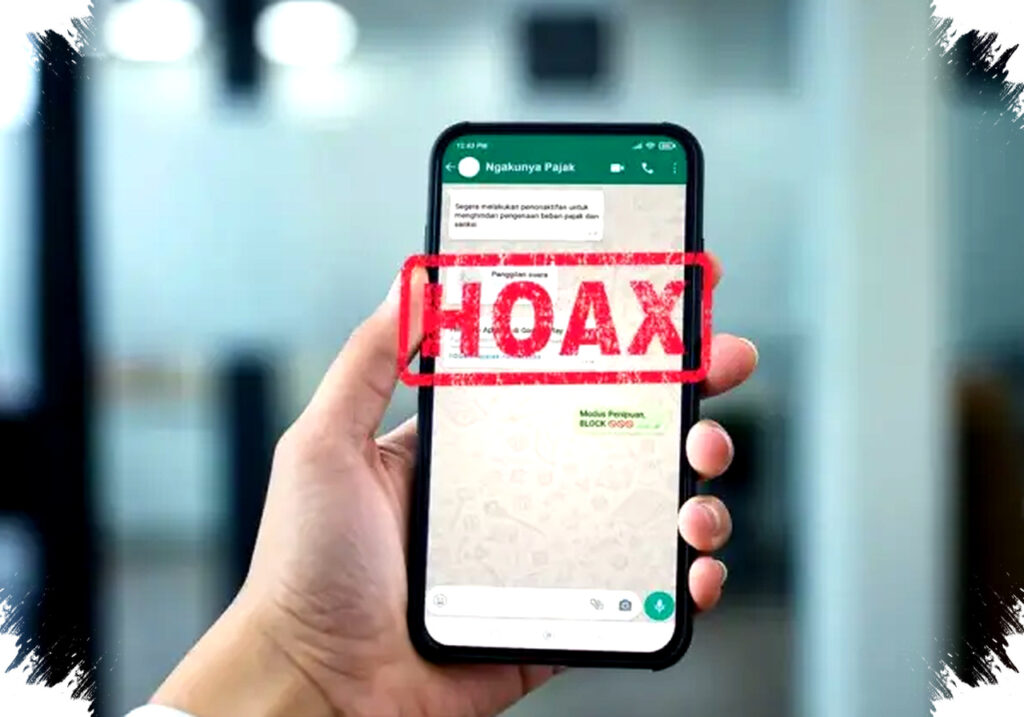
As the Lebaran festivities approach, reports of WhatsApp scams have surged alarmingly. Many users fall victim to fraudsters impersonating authorities or trusted services. This situation calls for heightened vigilance and practical steps to safeguard your WhatsApp account.
WhatsApp has become integral to daily communication, enabling personal and professional interactions worldwide. Unfortunately, its popularity makes it a prime target for cybercriminals who exploit the trust users place in the platform.
Recognizing Common WhatsApp Scams
Scammers often masquerade as tax officials, police officers, or delivery couriers offering seemingly urgent information or assistance. For example, fraudulent messages may include fake tax activation links or APK files disguised as traffic violation tickets, aiming to trick users into installing malware or revealing sensitive data.
Such deceptive messages frequently urge users to click suspicious links or download unknown applications. Engaging with these can lead to account hijacking or data theft, causing significant personal and financial harm.
How to Protect Your WhatsApp Account
By actively using WhatsApp’s built-in security features, you can significantly reduce the risk of falling prey to these fraud attempts. Follow these essential steps:
- Enable Two-Step Verification
Two-step verification adds an extra layer of protection by asking for a six-digit PIN during WhatsApp login attempts. Activating this feature prevents unauthorized access even if your SMS verification code is compromised.
To activate:
- Open WhatsApp and go to Settings.
- Tap Account, then Two-Step Verification.
- Select Enable, set a 6-digit PIN, and add a recovery email address.
- Complete the process by tapping Done.
Never share your PIN with anyone, as it is crucial for securing your account.
- Activate App Lock for Enhanced Privacy
If others use your phone, your WhatsApp chats may be exposed unintentionally. App Lock restricts access with biometric authentication such as fingerprint or facial recognition, preventing unauthorized opening of the app.
To turn on App Lock:
- Navigate to Settings > Privacy > App Lock.
- Enable the feature and choose your preferred biometric method.
- Configure auto-lock timing for convenience and security.
This measure ensures only you can access your messages, even if your device is borrowed.
- Adjust Privacy Settings for Last Seen and Group Invitations
Hackers and spammers often exploit visibility settings to monitor activity or infiltrate groups with malicious intent. Limiting who can view your “Last Seen” status and who can invite you to groups curtails these risks.
To manage these options:
- Go to Settings > Privacy > Last Seen & Online.
- Choose to share with Contacts, Everyone, or Nobody based on your preference.
- Then, under Privacy > Groups, specify which contacts can add you to groups.
These simple changes help maintain your privacy and reduce unsolicited disruptions.
- Review Linked Devices Regularly
WhatsApp allows multiple devices to be linked to your account. Unknown devices in this list can indicate suspicious activities and potential compromises.
To check:
- Open Settings > Linked Devices.
- Review the list and immediately log out devices you do not recognize.
This step stops intruders from accessing your account remotely.
- Enable Security Notifications
WhatsApp encrypts messages with unique security codes. When these codes change, it could mean your conversations are at risk.
To receive alerts:
- Visit Settings > Account > Security Notifications.
- Turn on notifications to be promptly informed of any security changes.
This helps you stay alert to potential breaches and take timely action.
Understanding User Awareness as the Key
The best defenses rely on user vigilance combined with technology. Being aware of common scam patterns and carefully managing your account’s privacy and security settings safeguard you from losing control of your WhatsApp identity.
Verify messages that ask for personal information or prompt downloads before responding. Official entities seldom request sensitive details via chat or unofficial links. When in doubt, contact the organization directly through verified channels.
Lebaran celebrations bring joy but also increase online crime attempts exploiting the festive rush. Implementing these precautions minimizes risks and secures your digital communication during this busy season.
Always update WhatsApp to the latest version to ensure all security patches are applied. Avoid installing APK files from unknown sources and delete suspicious messages immediately.
By actively managing account security, you enhance your online safety and protect your personal data against evolving threats.