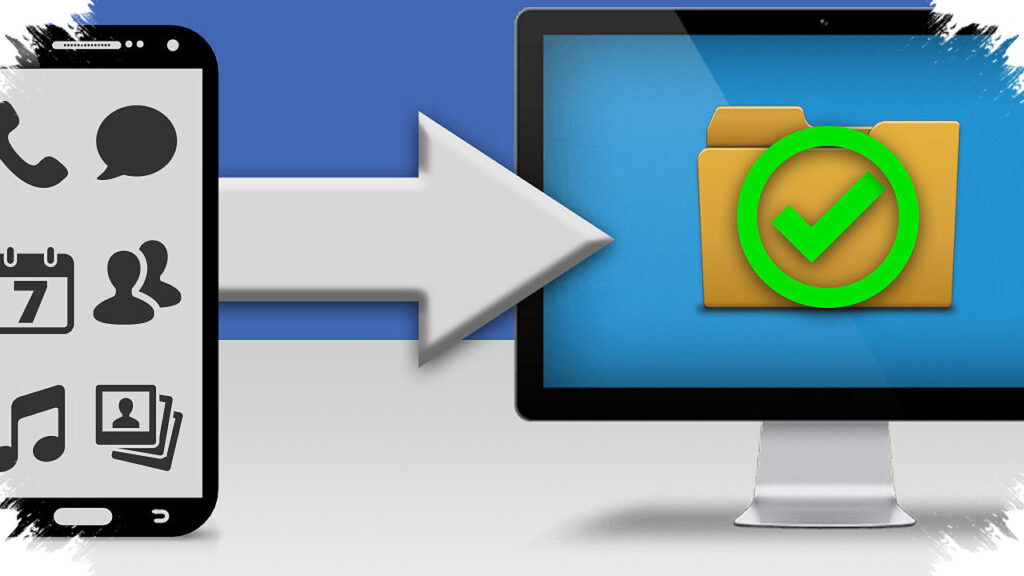
Google is preparing a new Android backup feature that sends phone data directly to a PC through Quick Share. The move could give users a practical way to clear storage without paying for extra cloud space, which is a problem many smartphone owners face every day.
The feature was spotted in a teardown of Google Play Services beta version 26.15.31. Early signs suggest Google wants to make local backups easier, faster, and more private by using devices people already own at home.
How Google’s Android-to-PC backup may work
The new system appears to be built into Quick Share, Google’s cross-device transfer service. That means users may not need a cable, separate app setup, or an internet connection to move files from an Android phone to a computer.
According to the teardown findings, users will likely be able to choose specific folders for backup. Camera photos and video recordings are among the files mentioned, which suggests Google is targeting the types of data that usually fill up phone storage the fastest.
The feature also seems to include a manual “Back up now” button. This would let users trigger a transfer whenever they want, while background syncing could handle the rest automatically.
Why this matters for users with full storage
For many people, storage warnings appear at the worst possible time. A phone full of photos, videos, and documents can slow down daily use and make it harder to install apps or save new memories.
Google’s local backup approach could reduce that pressure without forcing users into another paid subscription. Instead of uploading everything to a cloud service, the phone could send files to a PC that already has far more storage available.
That matters because many laptops and desktops still have hundreds of gigabytes of unused capacity. Turning that space into a backup destination gives Android users a cheaper and more familiar option than buying additional cloud storage every month.
Privacy may be a major selling point
Local backup also brings a privacy advantage. Since the files stay within the user’s own network and move directly between devices, the data does not need to pass through a third-party server.
This setup could appeal to people who prefer to keep personal photos and documents off the cloud. It also gives users full control over where their files are stored, which is an important point as privacy concerns continue to shape consumer tech habits.
Google’s design may also reduce dependence on unstable internet speeds. If the process works as expected, users could move large files at home without waiting for uploads to finish or dealing with cloud sync delays.
What makes this different from older transfer methods
Traditional backup methods often involve more steps than most users want. They can require cables, desktop software, sign-ins, or manual file management, which makes the process feel technical and inconvenient.
By placing the feature inside Quick Share, Google appears to be aiming for a smoother experience. The platform already focuses on nearby sharing, so backup to PC fits naturally into the same ecosystem.
Here is a simple comparison of the likely benefits:
| Feature | Expected Benefit |
|---|---|
| Quick Share integration | Easier setup and transfer |
| No internet required | Faster local backups |
| No cloud subscription | Lower recurring cost |
| PC storage usage | More available space than a phone |
| Local data transfer | Better privacy control |
Possible use cases for everyday Android owners
The feature could help users in several practical situations. Parents may back up family photos to a home PC, while creators may store video footage locally before editing.
It may also help people who want to free up space before traveling or upgrading their phone. Once files move to a PC, users can delete them from the handset and keep the room needed for new apps, updates, and recordings.
For now, Google has not publicly announced a final release date. But the presence of the feature in beta code suggests the company is actively testing it and may be preparing it for a wider rollout.
What users can expect next
If Google launches the feature in its current direction, Android backup could become less dependent on paid cloud services. That would make storage management simpler for users who already have a computer at home and want a direct, private way to protect their files.
The idea fits well with Google’s broader push to make Android devices work more seamlessly across hardware types. For users facing “storage full” alerts, a built-in backup path to PC could become one of the most useful Android updates in years.