


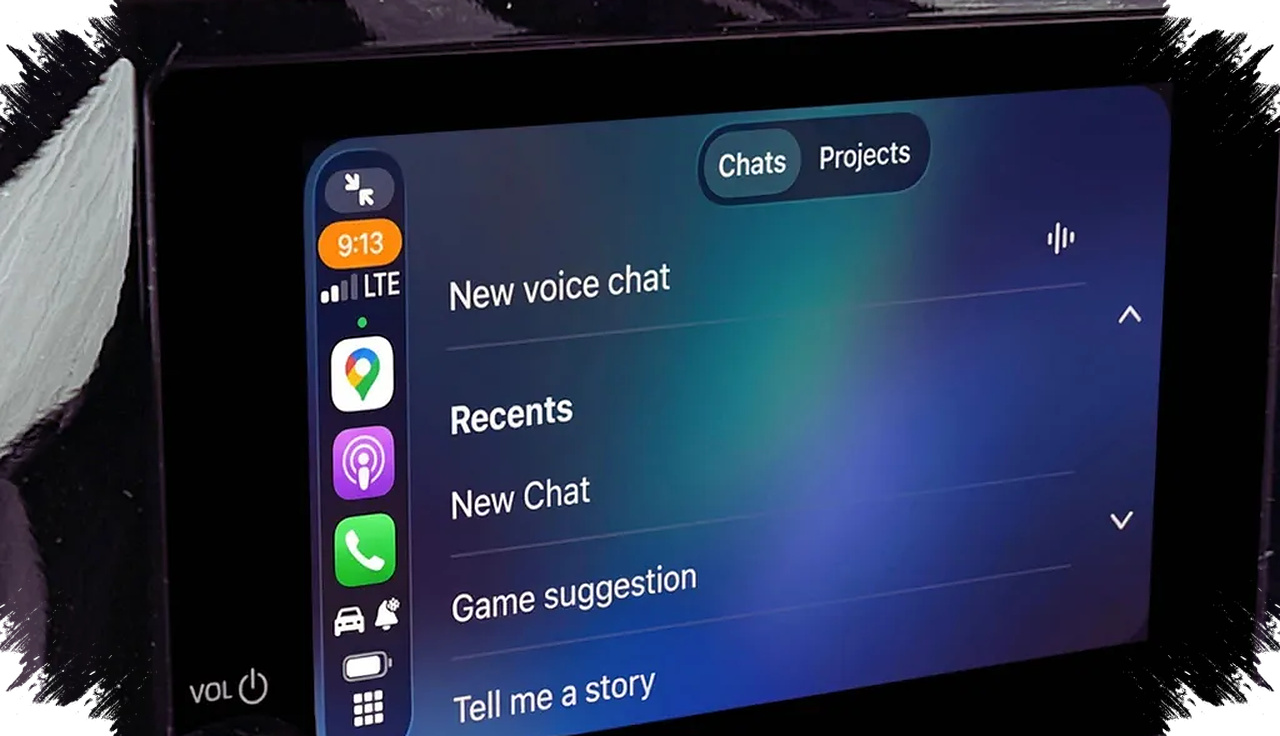
ChatGPT Voice Mode can now be used inside Apple CarPlay, giving iPhone users a hands-free way to talk to OpenAI’s assistant while on the road. For many drivers, the feature is useful because it turns a car screen into a voice-first AI workspace that can answer questions, help brainstorm ideas, and provide quick explanations without typing.
The setup is simple, but it does require the right devices and software. Your iPhone must run the latest iOS version, the ChatGPT app must be updated, and your vehicle must support Apple CarPlay through either a wired or wireless connection.
What makes ChatGPT Voice Mode in CarPlay different
This feature is not the same as Siri, and that matters for expectations. Siri is deeply integrated into iPhone and vehicle functions, while ChatGPT in CarPlay acts more like a conversational knowledge assistant designed to respond with context and detail.
According to the reference article, users still need to open ChatGPT manually from the CarPlay display before starting a voice session. That means the feature does not yet respond to wake phrases such as “Hey Siri,” which makes it less seamless than Apple’s native assistant.
Still, the experience can be valuable on long drives. OpenAI’s voice interface is built for natural conversation, so drivers can ask follow-up questions, refine prompts, or keep a running discussion without touching the phone.
Before you start, check these requirements
A smooth setup begins with compatibility. If one part is missing, the feature will not work properly on the dashboard.
- iPhone with the latest iOS update
- ChatGPT app updated to the newest version
- Apple CarPlay supported by the car’s infotainment system
- Stable wired or wireless CarPlay connection
- A safe, parked moment to set up the first session
This checklist matters because CarPlay acts as the gateway between the phone and the vehicle display. If the connection is unstable, ChatGPT Voice Mode may fail to launch or disconnect during use.
How to activate ChatGPT Voice Mode in Apple CarPlay
Once everything is ready, the activation process only takes a few steps. The reference article describes the workflow clearly, and it is straightforward for most users.
- Connect the iPhone to Apple CarPlay in your vehicle.
- Open the ChatGPT app from the CarPlay screen.
- Select “New Voice Chat.”
- Wait until the indicator shows that ChatGPT is ready to listen.
- Speak naturally and ask your question or request.
After that, the AI will respond through voice, allowing a more natural back-and-forth conversation. Because the feature is voice-based, it reduces the need for manual input, which is especially useful in traffic or during long commutes.
What ChatGPT can and cannot do in the car
ChatGPT Voice Mode is powerful, but it is not a control system for the vehicle. The source material notes that it cannot adjust the air conditioner, change music, or place calls.
Instead, the feature works best for information and idea generation. It can help with quick explanations, language practice, brainstorming, and step-by-step guidance on how to do something.
Here are practical use cases that fit the feature well:
| Use case | Example |
|---|---|
| Brainstorming | Getting ideas for a presentation, post, or meeting |
| Learning | Practicing a foreign language while driving |
| Quick answers | Asking for fast explanations of a topic |
| How-to help | Requesting simple instructions or troubleshooting tips |
These tasks make sense because they do not require physical interaction with the car. They also fit the conversational design of ChatGPT, which was built to handle open-ended prompts and follow-up questions.
Why this feature stands out for drivers
The biggest advantage is productivity. A commute that usually feels like lost time can become a useful window for learning, planning, or thinking through ideas.
That said, safety should remain the priority. Drivers should only use the feature when it does not distract from the road, and they should keep interactions short and focused. The point is to reduce screen time, not replace attention with a longer conversation.
A practical use case for everyday commuting
A driver heading to a meeting could ask ChatGPT to summarize talking points, suggest questions to ask, or explain a concept before arrival. Someone learning English could practice pronunciation and conversation in a hands-free way, while another user could ask for a quick content outline after recalling a new idea on the road.
This is where ChatGPT Voice Mode becomes more than a novelty. It turns CarPlay into a mobile AI assistant that supports real tasks, as long as users understand its limits and keep the interaction centered on information, not vehicle functions.
With ChatGPT Voice Mode now accessible through Apple CarPlay, the car becomes a more flexible digital space for drivers who want voice-based help without picking up their iPhone. For users who already depend on CarPlay, the combination offers a practical way to make travel time more useful while keeping the experience simple, hands-free, and focused on conversation.