


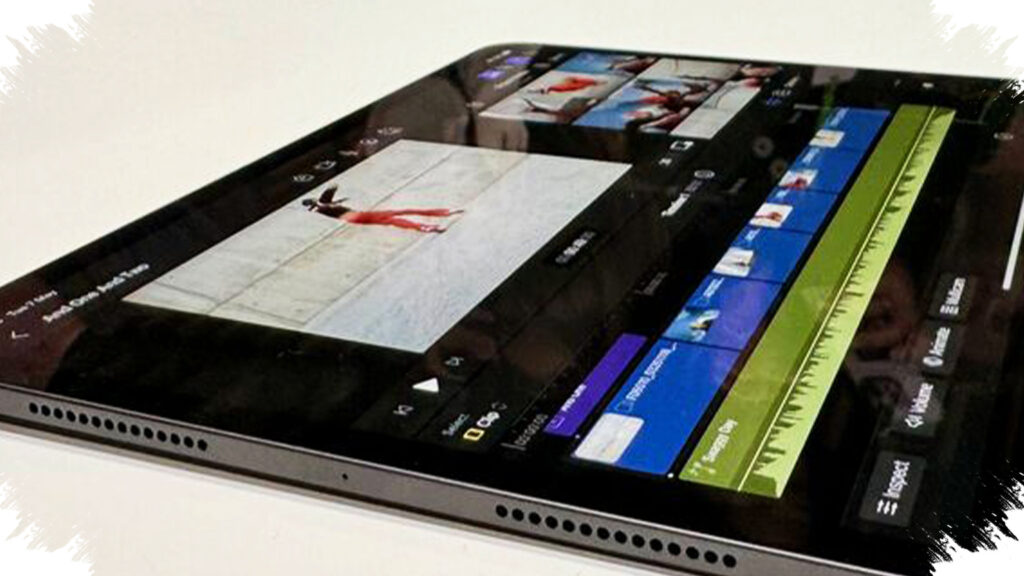
The rise of budget tablets in 2026 is changing how new YouTube creators edit on the go. Devices in the $190 to $230 range can now handle lightweight to mid-level video editing with far less lag than older entry-level tablets.
This matters because many creators no longer want to depend on a laptop for every cut, crop, and caption. With faster mid-range chipsets, larger batteries, and sharper displays, several affordable tablets now support apps like CapCut, VN, and Adobe Premiere Rush with enough stability for daily content production.
Why budget tablets are suddenly good enough for YouTube editing
The biggest shift comes from better efficiency, not just raw power. In the 2026 tablet market, models in the $180 to $260 range often include 4GB to 8GB of RAM, large batteries, and panels that are easier on the eyes during longer editing sessions.
Industry trends also show that tablets are no longer positioned only for streaming and browsing. Many now support split-screen multitasking, stylus input, and keyboard accessories, which makes them more practical for creators who need a mobile editing setup.
What to look for before buying
Not every cheap tablet can handle video work smoothly. For YouTube editing, buyers should prioritize a capable chipset, at least 4GB of RAM, a display large enough for timeline control, and battery life strong enough for long sessions.
A 2K or FHD+ screen helps with preview accuracy, while 8,000 mAh batteries or larger reduce interruptions during travel or field recording workflows. If the tablet also offers expandable storage, that becomes useful because video files can fill internal memory quickly.
7 affordable tablets for YouTube video editing
-
Samsung Galaxy Tab A9 LTE
It comes with an 8.7-inch display, 4GB RAM, 64GB storage, and a 5,100 mAh battery. Its price sits around $170, making it one of the most compact options for creators who value portability over a large screen. -
Xiaomi Redmi Pad
This model offers a 10.6-inch 2K display, 4GB to 6GB RAM, and the Helio G99 chipset. Priced around $190, it has enough power for editing short-form videos and basic YouTube projects without major slowdowns. -
Redmi Pad SE
The Redmi Pad SE features an 11-inch FHD+ screen and an 8,000 mAh battery. With a price in the $120 to $190 range, it suits creators who need long battery life for light editing and multitasking. -
Infinix XPAD 20 Pro
This tablet pairs a 12-inch 2K display with 8GB RAM and quad speakers. Its price range of about $160 to $200 makes it attractive for users who want a larger workspace for timeline editing and media review. -
Tecno MegaPad 11
The MegaPad 11 includes an 11-inch 2.5K display with a 90Hz refresh rate and a 9,000 mAh battery. At roughly $155, it stands out for creators who want smoother scrolling and better endurance during long editing sessions. -
Samsung Galaxy Tab A9+
This larger model improves the viewing experience with a bigger display and stronger multitasking support than the standard A9 line. In many markets, it lands in the low-$200 range, which makes it a solid middle ground for creators who edit more often. - Xiaomi Pad 6 Lite
For buyers who want a more performance-focused option near the affordable segment, this tablet typically offers stronger multitasking behavior and a more premium screen experience. Depending on local pricing, it often appears around the $220 to $250 zone.
Which tablet suits which creator
Here is a simple guide to match needs with devices:
| Creator need | Best fit |
|---|---|
| Most portable option | Samsung Galaxy Tab A9 LTE |
| Balanced all-round editing | Xiaomi Redmi Pad |
| Long battery life | Redmi Pad SE |
| Large screen workspace | Infinix XPAD 20 Pro |
| Smooth scrolling and media review | Tecno MegaPad 11 |
Creators who mainly upload Shorts, Reels, or simple talking-head videos will see the most benefit from this class of tablet. These devices can usually manage 1080p editing, quick rendering, and split-screen research without forcing users into a heavy laptop routine.
When a budget tablet is enough, and when it is not
For lightweight editing, tablets around the $150 to $230 level are now realistic tools for daily publishing. They work best for cutting clips, adding subtitles, trimming audio, and assembling simple transitions.
But heavier 4K projects, multi-layer effects, and complex color grading still demand stronger hardware. In those cases, a flagship tablet or laptop remains the safer choice for stable performance and faster export times.
Why this segment matters in 2026
The strongest appeal of these tablets is flexibility. Creators can edit in cafés, while commuting, or right after filming, and that speed can help maintain a consistent posting schedule.
For many new YouTubers, that is more important than having the most expensive device. A budget tablet that stays responsive, lasts through a full workday, and supports common editing apps can already become a practical production tool for modern mobile content creation.