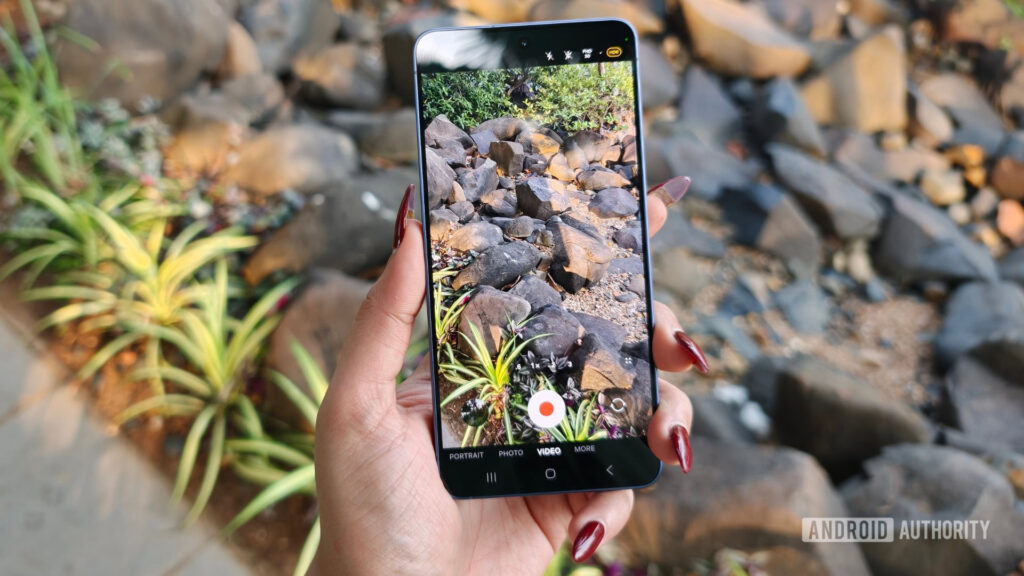
Samsung’s latest One UI changes have quietly removed a camera feature that many users relied on for quick video editing. On several phones, the video filter option has disappeared from the recording interface, even though the same filters still show up in photo mode.
The change has drawn attention because it does not appear limited to a single handset. Reports say the missing video filters have been seen after the One UI 8.5 update, and the same behavior has also been spotted on the Galaxy S26 Ultra running One UI 9 beta.
What makes the situation more noticeable is that the restriction now seems broader than before. Video filters were previously available when recording in 1080p, while 4K had already been limited, but the newer behavior reportedly removes the option from 1080p recording as well, including both 1080p 30fps and 1080p 60fps.
That means users who were used to applying a look before recording now have fewer direct options inside the camera app. The change affects a feature that was considered convenient because it let people set the tone of a video without going through editing afterward.
At this point, there is still no confirmation whether Samsung removed the feature intentionally or whether this is a bug in the latest software. Android Authority suggests the change may be deliberate, partly because the same absence has also appeared in the One UI 9 beta.
Samsung has reportedly been contacted for clarification, but no follow-up explanation has been provided. Until that happens, users are left with an incomplete picture of whether this is a temporary issue or a design decision.
Workarounds still exist
Even with the filter option missing in video mode, there are still a few ways to get a similar result. One method is to turn on a filter in photo mode first, then press and hold the shutter button to start recording.
That workaround allows the video to be captured with the filter already active. The downside is that it is less convenient than opening video mode directly and recording from there.
Another option appears after recording is finished. A user has noted that filters can still be applied through Samsung’s built-in gallery app while editing the video.
That route may help users who still want the effect, but it comes with a trade-off. The edited video has been reported to undergo compression, which may matter to people who care about preserving quality.
Why the change matters
For casual users, the missing filter button may seem like a small interface change. For people who record short clips often, especially for social media or everyday documentation, it changes a workflow that was built around speed.
A direct camera filter is useful because it reduces steps. When that option disappears, users must either rely on a workaround before recording or handle the effect after the clip has already been made.
The camera change has also landed alongside other complaints around recent One UI updates. AT&T users were previously reported to face video call issues after an update, while some Galaxy Z Fold 7 owners have criticized a new quick panel layout.
Those separate complaints have made the camera issue stand out more, since users are already watching One UI changes closely. In that context, a missing filter option is not just about one camera setting, but about whether the post-update experience stays consistent.
Users who encounter the same behavior on other Samsung devices can report it through Samsung Members. That step matters whether the problem turns out to be a bug or an intentional change, since feedback may help shape the next update.
Source: www.androidauthority.com