


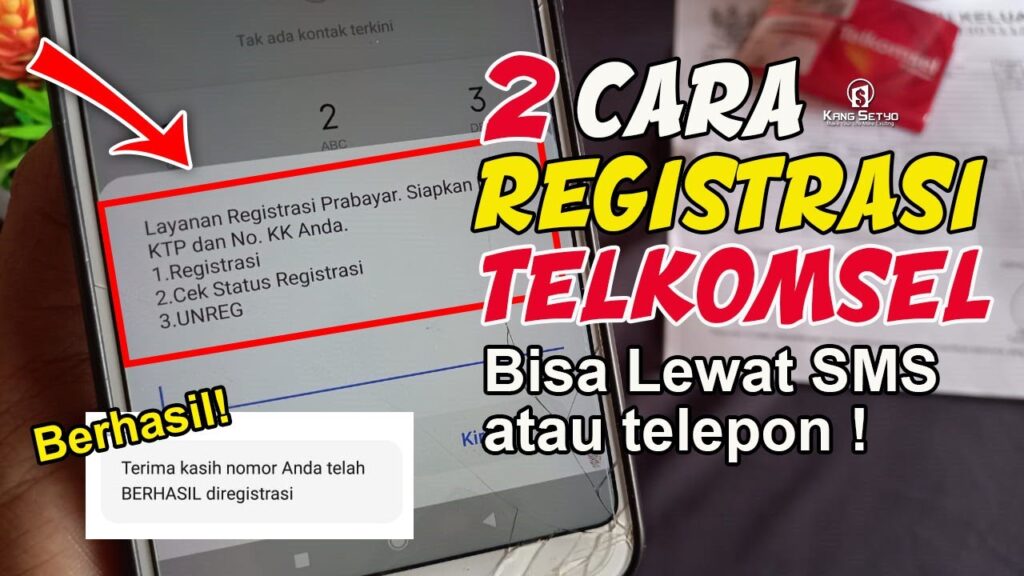
A new Telkomsel prepaid SIM card cannot be used immediately after it is inserted into a phone. Customers must complete registration first so that calls, SMS, and internet access can function without interruption.
The requirement is not merely administrative. It is tied to identity verification using a national ID number and family card data, a step designed to strengthen telecom security and reduce misuse of mobile numbers.
SMS remains the simplest registration route
The most widely used method is registration by SMS because it works on almost any handset. Users only need to prepare the NIK from their ID card and an active family card number that matches the civil registry system.
The format is REG space NIK#Family Card Number# and it is sent to 4444. Once the message is delivered, the system verifies the data automatically.
If the information matches, registration is completed and the number can be used. In most cases, the process takes only a few minutes.
Dial code and online registration provide alternatives
Telkomsel also offers registration through a dial menu for users who want to avoid typing errors in an SMS message. The user opens the phone app and enters *444#, then follows the on-screen registration steps.
The system will ask for the NIK and family card number before validating the data automatically. Users only need to follow the instructions until the process is finished.
Registration is also available online through Telkomsel’s official registration page. This option can be accessed from anywhere and does not require a visit to a store.
Users must enter the number being registered, the NIK, the family card number, and a verification code sent to that number. After all data is filled in correctly, the system processes the validation and sends a notification if the registration succeeds.
Why the process matters
SIM card registration is meant to do more than complete a form. In recent years, customer identity verification has been tightened to reduce telecom abuse and improve the reliability of mobile services.
Numbers that are not properly registered can be used for digital fraud, spam, or identity misuse. With a system connected to population data, user identities can be checked more accurately.
For customers, a properly recorded number also makes it easier to access services from the operator. That matters because a mobile number now functions as a digital identity for many daily activities.
A phone number is no longer used only for calls and messages. It is now linked to banking services, digital wallets, social media, and work applications.
Common reasons registration fails
The most common problem is entering the wrong NIK or family card number. Even one incorrect digit can cause the verification system to reject the process.
Another cause is population data that has not yet been synchronized. In some situations, users need to make sure the ID card and family card details match the national population database.
An unstable network connection can also affect data submission. Signal problems may prevent registration from running smoothly, especially while the system is verifying the information sent.
Practical steps to speed up activation
Before starting registration, users should prepare the NIK and family card number in advance. Each digit should be checked carefully before sending the message or moving to the next step.
Using a stable signal helps the verification process run more smoothly. This simple step often reduces the chance of failure during the first registration attempt.
If registration fails repeatedly, users can try another method. The options include switching from SMS to the dial code, using the online registration page, or contacting Telkomsel customer service.
Knowing the procedure early can save time and prevent a new number from staying inactive. With correct data and the right method, a Telkomsel prepaid card can be ready for communication and internet access quickly.