


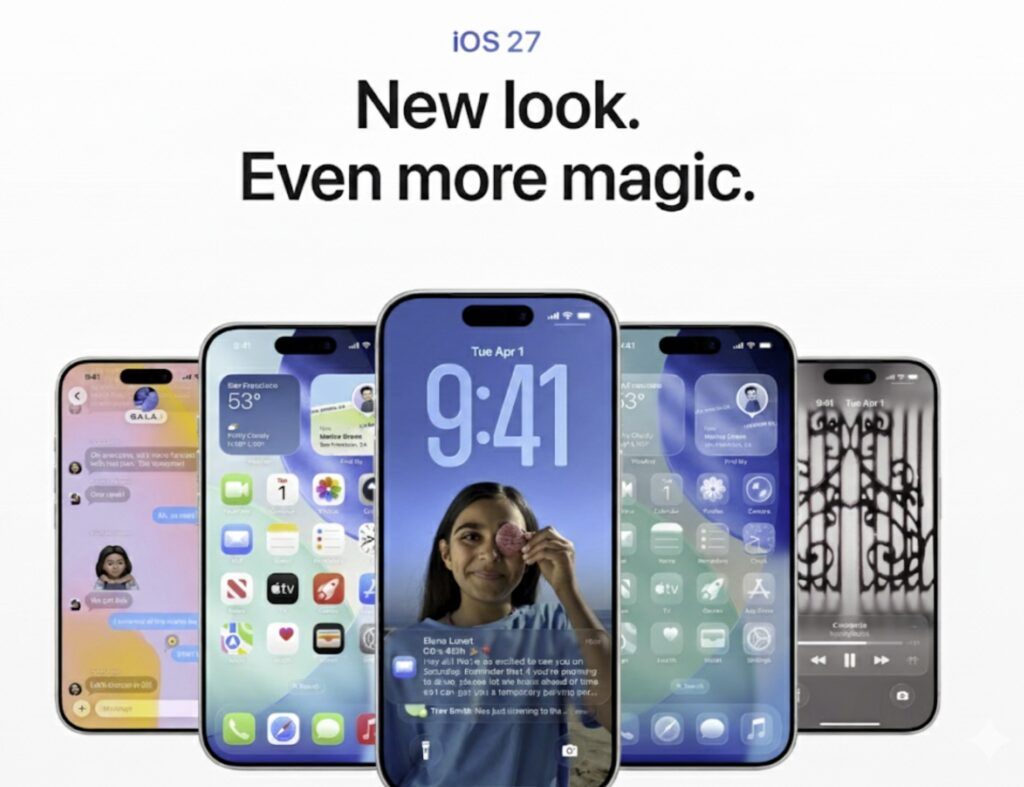
iOS 27 does not rely on one headline feature to make an impression. Instead, it stacks faster performance, more useful AI, and deeper customization into everyday tasks that many users notice almost immediately after updating.
The result is a version of iOS that feels less like a routine refresh and more like a practical reset for the iPhone experience. From opening apps faster to making photo management and messaging feel smoother, the strongest changes are the ones that quietly affect daily use.
Speed gains show up first
The most immediate change in iOS 27 is system performance. Apps now open up to 30% faster, while photos in the camera roll load 70% faster.
AirDrop has also been improved, with transfer speeds up to 80% faster. That makes file sharing feel far closer to instant, especially in situations where speed matters.
These gains matter because they affect the most common actions on the device. Apple’s focus on efficiency gives the system a smoother feel without forcing users to relearn how they use the phone.
Customization becomes more flexible
Visual personalization receives one of the most noticeable updates. The lock screen now supports a minimal clock design, and the Now Playing bar can be hidden for a cleaner layout.
iOS 27 also introduces AI-based wallpaper extensions that can adapt backgrounds dynamically. Small as these changes may seem, they reflect a broader shift toward an iPhone that adjusts to user preference rather than demanding a fixed setup.
Notification handling is also more comfortable. The screen stays active while users scroll through notifications, making it easier to review updates without interruption.
Widgets and the home screen get more room
The home screen gains a more flexible widget system, including full-screen widgets and redesigned glyph icons. Apple also allows the Apple TV remote to be placed directly on the home screen.
That may sound modest, but it shortens access to a function many users rely on regularly. Combined with the larger widget options, the interface becomes more practical for people who treat the iPhone as a daily control center.
These changes also make navigation feel more intuitive. Instead of digging through separate apps for small actions, users get quicker access to tools they use often.
Siri and AI move toward real utility
Apple’s AI push in iOS 27 goes beyond visual tricks. Siri now has a more expressive voice and better contextual understanding of email, messages, and calendar events.
An independent Siri app is also included for more conversational interaction. Siri can now handle tasks inside apps, such as building playlists or organizing photos.
Other AI features are aimed at everyday chores. Nutrition analysis and bill splitting from receipts show a stronger focus on practical assistance rather than novelty.
Camera, photos, and sharing feel more organized
The camera and Photos apps also receive important changes. A redesigned camera interface gives quicker access to settings, while AI is used for photo cleanup, reframing, and automatic video captions.
Photo organization becomes easier with new albums such as “Captured by Me” and “Identity Documents.” That helps users find specific items without scrolling through the full library.
Shared albums gain emoji reactions and temporary sharing options. The feature keeps sharing more interactive while giving users more control over how long access lasts.
Messages, Safari, and payments are streamlined
Messages gets several small but useful upgrades, including visible drafts, handwritten message support, and a separate progress bar while messages are being sent.
Safari is also made smarter. Tabs can be arranged automatically by topic, extensions can be created using natural language, and users can receive notifications for content updates on websites.
Apple Pay now features a simpler checkout interface. Together, these refinements point to a broader effort to make communication, browsing, and payment flows feel less cluttered.
Offline tools, health, and weather gain useful detail
Offline capability expands through better offline maps, allowing navigation without an internet connection. AI-powered flyover also adds a more immersive view of cities and landmarks.
Maps now includes recommendations for trending restaurants, turning it into more than a navigation tool. It also becomes a discovery tool for users who are out exploring.
The Health app adds a redesigned workout summary with weather details and effort level. Weather also gets new visuals for precipitation, wind, and conditions, along with a highlights section for daily insight.
Privacy and accessibility remain central
Apple still places privacy at the center of iOS 27. New features such as identity impersonation risk detection help identify possible scams, while automatic password fixes are meant for compromised accounts.
Accessibility improvements are equally notable. VoiceOver can now provide more detailed image descriptions, and there is a new zoom interface, natural language input, and display pulse smoothing to reduce screen flicker.
Other smaller changes round out the release, including updated app icons, expanded parental controls, and better dictation with advanced punctuation and grammar checks. For many users, this collection of smaller upgrades is what makes the iPhone feel newly refreshed from the first day after updating.