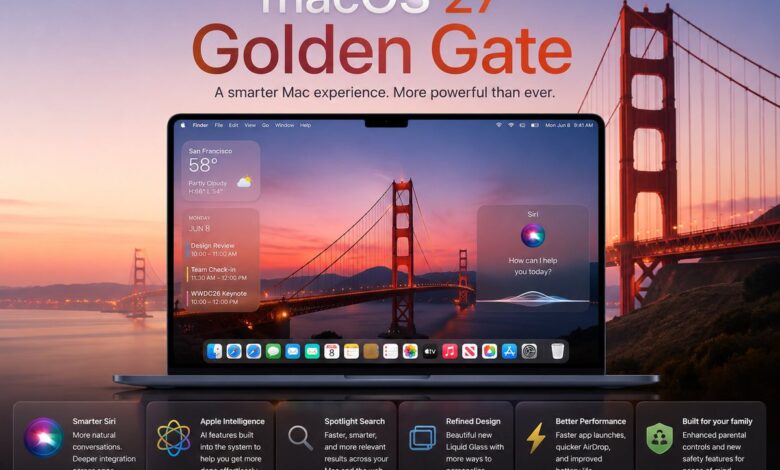
Apple’s macOS 27 Golden Gate is shaping up as a major desktop update because it does more than refresh the interface. The platform is being repositioned around AI-driven search, file management, web browsing, and automation, with more than 50 new features and refinements in the mix.
That combination matters because it pushes several core Mac tasks into a more unified workflow. For users, the promise is simpler day-to-day interaction, faster access to information, and a system that feels more consistent across apps and utilities.
Search and assistant functions move closer together
The most visible change is the merger of Siri and Spotlight into a single feature called “Search or Ask.” Apple is aiming to centralize both information lookup and task execution so users can stay in one flow instead of switching between tools.
Siri itself is also getting a broader AI upgrade with more personal context, more relevant answers, and wider knowledge coverage. The system is also designed to carry out in-app actions, which should reduce the number of manual steps needed to complete routine tasks.
Apple has additionally introduced a separate Siri app to widen how the assistant can be used. The app brings conversational interaction, visual intelligence, and task automation into a package aimed at both casual and professional use.
Finder and Safari are getting practical changes
Finder has been redesigned with a stronger focus on efficiency. One notable addition is file-name suggestions based on document content and folder context, a small change that could save time during saving and organization.
Apple also added a new search animation and updated glyph icons, while removing the floating sidebar to make the layout cleaner. The result is a file manager that looks more streamlined without changing its core purpose.
Safari is being tuned in a similar way, balancing visual polish with everyday usability. The address bar now uses a liquid glass effect, scrolling is smoother, and swipe-to-refresh is available for quicker page updates.
The browser can also sort tabs automatically by topic or user preference. Apple has further added a “Notify Me” feature for updates from favorite sites, along with improvements to power efficiency and shortcut indexing.
A fresh design language runs across the system
Golden Gate also introduces a more unified visual style. New wallpapers arrive for light and dark mode, and a liquid glass effect highlights icons and interface elements to make the desktop feel more modern.
Apple is also standardizing corner radii across windows, including those used by third-party apps. That consistency gives the operating system a more connected appearance from one app to the next.
Sidebar areas now stretch edge-to-edge, and toolbars have been refined to look cleaner and more uniform. On compatible displays, HDR integration is part of the package, while animation work has been polished to make transitions feel smoother.
Core apps are gaining useful upgrades
Several built-in apps are also becoming more capable for everyday work. Weather now includes more detailed charts and forecast highlights, making the information easier to scan quickly.
Freeform gains dark mode, new drawing tools, and folder support, while Notes now allows freeform images directly inside a note. Passwords adds automatic fixes for compromised accounts, and Podcasts now supports full video content with captions and chapters.
Apple is also bringing Image Playground in as a new AI-based app for photo editing and visual-style adjustments. Alongside that, the Photos tools can clean up elements in images, expand compositions, or adjust framing with less effort.
Automation, performance, and accessibility are part of the push
Shortcuts is becoming easier to use because automations can now be created and edited with natural language. That lowers the technical barrier for users who want to build workflows without starting from scratch in a complex interface.
Apple is also promising faster user account creation during initial setup, while Mission Control and Spaces get smoother animation for multitasking. External display support is being expanded as well, including 5K Mac mirroring and high refresh rate displays.
Accessibility changes are equally broad, with subtitle and caption settings consolidated so they work across apps. Apple is also extending hearing and vision aids, underlining that macOS 27 is not only about AI and design, but also about a more inclusive desktop experience.