Gemini is taking a bigger role inside Google Slides by turning short prompts into complete presentations. The update is aimed at people who regularly build decks for meetings, reports, or client pitches, where repeated manual work often slows everything down.
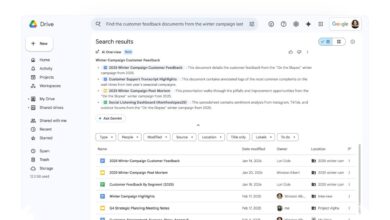
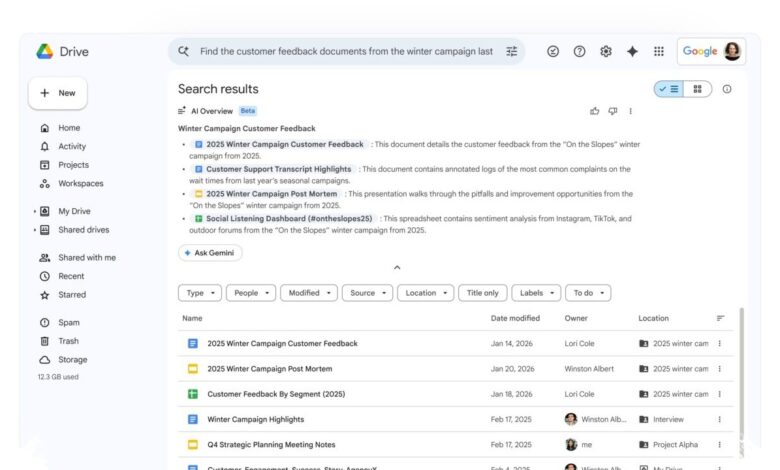
The most notable change is that Gemini can now pull material from files stored in Google Drive and turn it into a full slide deck. Users still keep full editing control, so the AI does not lock them into a finished version they cannot change later.
More than simple slide generation
Google’s approach goes beyond generating a basic outline from a prompt. Gemini can combine content from multiple sources at once, which means a chart from one document, text from another, and other supporting material can all be merged into one presentation.
This matters because presentation work often starts with scattered information. Instead of copying data, visuals, and bullet points into slides one by one, users can ask Gemini to gather the relevant material and assemble it into a usable deck.
| What Gemini Can Pull In | How It Helps | Result |
|---|---|---|
| Files in Google Drive | Uses stored material as source content | Faster slide creation |
| Multiple documents | Combines charts and text from different files | More complete presentations |
| Emails and Google Chat conversations | Finds related details that may not be in a file | Better context for the deck |
Gemini is not limited to the files a user names directly. It can also surface relevant documents, emails, and Google Chat conversations if they appear useful for the topic being covered.
That capability is especially helpful when details are spread across a project trail. For example, a timeline discussed in email or Chat can be brought back into view and considered for inclusion in the presentation.
Outline first, slides second
Google has designed the feature to remain collaborative rather than fully automatic. Before any slides are generated, Gemini first creates an outline that users can review and adjust.
That step gives users room to refine the direction early. They can ask for a shorter deck, a more professional tone, simpler language for a wider audience, or a stronger focus on a specific topic.
Only after the outline is approved does Gemini generate the full presentation. This makes the workflow easier to edit and reduces the need to start over when the first draft does not match the intended direction.
The design also keeps creative control with the user. Gemini acts as a drafting assistant, while the user remains the main editor of the finished presentation.
Matching existing presentation styles
Another practical addition is Gemini’s ability to match the style of an existing presentation. If needed, it can follow the design and layout of another deck so the final result stays consistent with a team or company format.
That is useful for organizations that rely on a fixed visual standard. New presentations can be produced without repeating the same design work from scratch each time.
For now, the presentation-building feature is available only in English. Google says the rollout has already begun, but it may take more than 15 days before all eligible users can see it.
Who can use it
Access is limited to specific Google customers and education users. The eligible groups include Google Workspace Business Standard and Plus, Enterprise Standard and Plus, Google AI Pro, Google AI Ultra, and Google AI Pro for Education.
That positioning makes the feature look like a premium productivity tool rather than a general consumer add-on. The clearest benefit is time saved on one of the most repetitive parts of presentation work: moving information into slides and shaping it into a coherent deck.
As Gemini spreads deeper into Google’s products, the Slides update stands out because it removes a task many users repeat every week. It is less about decorative AI features and more about cutting the manual work that usually sits between raw material and a finished presentation.