


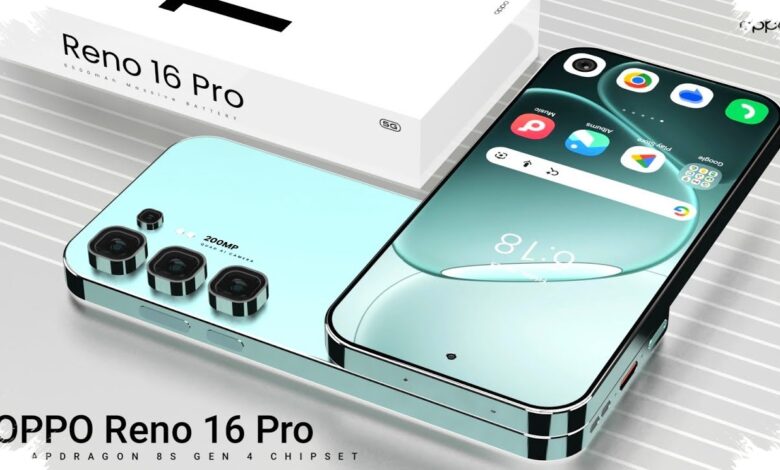
OPPO Reno16 Pro 5G arrives with a camera setup that puts it in an unusually strong position for its class. The phone uses a 200MP main camera with OIS, supported by a 50MP ultrawide camera and a 50MP telephoto camera with 3.5x optical zoom.
On the front, OPPO adds a 50MP selfie camera that supports video recording up to 4K 60fps with AI assistance. That combination suggests the Reno16 Pro 5G is built not only for still images, but also for users who want more flexibility when shooting video from a phone.
AI Photography Takes Center Stage
The standout appeal of the Reno16 Pro 5G is not limited to its hardware. OPPO also highlights three AI features that are designed to simplify photo and video editing on the device.
According to sumeks.disway.id, these tools are positioned as the main extra value for users who want a more practical way to process content without relying on additional apps. That makes the phone relevant for people who often turn their gallery into quick social-ready visuals.
1. AI Collage Mix
AI Collage Mix lets users combine photos and videos into a single frame automatically. The result is a more dynamic visual composition that can work well for weekend getaways, concerts, OOTD posts, or moments with pets.
The feature arranges multiple moments into a harmonious layout with smooth transitions. To use it, users open the Photos app, go to Create, choose AI Collage Mix, and select the photos they want to combine.
| Feature | Main Function | How to Access |
|---|---|---|
| AI Collage Mix | Combines photos and videos into one frame | Photos > Create > AI Collage Mix |
| Pop Cam | Retro camera mode with 9 classic filters | Camera app > swipe the lower menu left > POP |
| AI Pop Out 2.0 | Makes subjects stand out with a depth effect | Photos/Gallery > edit > Collage |
2. Pop Cam
Pop Cam brings a vintage digicam feel through nine classic filter options. Some of the filters include Digicam for a compact-camera look, Instant Film for a polaroid-style effect, and Light Leak.
This mode also works with AI Flash Photography 3.0, which analyzes the surrounding light intensity in real time. The goal is straightforward: help flash photos avoid overexposure and keep faces from looking too washed out.
3. AI Pop Out 2.0
AI Pop Out 2.0 is designed to make product shots or hobby photos stand out with a stronger sense of depth. It also fits pet photos, including moments when a cat or dog appears to jump beyond the collage frame.
OPPO says the feature works with high precision and can separate even individual strands of animal fur from the background. To edit it, users can choose a photo or Motion Photo, open the edit menu, and then select Collage to adjust the effect before saving.
With these three tools, the Reno16 Pro 5G turns AI Photography into one of its main attractions. For users who regularly edit photos and videos directly on their phones, that approach makes the creative process feel faster without needing to switch to another application.