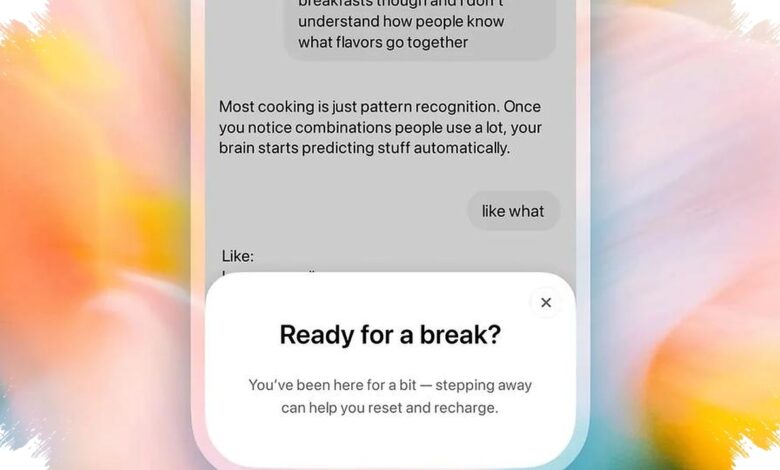
ChatGPT is expanding safeguards for teenage users by combining screen-break reminders, restricted responses, and broader parent controls. The update gives families more ways to shape how young people use the AI service at home.
Parents can now set periods when a linked teen account cannot access ChatGPT. They can also disable selected features and make Study Mode the default for new conversations.
Study Mode Shifts the Focus From Answers to Learning
Study Mode is designed to avoid simply delivering an instant final answer. Instead, it guides teenagers through questions intended to help them understand how to solve a problem.
Making that mode the default can steer AI use toward comprehension rather than answer retrieval. The approach positions ChatGPT as a learning companion for everyday study and productivity tasks.
OpenAI is also restricting ChatGPT responses to requests considered risky for teenagers. The limits cover violence, dangerous viral challenges, self-harm, and romantic or sexual role-play.
These restrictions are intended to make AI responses more appropriate for a user’s age. They form part of the company’s wider effort to improve protection when conversations reach sensitive subjects.
What Parents Can Control
ChatGPT’s parental controls include Quiet Hours, which lets parents choose a period when a linked teen account cannot use the service. The setting can support household rules around technology use through the service itself.
Parents can also turn off Voice Mode for linked teen accounts. Access to image generation may be limited as well.
| Setting | Effect for Teen Accounts |
|---|---|
| Break reminders | Encourages a pause after extended use |
| Quiet Hours | Blocks ChatGPT access during a parent-set period |
| Voice Mode | Can be disabled by parents |
| Image generation | Access can be restricted by parents |
| Study Mode | Can be set as the default for new chats |
Break Reminders and Serious-Safety Alerts
According to Liputan6.com, citing Digital Trends, ChatGPT will remind teenage users to take a break after they have used the service for a sufficiently long period. The reminder is intended to help reduce excessive screen time.
OpenAI presents the pause feature as part of a healthier experience for younger users. The service can still support learning while encouraging users not to remain in front of a screen continuously.
Parents with linked teen accounts may also receive safety notifications when the system detects serious violations, including activity involving violence. The notifications do not apply to every conversation containing a sensitive theme.
Fiction writing, news discussions, politics, games, and general expressions of anger are outside the notification scope. OpenAI emphasizes that technical controls do not replace open family conversations about responsible AI use and technology rules at home.