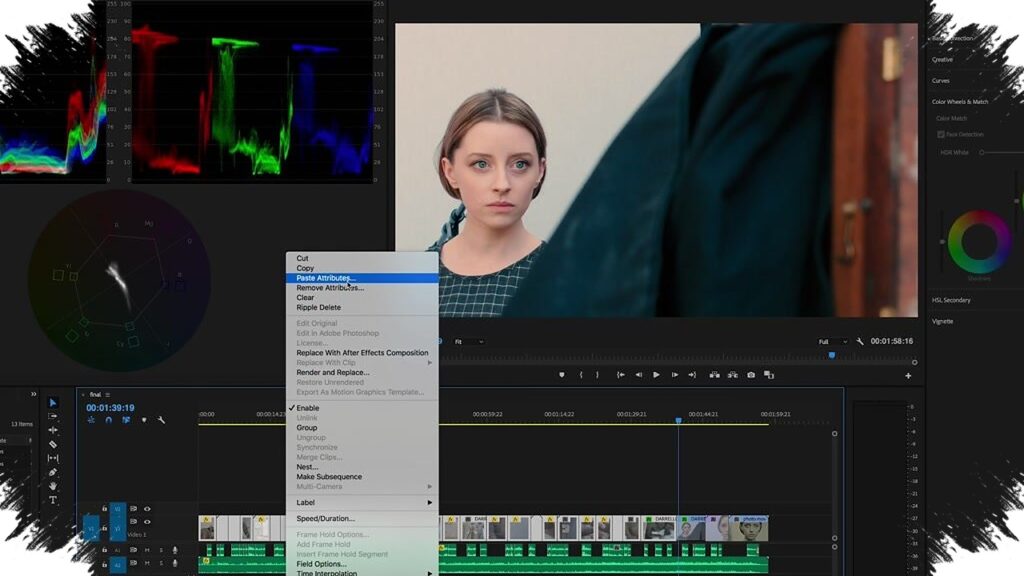
Adobe has added a new Color Mode to the Premiere Pro beta, positioning it as a way to make color grading feel more direct without removing creative control. The update is aimed at editors who want faster decisions inside the same workflow, rather than moving between separate workspaces or tools.
The feature is built around an editor-first approach. That means color adjustments now sit closer to the timeline, allowing changes to be reviewed immediately while the project remains open.
A simpler path inside the edit workflow
One of the main ideas behind Color Mode is efficiency. Adobe wants users to stay in the editing environment instead of breaking the process apart just to handle color.
The interface also gives more room to the preview view, which helps editors judge the impact of a grade more clearly. Alongside that, Adobe includes Style Presets that can be applied as they are or adjusted to fit the needs of a specific project.
Basic controls without a heavy learning curve
Color Mode also streamlines the core controls that many editors use first. Exposure, contrast, temperature, and balance are available through a layout that is meant to be easier to understand than the previous workflow.
That does not mean the system is limited. The feature still keeps room for more advanced adjustments, so users can go beyond basic correction when a project needs a more specific look.
Built for beginners and professionals alike
Adobe presents the feature as useful not only for experienced editors, but also for users who are still learning color work. The goal is to make it possible to reach a polished result without requiring a deep technical background.
At the same time, more detailed controls remain available for precise work. Editors can adjust saturated shift, hue shift, and luminance shift to shape color in a more targeted way.
More control over shadows, midtones, and highlights
The update also offers finer control over shadow, midtone, and highlight areas. That allows a project to carry different tonal moods across the image without changing the overall look too aggressively.
As described by Adobe, this can be used to give shadows a cooler blue tone while pushing highlights toward warmer colors such as orange. The result is a grade that can feel more cinematic while still staying under control.
Why Adobe is pushing this now
The arrival of Color Mode also reflects Adobe’s position in the broader video editing competition. DaVinci Resolve has long been seen as especially strong in color grading, so Adobe appears to be responding with a system that emphasizes ease of use while still offering depth.
That strategy may appeal to creators who want professional-looking color without dealing with a workflow that feels too complex. The feature has already drawn attention from video creators after being announced ahead of NAB 2026.
At present, the Premiere beta version with Color Mode is available for Creative Cloud Pro subscribers to try. How users respond to it will likely shape how far Adobe develops the feature in future updates.