

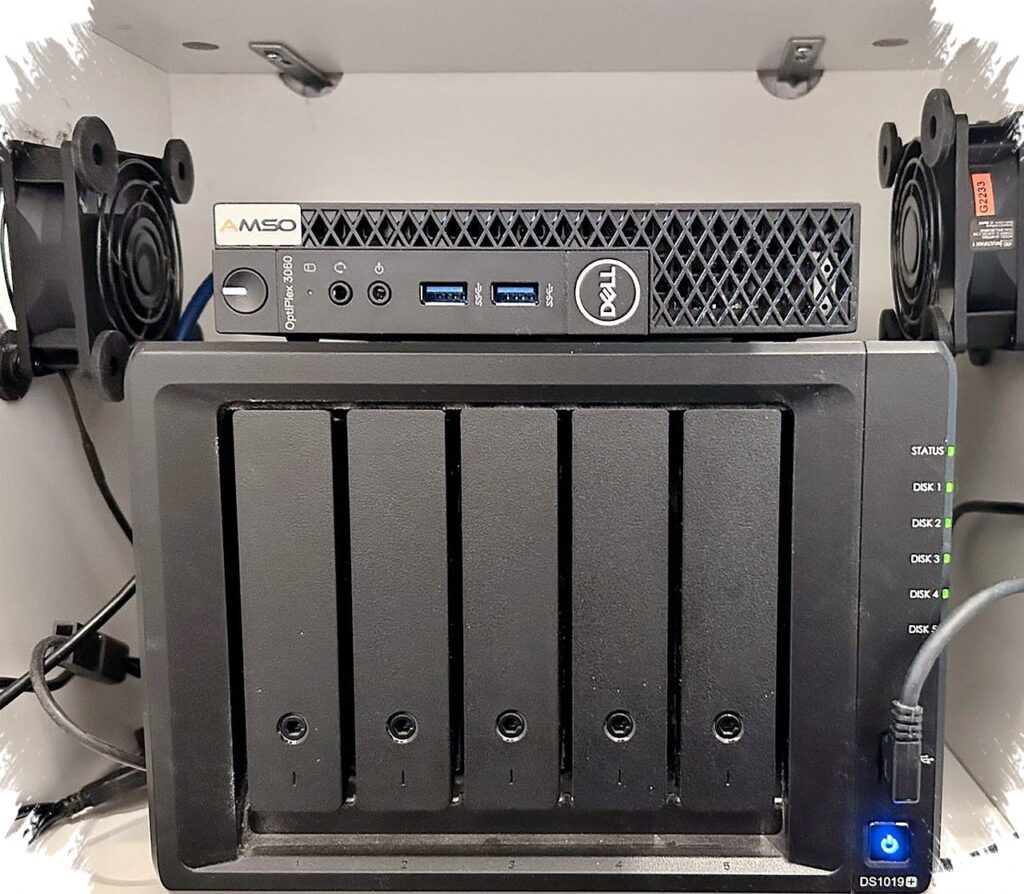
A single box can look efficient until one failed experiment starts affecting storage, backups, and services that should stay dependable. That is why separating a NAS from a homelab often becomes less about adding hardware and more about protecting the most important data from the risks of experimentation.
The two environments may sit in the same home network, but they do not serve the same purpose. A NAS is meant to stay calm and consistent as a storage system, while a homelab is built for change, testing, and frequent adjustments.
Different jobs need different levels of stability
A NAS exists to store files and serve them across the network. For that reason, it works best when the system stays simple, predictable, and free from workloads that change all the time.
A homelab moves in the opposite direction. It is commonly used for Docker containers, virtual machines, and self-hosted applications that are tested, modified, and repaired repeatedly. When both roles are forced into one machine, the storage side no longer has a quiet operating environment.
That overlap creates pressure on every change. A failed experiment is no longer just a homelab problem, because the same system also holds files and backups that other devices rely on.
When storage shares the same risks as experimentation
Homelabs are often treated as places where bad updates, broken containers, or operating system issues can be fixed and retried. Those activities are normal in a test environment, but they become far more serious when the same machine also acts as the network’s storage core.
If the NAS runs inside that same box, one problem can affect more than one service at once. File access may slow down, backups can stop, and other network services that depend on the storage can be interrupted as well.
The risk is not limited to intentional testing. Even an unrelated glitch in the homelab side can drag the storage workload into the same failure chain.
Always-on storage does not match every homelab workload
A NAS is often expected to stay online around the clock. Its role may include photo sync from a phone, overnight download tasks, nightly backups, and writing footage from surveillance cameras.
Homelab workloads do not always follow that same pattern. Services such as Jellyfin or development environments are often used more actively when people are already in front of their devices, not necessarily all night.
When both workloads run together, the machine has to remain on for the NAS even when the homelab side is idle. That makes it harder to treat storage and experimentation as separate needs, because one operating pattern is forced to serve both.
Power use also becomes part of the decision. A dedicated NAS may sit around 15–20W when idle, while a homelab server running real workloads can draw 80–150W or more depending on the setup. In a single-box design, that higher homelab power cost is paid continuously even when the services are not actively in use.
Security becomes simpler when the NAS stays alone
A homelab often hosts services that are exposed to the internet, including Jellyfin, Nextcloud, or VPN. That flexibility is useful, but it also means a larger attack surface.
If one of those services is compromised on the same machine that holds important storage, the files on that machine are affected immediately. A security problem in a single service then turns into a much broader data issue.
A standalone NAS avoids that layer of exposure. It does not need experimental containers or ports opened for homelab services, so its job stays narrow: provide file access and keep the storage environment as small and controlled as possible.
One machine can still make sense at the start
For beginners, combining the two roles into one system can still be a practical starting point. Cost often matters more than architecture when the long-term shape of the setup is not yet clear.
The separation starts to matter more once the number of services grows and the tension between experimentation and stability becomes harder to ignore. A sign that the split is useful is when changing the homelab feels risky because the storage side might be disrupted.
At that stage, keeping the NAS steady and giving the homelab room to change can make both sides easier to manage. The NAS remains the quiet foundation for data, while the homelab stays free to test new ideas without pulling the storage layer into every experiment.





