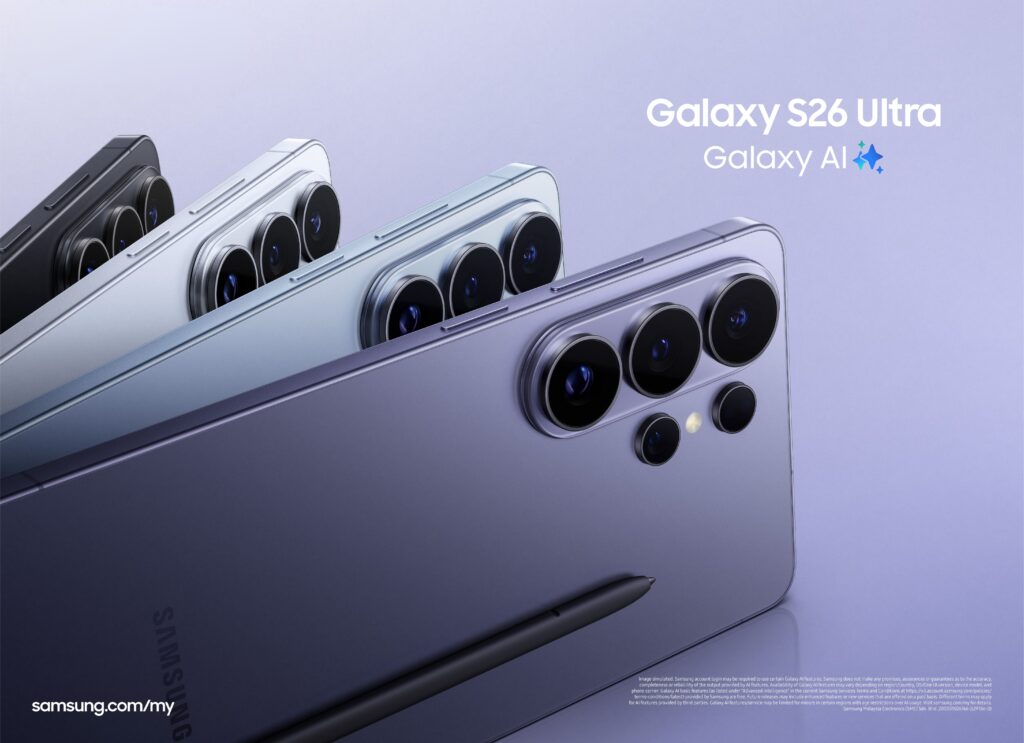
Samsung is positioning the Galaxy S26 Series as a work tool built to cut down the number of steps in content production. Instead of treating the phone as only a capture device, the lineup uses Galaxy AI to connect shooting, editing, and file transfer into a shorter workflow.
That approach is aimed at creators who often lose time not in the creative act itself, but in the technical tasks that follow. With the Galaxy S26 Series, Samsung is trying to keep more of that process inside a single phone without taking control away from the creator.
Editing directly from the gallery
One of the main tools in that workflow is Photo Assist. It lets users edit photos with everyday language instructions directly from the gallery, without needing extra apps or complicated technical steps.
The feature can remove unwanted objects or people from a frame. It can also move a subject into a better composition, change the background mood to fit the content, and adjust lighting automatically.
Samsung still keeps room for review before anything is saved. That means creators can check the edit first, so the final call remains in their hands.
Video capture designed for a faster edit
On the video side, the Galaxy S26 Ultra supports LOG recording. This format provides a wider dynamic range and gives editors more flexibility for color grading once the footage reaches the editing stage.
Samsung also adds four cinematic LUT presets that can be previewed during recording. That allows creators to see the visual direction of the footage earlier, instead of waiting until post-production to find out how the image will look.
The result is a more directed shooting process. When the look is decided sooner, the editing phase can move with less friction and more focus.
Stabilization without extra gear
For movement-heavy recording, the Galaxy S26 Ultra includes Horizontal Lock. Samsung says the feature combines a gyroscope, an accelerometer, and Optical Image Stabilization to keep the horizon level automatically.
The company says the system continues working even in extreme movement conditions. That gives the footage a steadier, more polished appearance without requiring an additional gimbal.
This matters for travel content creators in particular. High mobility usually demands compact equipment, and stabilization built into the device can reduce the amount of gear needed during production.
Faster transfer after shooting
Once the footage is ready to move, Quick Share serves as the bridge to a work laptop. The transfer happens wirelessly and does not require extra applications, even when the devices are in different ecosystems.
Samsung says large files can move in seconds. For creators who work on location and need to process material immediately, that speed shortens the handoff between shooting and editing.
The clearest updates are on the Ultra model
Compared with the S24 Ultra and S25 Ultra, the Galaxy S26 Ultra brings several of the most noticeable content-production updates. Photo Assist remains available, Samsung LOG is still included, and the new additions are the four cinematic LUT presets and Horizontal Lock.
The main camera aperture also changes to f/1.4. That is larger than the f/1.7 aperture on the S24 Ultra and S25 Ultra, adding another shift in the device’s imaging setup.
Taken together, these changes show Samsung aiming the S26 Ultra at faster content production from start to finish. The phone is not only meant to capture images, but also to support a more efficient workflow across editing, stabilization, and file transfer.
With Galaxy AI at the center, the Galaxy S26 Series frames the smartphone as a working tool rather than a simple companion. For creators, that means more of the production chain can happen on the device itself, from photo edits in the gallery to moving large files to a laptop.