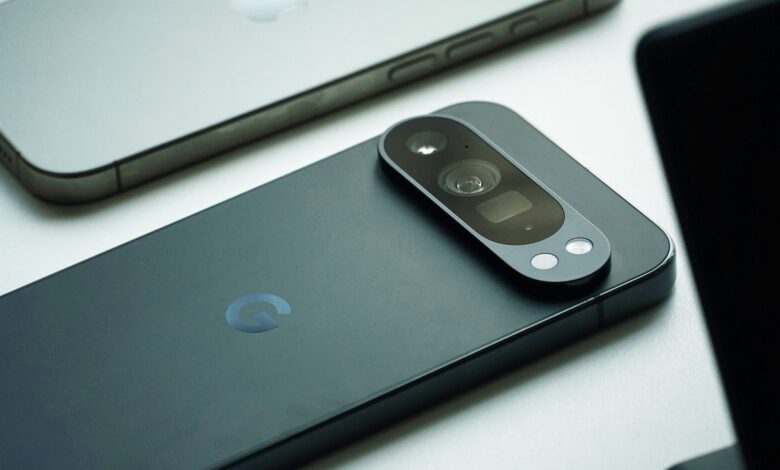
Google has started rolling out Android 17 to compatible Pixel devices, and the update stands out for one reason above the rest: moving from iPhone to Android is now far less complicated. The new release also tightens security, expands AI integration, and improves cross-device workflows.
For users who have long considered switching ecosystems, Android 17 removes several of the frictions that used to make migration feel risky or time-consuming. Google says the update will also reach other brands that use its operating system in stages.
Wireless migration now covers more of the phone
The biggest shift is wireless data transfer from iPhone to Android. In the past, users often needed a cable or extra apps, but Android 17 now allows nearly the entire device to move over a wireless connection.
The transfer can include messages and chat history, app data, passwords and login credentials, personal folders and files, device settings, home screen layout, and even eSIM information. The goal is to make switching feel less disruptive and far more accessible.
Quick Share gets closer to Apple-style convenience
Google has also improved Quick Share so file transfers with Apple devices are easier. The enhancement is designed to make cross-platform sharing feel more practical and closer to the simplicity users associate with AirDrop.
That matters for people who regularly move documents, media, or work files between different ecosystems. It reduces one of the most visible barriers between Android and Apple users.
Gemini Intelligence deepens the AI layer
Android 17 also brings broader AI features through Gemini Intelligence. Google says the system is built to improve productivity while making everyday use feel smarter and faster.
The improvements include better app performance, more efficient RAM management, faster system response, smoother multitasking, and smarter device handling. With AI woven more deeply into the operating system, Android 17 is positioned as one of Google’s most capable Android releases to date.
Work across devices becomes smoother
Google introduced Continue On to make it easier to move tasks from one device to another. Users can start an activity on a smartphone and continue it on a tablet without beginning again.
The feature is especially useful for work, study, and document handling. Android 17 also adds Screen Reactions, which lets users record the screen and front camera at the same time without needing a separate app.
Built for creators, multitaskers, and folding devices
Screen Reactions is aimed at tutorials, reaction videos, mobile gameplay, product presentations, and social media content. By reducing the number of steps needed to capture both screens and face camera footage, it should make content creation faster.
Android 17 also makes its bubble system more flexible. Supported apps can run in floating windows, making it easier to keep several apps open at once.
That functionality is expected to work best on flagship phones, Android tablets, and foldable devices. For users of devices such as Xiaomi Pad, MIX Fold, and MIX Flip, the update could make multitasking noticeably more productive.
Privacy and permission controls are tightened
Google has also updated location permissions so apps can be granted temporary access. Android 17 adds Contact Picker as well, which allows users to share selected contacts without exposing the full contact list.
These changes give users more control over what apps can see and what personal data they can access. They are part of a wider push to make the platform safer without making it harder to use.
Security gets stricter at every layer
Security is one of the central priorities in Android 17. Google is adding several new protections to reduce the risk of data theft and unauthorized access.
Installations from outside sources are restricted to help limit malware exposure. The system is also designed to detect and reduce scams that use OTP codes sent by SMS.
In addition, the number of PIN entry attempts is now limited, making it harder for someone else to access a lost device. If a device is marked lost through Find Hub, users can add biometric verification such as a fingerprint for extra protection.
A refreshed look and likely device list
Google has also refined Material 3 Expressive with more attractive visual effects. The settings menu has been redesigned to be cleaner and easier to navigate, giving the interface a more modern feel.
Although Xiaomi has not released an official list, several Xiaomi, Redmi, and POCO models are expected to receive Android 17 based on the current update policy. That list includes the Xiaomi 17 series, Xiaomi 15 series, Xiaomi 14 series, Xiaomi 13 series, MIX Flip, MIX Fold 3, MIX Fold 4, Redmi K90 series, Redmi K80 series, Redmi K70 series, Redmi Note 15 Series, Redmi Note 14 Series, Redmi 15 Series, Redmi Pad 2 Series, POCO F8 series, F7 series, F6 series, X7 series, M8 Series, M7 Series, POCO Pad M1, and POCO Pad X1.
With easier iPhone migration, deeper AI support, stronger privacy tools, and tougher security controls, Android 17 is shaping up as a substantial update for users who want both convenience and protection in a single release.