


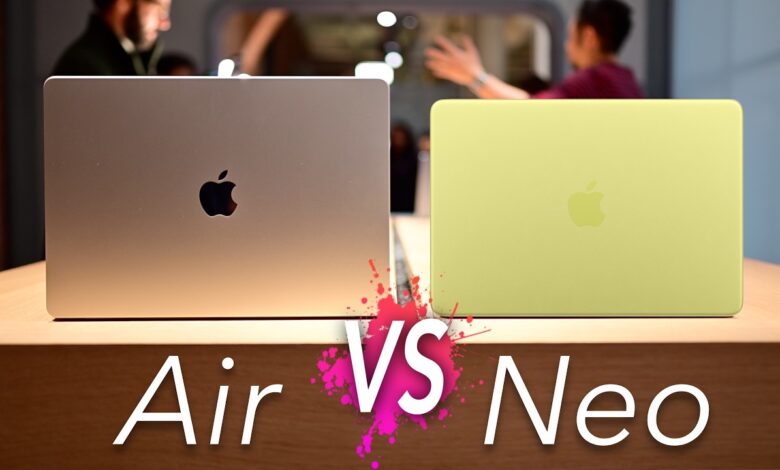
MacBook Neo may look appealing at first glance with its thin aluminum body and an iPhone chip that is capable enough to run AAA games. But for everyday use, MacBook Air still feels more complete in several areas that many users notice all the time.
The gap is not only about performance. It also shows up in daily comfort, especially when it comes to the trackpad, display, keyboard, connectivity, and charging speed.
1. Force Touch trackpad that feels more responsive
One of the biggest omissions on MacBook Neo is the Force Touch trackpad. Apple has used this haptic system on MacBook models since 2015, replacing the old mechanical click with a more consistent feel across the entire surface.
That means the click sensation stays uniform no matter where the user presses. It also enables Force Click, which adds extra functions when the user presses more firmly.
2. True Tone for a more natural screen
MacBook Air also includes True Tone, while MacBook Neo does not officially offer it. The feature adjusts color and brightness to match surrounding light so the screen feels more comfortable in different environments.
Neo can still adjust its display based on ambient light, and Apple says there is a sensor near the camera. Even so, some users consider the adjustment too aggressive and not as smooth as the implementation on MacBook Air.
3. Backlit keyboard for low-light use
MacBook Neo uses the Magic Keyboard, which has been praised for comfort and easier repair if something goes wrong. However, it does not include backlighting, even though that has long been standard on almost all other MacBook models, including MacBook Air.
Without backlit keys, typing in dim spaces becomes less convenient. Users need to look down at the keyboard more often, especially in classrooms, meeting rooms, or quiet cafes.
4. Thunderbolt support for faster transfer and heavier work
MacBook Air supports Thunderbolt, while MacBook Neo relies only on USB 3 and USB 2. Thunderbolt is more than a USB-C port with a different label, because it offers much higher bandwidth for monitors, SSDs, and other peripherals.
The difference may not stand out in casual use. It becomes more noticeable when moving large files or using an external SSD for demanding tasks such as video editing.
5. Much faster fast charging
Charging is another major weak point for MacBook Neo. It only supports up to 20W charging over USB-C, far below MacBook Air, which supports fast charging at 70W or more.
The impact is easy to feel in daily use. With the included charger, Neo can take around 4 hours to fully charge, while MacBook Air can reach 50% in 30 minutes.
Even so, Neo still offers long battery life. Apple claims it can last up to 16 hours, so the device remains suitable for all-day use and can be recharged at night.