


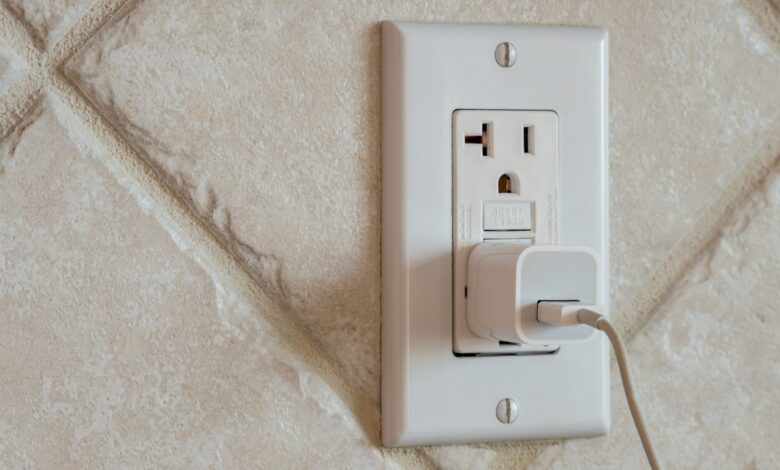
Leaving a charger plugged into the wall may seem harmless, but it still draws a small amount of electricity even when no phone is connected. The drain is modest for one device, yet it becomes more relevant when several chargers are left around the home.
This is known as standby power. The charger’s transformer and circuit components remain active so charging can start immediately once a device is connected, which is why the unit keeps pulling power from the outlet.
How much power a charger uses
A single charger typically consumes about 0.1 to 0.5 watts while idle. Over a day, that adds up to roughly 2 to 24 watt-hours, a small figure for one charger but not negligible when multiplied across many devices.
That matters in homes where chargers for phones, tablets, and portable game consoles are spread across different rooms. The total standby load can quietly build up even if each adapter seems insignificant on its own.
The effect on household bills
The cost impact is usually limited, but it is not zero. Depending on location, a phone charger left plugged in can add about 50 cents to $4 to a household’s yearly electricity bill.
Those numbers apply per charger, which means the real effect depends on how many adapters are constantly left in sockets. The more devices that sit idle on standby, the more that small charge becomes an avoidable expense.
It is not only chargers
Standby power is common across many household devices, not just phone accessories. Computers, game consoles, televisions, microwaves, and coffee makers can all continue drawing electricity when they are not in active use.
According to the Government of Canada, standby power accounts for about 5% to 10% of typical household electricity consumption. That makes a collection of small leaks more important than many people assume.
How to reduce the waste
Not every charger performs the same way. Lower-quality models can draw more energy while sitting in the outlet, so choosing an efficient charger is a sensible first step.
Multi-device chargers can also reduce the number of adapters left plugged in around the house. Another option is a smart outlet that can be switched off remotely through a smartphone app when the charger is not needed.
Routine checks are also useful, especially for signs of wear, poor connections, or excess heat. If any of those appear, the charger should be replaced to keep it safe and avoid unnecessary power use.
The simplest fix is still the most effective: unplug the charger when it is not in use, or turn off the socket switch if one is available. That immediately stops standby power and removes the quiet drain from a device that is not doing any work.