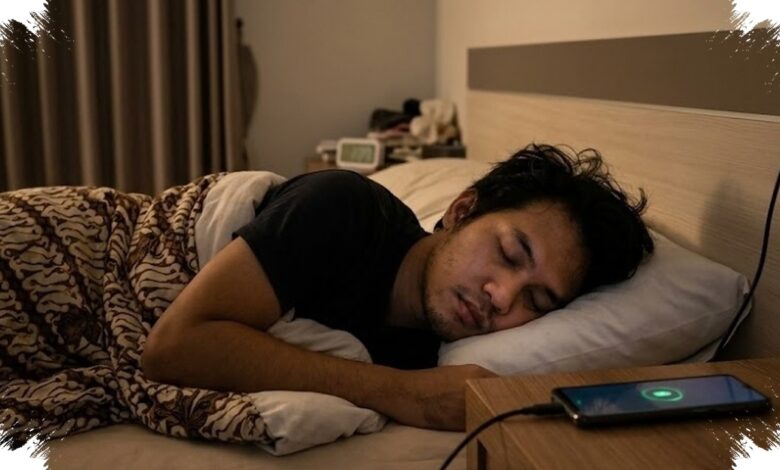
Leaving a phone connected overnight is not necessarily the most dangerous part of charging a modern device. The greater concern is heat buildup, particularly when a phone is placed on a bed, sofa, or pillow while charging.
Soft surfaces can trap heat released by the battery and make it harder for the device to cool down. This can raise the phone’s temperature during charging and create a greater risk of overheating.
Why Beds and Pillows Can Be a Problem
A flat, hard surface allows heat to dissipate more effectively than a padded or enclosed area. For this reason, a phone should not be charged on a mattress or other surface that holds heat around the device.
The duration of charging alone is not the central issue in this situation. The condition of the charging equipment and the place where the phone is left are more important factors for safe charging.
| Charging Risk | Why It Matters |
|---|---|
| Non-original charger | It may not provide stable electrical current. |
| Damaged cable | Peeling insulation or broken internal strands can trigger a short circuit. |
| Bed, sofa, or pillow | These surfaces can trap heat and raise device temperature. |
A damaged cable deserves particular attention because visible wear may indicate a more serious electrical problem. A cable with peeling material or broken strands can create a short-circuit risk while charging is in progress.
Using a charger that does not meet manufacturer standards can also affect the stability of electrical current. Original charging accessories are intended to provide a safer charging process because they follow the manufacturer’s specifications.
Modern Phones Can Manage a Full Battery
Modern phones are equipped with automatic safety systems that can stop electrical current when the battery is full. This means a full battery is not simply left receiving power without control throughout the night.
Information shared by the official @diskominfobintan Instagram account states that current devices are designed to make overnight charging safer than many users assume. The safety systems are supported by battery-management features available on modern phones.
One such feature is optimized charging, which can delay charging at a certain battery percentage. The function is intended to help maintain battery health when the phone remains connected while its owner is asleep.
| Recommended Step | Expected Benefit |
|---|---|
| Use an Original Charger | Helps maintain electrical current in line with manufacturer standards. |
| Use a flat, hard surface | Allows heat to dissipate more effectively. |
| Enable Battery Protection | Can limit charging, such as stopping at 85% or 90%. |
| Unplug when full | Reduces the habit of leaving a phone connected at 100%. |
Battery Protection Offers Another Option
Battery Protection can be enabled by users who prefer to limit the maximum charging level. Depending on the setting, charging can stop automatically at 85% or 90%.
This option can help users manage battery health in everyday use. It does not replace the need to use safe accessories or to avoid surfaces that retain heat.
Unplugging the charger after the battery reaches full capacity is also a practical habit for users who do not want the device to remain connected at 100%. However, overnight charging itself is not the primary threat when the phone uses suitable equipment and is placed correctly.
The key precautions remain simple: use an Original Charger, replace a Damaged Cable, and avoid charging on soft surfaces. These steps address the conditions most closely associated with unstable current, short circuits, and trapped heat.