


Lenovo is pushing the hybrid meeting room into a smarter era by combining its ThinkSmart platform with Huddly’s AI-powered camera technology. The new solution is designed to make video meetings feel more natural, reduce technical friction, and help teams collaborate better whether they sit in the same room or join from different locations.
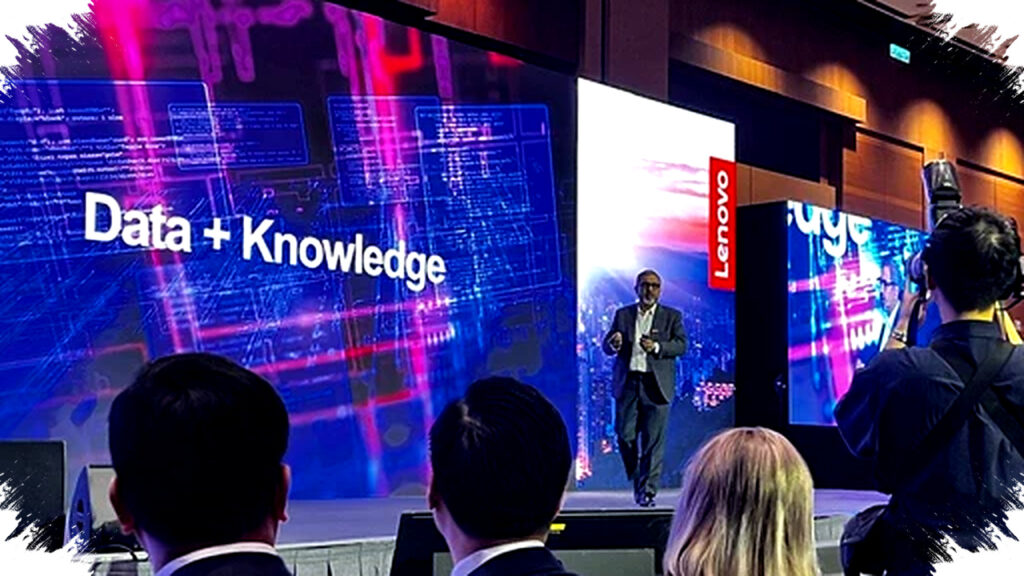
The company introduced the setup at ISE 2026 as a practical answer to a problem many businesses still face: hybrid work has made meetings more complex, not less. Instead of relying on disconnected devices and manual setup, Lenovo wants to offer an integrated room system that can manage audio, video, and device control from one central stack.
Why Lenovo Is Betting on AI Meeting Rooms
Hybrid work has changed what employees expect from a meeting space. Teams now need a room that can adapt quickly, support multiple platforms, and deliver the same experience for in-room and remote participants.
Lenovo’s answer is built around ThinkSmart Core Gen 2, which acts as the system’s main hub. The device is powered by Intel Core Ultra processors and includes an onboard neural processing unit, or NPU, to handle AI tasks in real time.
That hardware choice matters because AI features can run locally without slowing down the main meeting experience. It also helps the system stay responsive when it needs to handle several functions at once, such as framing the speaker, adjusting video, and processing audio.
The company says the device is built for long periods of use and can run continuously for 24 hours. Lenovo also added a silent cooling design to help preserve a quieter meeting environment, which is important in small rooms and executive spaces.
ThinkSmart and Huddly Work as One System
The biggest value of this solution is not just the hardware, but how the pieces work together. Lenovo integrates ThinkSmart with Huddly’s AI-based cameras to create a single meeting ecosystem that is easier to manage.
Through ThinkSmart Manager, IT teams can oversee connected devices from one place. That central management approach is useful for companies operating across many rooms, because it reduces the need to configure each device separately.
The solution also supports major conferencing ecosystems like Microsoft Teams Rooms and Zoom Rooms. That flexibility makes adoption easier for organizations that already standardized on one of those platforms.
For businesses, this matters because compatibility is often one of the biggest barriers in meeting room upgrades. A room may have strong video equipment, but if the system is hard to manage or doesn’t work smoothly with the company’s chosen platform, users still lose time.
How Huddly’s AI Cameras Change the Experience
Huddly’s role in the setup is to make the video side of the meeting feel more intelligent and less static. One of the key products mentioned in the collaboration is the Huddly C1, which uses on-device AI.
That means the camera can process information directly on the device instead of depending heavily on an external server. In practice, this can improve responsiveness and help keep the video experience stable.
The camera includes Speaker Mode, which automatically frames the person who is talking. This helps remote participants follow the conversation more naturally, because the camera shifts focus without manual control.
It also supports Collaboration Mode, which captures a wider group view for team discussions. This is useful in meetings where several people need to appear on screen at once, such as planning sessions, client reviews, or workshops.
Huddly also adds de-warping and automatic exposure adjustment. These features help maintain image quality when the room layout or lighting conditions are less than ideal.
Multi-Camera Intelligence for Larger Rooms
Lenovo and Huddly are not only targeting small huddle spaces. The system can also scale for medium and large conference rooms, which is where meeting complexity usually increases.
A notable example is Huddly Crew, a multi-camera setup that can shift angles automatically based on how people interact in the room. The concept works almost like a virtual director that chooses the best view during the conversation.
This is useful in boardrooms and training rooms, where static framing often misses key moments. With automated switching and intelligent framing, the meeting can feel more dynamic without requiring a dedicated camera operator.
For organizations with multiple room sizes, that flexibility can be a major cost saver. Instead of buying entirely different setups for every environment, IT teams can adapt the configuration based on room needs.
What Makes This Important for IT Teams
One of the recurring challenges in workplace technology is operational complexity. The more devices a company adds, the harder it becomes to keep them reliable, secure, and easy to use.
Lenovo’s integrated design is meant to simplify that burden. By combining compute, control, and camera intelligence in one stack, the company reduces the number of separate systems that IT teams need to monitor.
- Centralized management through ThinkSmart Manager
- Support for Microsoft Teams Rooms and Zoom Rooms
- AI-driven video and audio processing on device
- Modular setup for different room sizes
- Plug-and-play installation to shorten deployment time
That combination is attractive for businesses trying to scale hybrid collaboration without adding more technical overhead. It also helps ensure that employees can enter a room and start a meeting quickly, without needing assistance from IT every time.
A Broader Shift Toward Smarter Workspaces
The collaboration between Lenovo and Huddly reflects a wider trend in enterprise technology. Meeting rooms are no longer treated as passive spaces filled with screens and speakers.
Instead, they are becoming adaptive environments that can interpret who is speaking, adjust how participants are shown, and support different work styles in real time. This shift is especially relevant as companies continue to balance in-person work with remote access.
AI plays a central role in that evolution because it can reduce the number of manual steps involved in every meeting. It can also help create a more professional and consistent experience across different rooms, teams, and office locations.
For employees, that means fewer distractions and a smoother way to collaborate. For companies, it means better use of meeting spaces and a simpler way to standardize technology across the workplace.
Why the Timing Matters Now
The timing of Lenovo’s move is strategic because hybrid work has moved from temporary adjustment to permanent operating model for many organizations. As a result, companies are now more selective about which workplace technologies deserve long-term investment.
Meeting-room systems must do more than connect people on a call. They must support real collaboration, reduce setup time, and deliver reliable performance across changing office conditions.
Lenovo’s ThinkSmart and Huddly integration fits into that demand by pairing enterprise management with AI-powered camera behavior. The result is a room system that is meant to feel less mechanical and more responsive to human conversation.
In that context, the value of the solution is not only in sharper video or better hardware specifications. It is in helping hybrid meetings feel closer to the natural rhythm of an in-person discussion, while still giving remote participants a clear and engaging seat at the table.