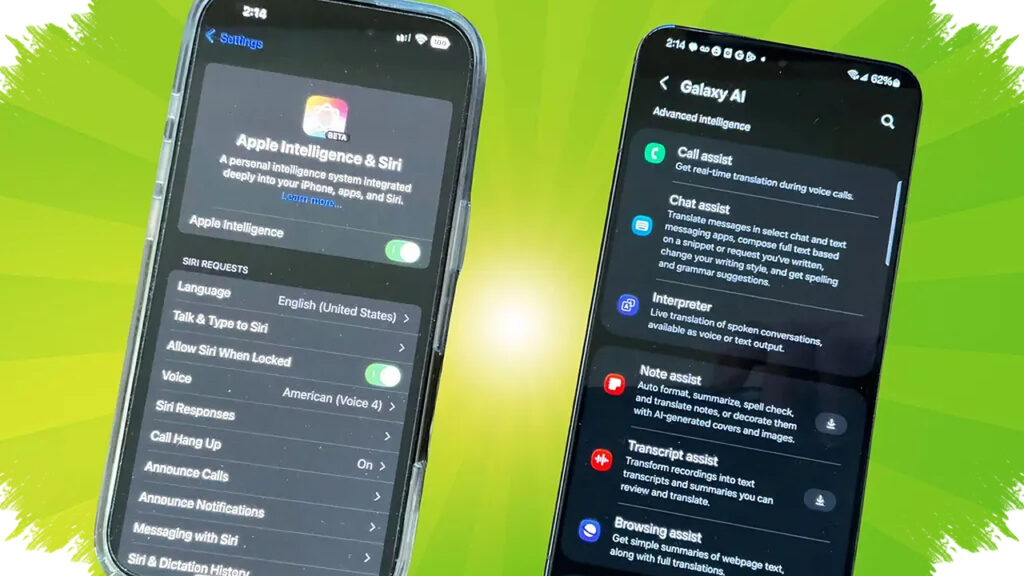
AI features are now built into many modern smartphones, and in 2026 they are designed to work more smoothly on-device rather than depending only on cloud processing. That shift matters because it helps phones respond faster, use less power in some tasks, and make everyday features like typing, reminders, voice commands, and app suggestions feel more stable.
For Android users, the easiest way to start is to check the AI tools already included in the system settings. You do not need to activate everything at once, because the best results usually come from using only the features that match your daily routine.
Why Built-In AI Feels More Stable on Modern Phones
On-device AI processes part of the work directly inside the smartphone hardware. This can reduce delays when launching a helper tool, writing text, or generating suggestions, especially on devices with newer chipsets and optimized software.
That is one reason many manufacturers now position AI as a core feature instead of a bonus. In practice, it helps the phone learn patterns from usage, then offer more relevant actions without forcing the user to switch between too many menus.
How to Turn On and Use the Main AI Tools
Most smartphones place AI options inside Settings, Accessibility, Keyboard, or the built-in assistant app. Once you find them, start with one feature at a time so the phone remains easy to manage.
- Open the phone’s Settings menu and look for AI, Smart Features, or Assistant options.
- Enable voice assistant, smart reminders, or typing suggestions based on your needs.
- Test the feature with one simple task, such as setting an alarm or drafting a message.
- Review permissions for microphone, contacts, calendar, and app access if the tool needs them.
- Adjust notification settings so the AI gives useful alerts without becoming distracting.
This step-by-step approach helps users avoid confusion, especially if the phone comes with several AI functions already preinstalled. It also keeps the experience stable because the system only runs tools you actually use.
A Practical Look at the Most Useful AI Features
Virtual assistants remain one of the most common AI tools on smartphones, and they can support schedule management, quick searches, and hands-free commands. Smart reminders are also useful for work, study, and personal tasks because they can surface alerts at the right time.
Text assistance has become more advanced as well, especially in keyboards that offer smart typing or auto-writing support. For users who answer messages quickly throughout the day, this feature can save time and reduce typing errors.
Activity tracking is another area where AI adds value, particularly on phones that monitor habits, daily movement, or usage patterns. These insights can help users understand their routines better and decide which apps or habits need adjustment.
Simple Ways to Keep AI Easy to Use
A common mistake is activating every feature without a clear purpose, which can make the phone feel crowded instead of helpful. The better approach is to keep only the tools that support the most frequent tasks, such as reminders, translation, message drafting, or voice search.
It also helps to customize the settings so the assistant matches your preferences. If you prefer fewer notifications, reduce alerts; if you rely on voice input, increase microphone access and shortcut availability.
What Users Gain from AI on Smartphones
The main benefit is efficiency, because AI can automate small actions that would otherwise take repeated manual steps. It also supports decision-making by turning raw behavior data into more readable suggestions or summaries.
Another advantage is accessibility, since voice commands and smart prompts can help users who want faster interaction without navigating too many screens. That is especially useful for people who work on mobile devices all day and need short, stable workflows.
Feature Checklist for First-Time Users
| Feature | Main Use | Best For |
|---|---|---|
| Voice assistant | Hands-free commands | Calls, alarms, quick searches |
| Smart reminders | Timed alerts | Meetings, tasks, deadlines |
| Smart typing | Faster text input | Messaging and email |
| Activity tracking | Usage and habit insights | Productivity monitoring |
| App suggestions | Relevant recommendations | Faster navigation |
Before relying on AI heavily, users should also check battery behavior, privacy controls, and app permissions. A well-tuned AI setup should feel helpful in the background, not intrusive, and that balance is what makes the newest smartphone features feel stable in everyday use.