Chuwi has positioned the UniBook as a budget laptop that focuses less on raw ambition and more on practical everyday use. At around $449, it enters the market with a price point that immediately places it well below the MacBook Neo while still trying to offer a stronger mix of portability features and connectivity.
The strategy is clear: keep the hardware modest, but make the overall package easier to live with. Instead of chasing premium positioning, Chuwi is leaning on a 14-inch display, a fairly large 53.38Wh battery, and a port selection that looks far more generous than what is often found in thin-and-light laptops.
Wildcat Lake makes its debut
The UniBook is also notable for being Chuwi’s first laptop to use Intel Wildcat Lake. Inside, it comes with the Intel Core 3 304, the entry-level model in that family.
That chip uses a 5-core CPU and a 1-core Xe3 iGPU. Chuwi pairs it with 8GB of LPDDR5X RAM and a 256GB PCIe 3.0 SSD, which makes the machine’s positioning very clear.
This is not a laptop aimed at heavy workloads or performance-first buyers. The configuration points instead to efficiency and cost control, and Chuwi has not provided detailed real-world performance claims that would allow a direct comparison with the MacBook Neo in daily use or demanding applications.
A larger screen, but still a simple panel
On the display side, the UniBook uses a 14-inch panel with a resolution of 1920 x 1200 pixels. Chuwi says the screen covers 100% sRGB, although it has not specified the refresh rate.
That missing detail suggests the panel may still be limited to 60Hz. Even so, the larger screen size gives the UniBook a different profile from the MacBook Neo’s sub-13-inch Liquid Retina display.
The result is a laptop that appears designed around practicality rather than a premium display experience. Chuwi seems to have chosen a bigger, well-rounded screen instead of a more expensive panel that would raise the overall cost.
Connectivity is where the UniBook stands out
The strongest part of the UniBook may be its port selection. It includes two USB-C ports, three USB-A ports, one SD card slot, one HDMI output, and one RJ45 Ethernet port.
That kind of mix gives it a clear advantage for users who still rely on older accessories or wired connections. The Ethernet port also makes the laptop more suitable for office environments, classrooms, or any setting where wired networking is preferred.
For wireless use, the device supports WiFi 6 and Bluetooth 5.2. Chuwi also says the battery is 53.38Wh, and that capacity is presented as an improvement over the Neo, even though no runtime figures have been given.
Simple design and a ready-to-use software setup
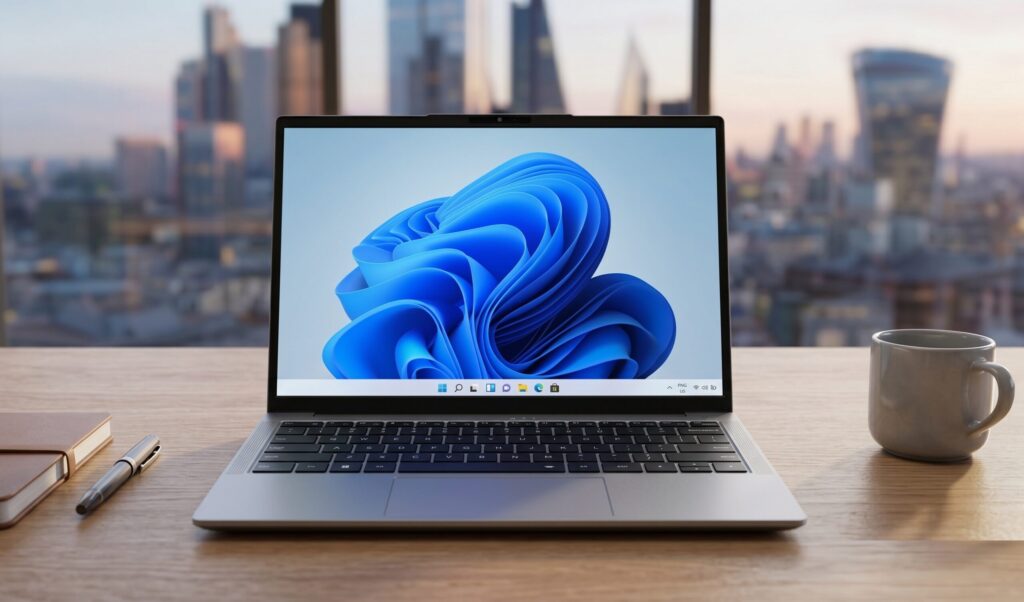
Chuwi has not shared detailed product images yet, but the company says the hinge can open 180 degrees. The single image that has been shown presents the UniBook in a clean gray finish that looks straightforward and restrained.
The laptop will ship with Windows 11 Pro preinstalled. That setup may feel limiting for some users because 8GB of RAM can become a constraint when many apps are open at once.
Still, there is some flexibility in how the machine can be used. Chuwi says the UniBook can run a lighter version of Windows or be switched to Linux for a more resource-efficient configuration.
At this stage, Chuwi has not revealed full availability details or additional images of the device. What is already clear is that the UniBook is being aimed at buyers who want a cheaper alternative to the MacBook Neo without giving up the practical features that often matter most in daily use.
Source: www.notebookcheck.net