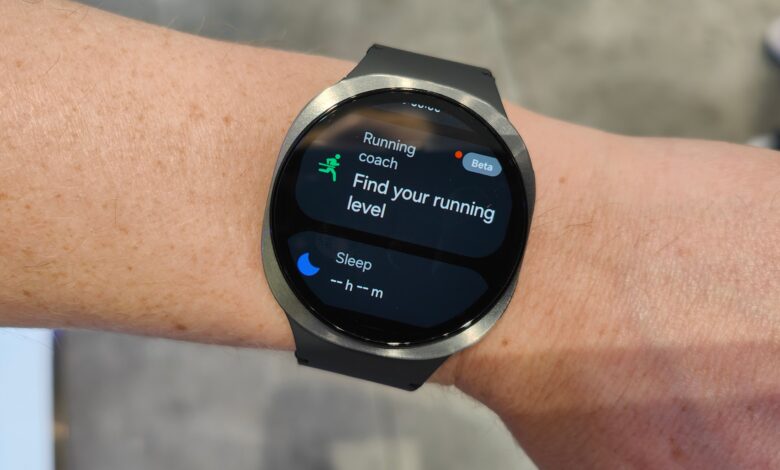
Samsung Galaxy Watch8 users can now make contactless payments more simply through NFC Pay in the myBCA app. The feature reduces the need to reach for a smartphone or wallet every time a transaction is made at a merchant that supports contactless payments.
With a smartwatch on the wrist, payment can be completed by bringing the Galaxy Watch8 close to a compatible EDC machine or payment terminal. The setup is designed for users with active routines who want faster, safer, and more efficient transactions.
How to connect myBCA to Galaxy Watch8
Before NFC Pay can be used, the myBCA app on a Samsung Galaxy smartphone must first be linked to the Galaxy Watch8. The process begins by opening the myBCA app on the smartphone and logging in with an existing account.
After signing in, users need to open the Settings menu through the gear icon in the top-right corner. From there, select the Smartwatch Connection menu, tap Connect Now, and choose the Galaxy Watch8 device to be paired.
The next step is to accept the terms and conditions shown on the screen. After that, enter the myBCA PIN until the connection process is complete and the Galaxy Watch8 is ready to use.
How to install myBCA on Galaxy Watch8
To use NFC Pay, the myBCA app also needs to be installed on the smartwatch. Users can open Google Play Store on the Galaxy Watch8, search for myBCA, and download and install the app.
Once installation is complete, the myBCA app on the Galaxy Watch8 can be opened and the user can select OK to start the connection process. Next, reopen myBCA on the smartphone and run the smartwatch connection process as before.
If the device is detected, select Continue and check the consent for the Smartwatch connection feature. The process then continues until completion, and the Galaxy Watch8 will be linked to the myBCA account.
How to use NFC Pay
After setup is complete, transactions can be made directly from the smartwatch. Users only need to open the myBCA app on the Galaxy Watch8, choose the NFC Pay menu, and bring the watch close to a payment machine that supports NFC.
Then wait for the transaction to be processed successfully. With this short flow, payment can be completed with a single tap from the wrist without opening the smartphone.
The feature is particularly relevant for everyday activities in places such as cafes and shopping centers that already support contactless payments. In situations like these, the Galaxy Watch8 functions not only as a timepiece but also as a transaction device that helps reduce dependence on physical wallets and phones.
For users who prioritize convenience, myBCA’s NFC Pay on Galaxy Watch8 offers a simple and fast way to pay. The feature strengthens the role of the smartwatch as part of a digital lifestyle that increasingly relies on wireless transactions.