


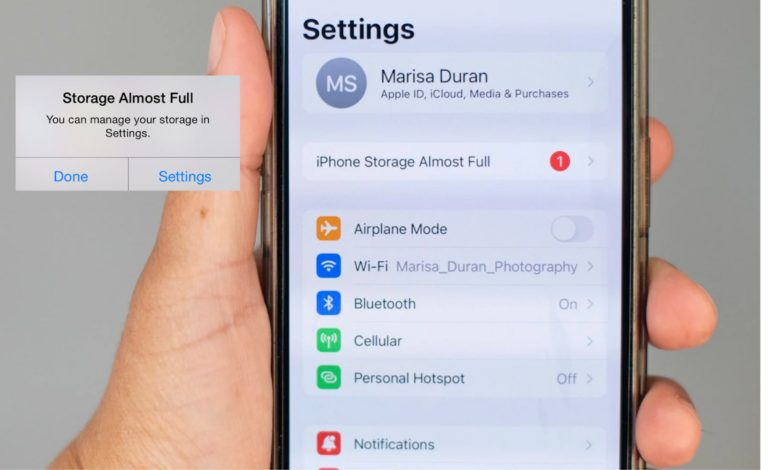
When an iPhone runs out of storage at the worst possible moment, many users rush to delete photos or apps without checking what is actually taking up space. That can solve the immediate problem, but it is not always the safest or most efficient way to free storage.
Apple already provides several built-in tools in iOS that can help clear room without sacrificing important memories. The key is to identify the biggest storage drain first, then choose the least destructive option for the device.
Start with the storage breakdown
The first step is to open Settings, go to General, and tap iPhone Storage. This page shows how space is divided across apps, media, messages, and system data.
It also offers suggestions such as reviewing large files, removing unused apps, or optimizing photo storage. That makes it easier to focus on the real source of the problem instead of deleting files at random.
Unused apps can be removed without losing data
Many iPhones keep apps that are only needed occasionally, including airline apps, specialty services, or music production tools. These apps may take up a surprising amount of space even when they are rarely opened.
On the iPhone Storage page, the full app list appears with each app’s size. Users can also sort the list by last used date to quickly find the least active apps.
Those apps can then be Offloaded. Offload App removes the app from the device but keeps its related data, so reinstalling it later does not require starting over.
Cache can quietly consume a lot of room
Another common storage burden comes from cache, which may appear under the gray “Other” category in the storage breakdown. This usually includes cached images and videos from streaming apps, browser activity, and message data.
It is not something that can be removed entirely, but the amount can often be reduced when space becomes tight. One option mentioned is deleting and reinstalling a streaming video app on the iPhone to clear some of that stored cache.
A more aggressive option is a factory reset, which can clean system cache more thoroughly. That is usually best left as a last resort when other methods are not enough.
Photos and videos still take the biggest share
For many users, the largest storage demand comes from photos and videos. Each file is saved in full resolution, so a camera roll can fill up quickly, especially when high-quality shooting is used often.
Deleting old images can free several gigabytes at once, but Apple also offers a safer alternative for people who want to keep their archives. The Optimize iPhone Storage setting in Photos stores smaller versions on the device while keeping the original files in iCloud.
When iCloud Photos is enabled in Settings, the system manages those files more efficiently based on the space available. Full-resolution versions can still be downloaded later through the Photos app whenever they are needed.
That approach helps preserve photo and video libraries while leaving more room for apps, video recording, and other files that matter day to day. For users who create a lot of visual content, it can be the most practical way to keep storage under control without deleting memories.
The bottom line is that a “Storage Full” alert does not automatically mean memories must be erased. By checking iPhone Storage, offloading rarely used apps, reducing cache, and turning on Optimize iPhone Storage, users can recover space with far less disruption.