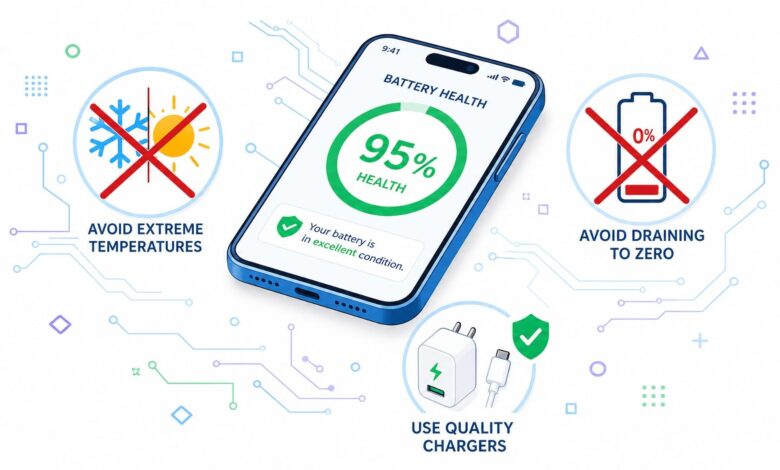
Smartphone batteries usually do not fail overnight. Their capacity declines gradually, and everyday habits often decide how quickly that process moves.
That is why battery care goes beyond built-in software features. Charging patterns, heat exposure, and the way apps run in the background can all shorten a battery’s useful life.
Charging Habits That Put More Stress on the Battery
One of the most common mistakes is making a full charge to 100 percent a daily routine. Lithium-ion batteries are generally healthier when they stay within the 20 to 80 percent range, which can help slow long-term degradation.
Letting the battery drain to 0 percent is also discouraged. It places greater stress on the cells, so many users are better off plugging in when the level reaches around 20 percent.
Modern phones do have protection systems, but repeatedly pushing the battery to either extreme can still speed up capacity loss over time.
| Habit | Battery Impact | Safer Approach |
|---|---|---|
| Charge to 100% every day | Accelerates battery cell degradation | Keep it around 20% to 80% |
| Let battery drop to 0% | Puts more stress on the cells | Start charging at around 20% |
| Leave the phone connected overnight repeatedly | Unnecessary prolonged charging cycle | Charge to about 80% to 90% when possible |
| Use unstable or low-quality chargers | Risks damage to the battery and the device | Use the original or official charger |
Leaving a phone connected to a charger all night is also not ideal when it becomes a regular habit. If possible, charging during the morning or afternoon until around 80 or 90 percent is a safer routine.
Fast charging is convenient, but it usually produces more heat than standard charging. When there is no rush, slower charging can help keep battery temperature under better control.
Heat Is One of the Biggest Long-Term Threats
Heat remains one of the main reasons batteries lose quality faster. GadgetVIVA notes that high temperature is among the most common causes of faster battery decline.
Playing demanding games while the phone is charging should therefore be avoided. That combination raises temperature and adds more load to the processor at the same time.
Phones should also not be left in direct sunlight or inside a parked car during hot weather. A device temperature range of about 20 to 35 degrees Celsius is considered more stable for battery health.
Apps, Storage, and Display Settings Also Matter
Many active apps can keep the processor working harder, which raises power use and heat. Closing unused apps, limiting background activity, and removing unnecessary apps can help the phone run more efficiently.
Storage space matters too. When memory is almost full, the system works harder and battery consumption can increase, so leaving at least 15 to 20 percent of storage free is a practical step.
Software updates also matter because they often bring power-efficiency improvements, bug fixes, and performance optimization. On the display side, Auto Brightness helps adjust screen output to surrounding light, while Dark Mode on OLED or AMOLED panels can reduce energy use.
Screen, Connectivity, and Power-Saving Controls
The display is one of the biggest power users on any smartphone, so screen settings have a direct effect on battery life. Screen timeout should ideally be set to around 30 seconds to one minute so the display does not stay on longer than needed.
Signal quality also plays a major role. In weak network areas, the phone keeps searching for a stronger connection, which drains power faster than usual.
When there is no network for a long period, Airplane Mode can be a more efficient option. Unused features such as Bluetooth, GPS, NFC, Wi-Fi, and hotspot should also be turned off when they are not needed.
Power Saving Mode is useful when the battery starts running low. It reduces data sync, lowers processor performance, and limits app activity so the remaining charge lasts longer.
What to Do With Backup Phones and When to Replace the Battery
For a smartphone that is stored as a backup device and used only occasionally, the battery should be charged to about 50 percent before storage. It should then be kept in a cool and dry place, not left empty or fully charged.
Signs that a battery is nearing the end of its life include rapid drain, sharp drops in percentage, unexpected shutdowns, easier overheating, and a swollen battery. Lithium-ion batteries generally last around 500 to 1,000 charging cycles, depending on quality and usage patterns.
Battery replacement should be done at an authorized service center to maintain device safety. With the right habits, a smartphone battery can remain comfortable to use for longer, even when the phone itself is already three to five years old.