Free Fire players using Android and iPhone may need noticeably different sensitivity settings to pursue consistent headshots. The difference is linked to screen characteristics and touch sampling response, which can change how quickly the crosshair moves during a drag shot.
Android settings generally lean higher to improve responsiveness across a wide range of devices. iPhone users, meanwhile, can prioritize smoother control because touch response is described as more stable.
Suggested Settings by Device
| Feature | Android | iPhone |
|---|---|---|
| Look Around | 96 | 80–90 |
| Red Dot Sight | 92 | 80 |
| Fire Button Size | 45%–55% | 40%–50% |
| Additional setting | Increase DPI by 50 from the standard value | Enable 3D Touch/Haptic Touch |
For Android, an additional DPI increase of 50 points can be considered on compatible devices. One example is moving from 360 to 410, a change intended to make swiping movements feel more responsive.
Android hardware varies widely in display size and touch-panel sensitivity. That variation means a setting that feels controlled on one phone may feel too fast or too slow on another.
iPhone settings do not necessarily need to match Android’s higher values to achieve a similar result. In addition to enabling 3D Touch or Haptic Touch, players can set cursor speed to maximum or fast to support quicker aiming movement.
A General Starting Point
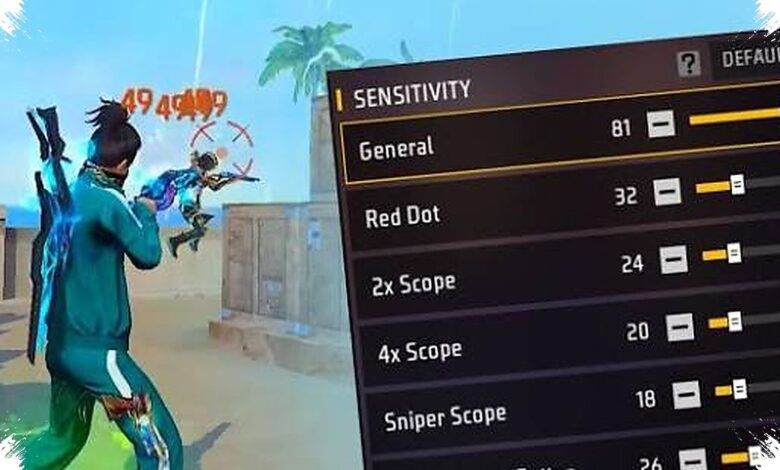
Mediaindonesia.com notes that sensitivity figures should be treated as a starting point rather than a guaranteed solution. Players can begin with higher values for fast movement, then refine them according to recoil control and aiming comfort.
| Feature | Suggested Range |
|---|---|
| Look Around | 90–100 |
| Red Dot Sight | 85–95 |
| 2x Scope | 75–85 |
| 4x Scope | 65–75 |
| Sniper Scope | 45–55 |
| Look Around | 70–80 |
Small adjustments can have a meaningful effect on where shots land. A change of around 2 to 5 points may be enough to shift the aim from an opponent’s chest toward the head area.
When Sensitivity Becomes Too Fast
High sensitivity can make flick shots, jump shots, and close-range drag-up movements easier to perform. It can also cause the crosshair to overshoot above the target’s head, especially when the player is still adapting.
| Potential Benefit | Potential Drawback |
|---|---|
| Faster flick shots and jump shots | Aim may overshoot the head |
| More agile movement response | Weapons with heavy recoil are harder to control |
| Quicker close-range drag up | Muscle memory takes longer to develop |
If shots repeatedly fly over the opponent’s head, the Look Around setting can be reduced by 2 points. If the shots stop around the chest, increasing that setting by 2 points may offer a better balance.
Technique Still Determines the Result
Appropriate settings do not create headshots automatically. The player still needs to press the fire button and immediately drag the aim upward with a movement that is fast but measured.
Training Ground is useful for testing these adjustments before applying them in regular matches. Repeated practice with one stable setup can be more valuable than changing settings every time the game is opened.