Samsung’s Galaxy S26 Ultra is shaping up as a more practical tool for concert video creators, especially for those who want fancams that look polished without spending much time in post-production. Its Galaxy LOG workflow is built to make footage feel more cinematic while keeping the process simple enough for everyday use.
That shift matters because LOG recording has long been useful for professionals, but it has often felt unfriendly to casual users. On the Galaxy S25 series, Samsung already introduced Galaxy LOG, yet the flat, gray-looking output made it hard for many people to judge exposure and overall image quality while recording.
The Galaxy S26 Ultra addresses that problem with built-in LUT support and real-time preview. Samsung has also added five color presets, allowing users to see the visual character of the video directly on screen as they shoot, rather than waiting until editing to understand how the footage will look.
At the technical level, the flat appearance of LOG still serves an important purpose. It captures a wider dynamic range than standard video, which gives more room for color grading and is one reason the format has been widely used by professional videographers.
For concert shooting, that flexibility can make a noticeable difference. Stage lighting often includes aggressive backlight, lasers, silhouettes, and fast-changing color effects, all of which can benefit from the wider tonal range that LOG recording provides.
That advantage became especially clear during recording at the One Ok Rock Detox in Asia concert in Jakarta. Some moments were captured using LOG and then paired with Samsung’s built-in color presets, turning a straightforward fancam into something that felt more dramatic and film-like.
Two presets stood out in that setting: Blockbuster and Thriller. Blockbuster pushes strong contrast with a familiar orange-and-teal look, while Thriller lowers saturation and raises contrast for a darker, more intense result.
Samsung’s other built-in presets offer different visual directions as well. Standard is meant as a basic color correction option, delivering a clean, natural image with balanced contrast.
Coming of Age brings a softer pastel tone with gentler contrast. The result feels lighter, warmer, and more nostalgic, closer to the mood of a youth film.
Romance softens contrast and balances highlights, producing a warmer tone with smooth color transitions. Thriller, meanwhile, reduces saturation and increases contrast for a moodier image while keeping shadows controlled.
Blockbuster remains the most striking of the group for concert use, especially when the stage is dominated by hard lighting and strong color separation. Its cinematic contrast gives the performance footage more depth and a more stylized visual identity.
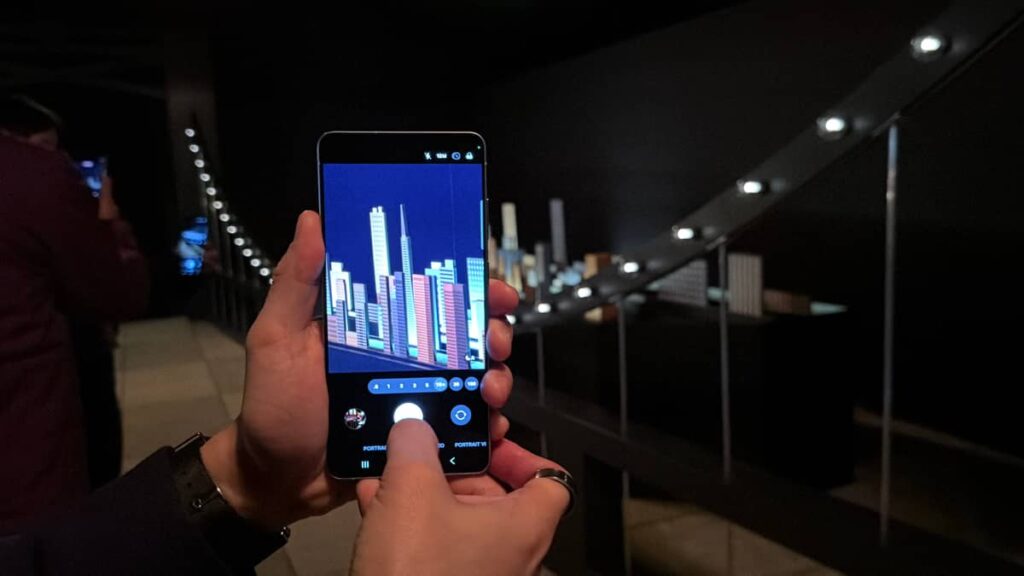
Samsung also tries to simplify the workflow around these tools. Users can open the Camera app, enter Pro Video, switch on LOG from the upper-right area of the screen, and then choose a preset from the LUT menu.
Once recording starts, the user can still adjust the lens, ISO, and shutter speed as usual. The key difference is that the color look is no longer hidden behind a flat preview, because real-time viewing makes the footage easier to judge while recording is in progress.
Editing remains available afterward through Samsung’s Gallery app. LOG footage can be retouched at any time without moving it into a professional editing program, and users can still adjust brightness, contrast, shadows, temperature, and other parameters before saving a final version as a copy.
The Galaxy S26 Ultra also supports recording video directly to an external SSD. That option can be enabled from video mode through Settings by turning on “Save to external storage,” which helps keep internal storage free during longer shoots.
Taken together, Galaxy LOG, built-in cinematic LUTs, real-time color preview, and external storage support show a clear direction for the Galaxy S26 Ultra. Samsung appears to be making advanced video tools more accessible while still giving mobile creators enough control to shape concert footage into something more polished.
Source: tekno.kompas.com