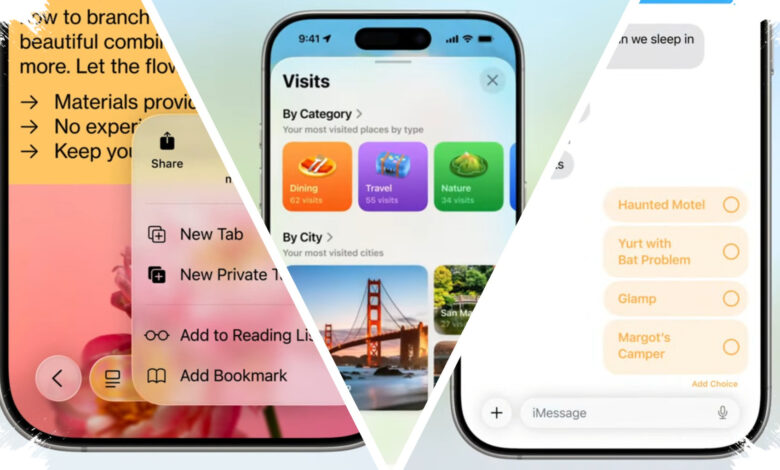
The iOS 27 Public Beta introduces seven notable changes to the iPhone experience, from a more capable Siri to AI-assisted photo tools. However, the most advanced AI functions are not available across every iPhone that can install the update.
iPhone 11 models and newer, along with the second-generation iPhone SE and later, support iOS 27. Siri AI and Apple Intelligence are limited to the iPhone 15 Pro, iPhone 15 Pro Max, every iPhone 16 model, and newer devices.
Compatibility is the key limitation
| Device group | iOS 27 support | Siri AI support |
|---|---|---|
| iPhone 11 and newer | Yes | Not on every model |
| Second-generation iPhone SE and later | Yes | Not on every model |
| iPhone 15 Pro and iPhone 15 Pro Max | Yes | Yes |
| All iPhone 16 models and newer | Yes | Yes |
Apple made the public beta available through the Apple Beta Software Program in July 2026. The release offers an early look at changes to artificial intelligence, photography, system performance, and family safety controls before the final version arrives.
As pre-release software, the beta may still cause unstable apps, higher battery use, device heat, or accessory connection issues. Users should back up their data before installing it, particularly when the iPhone is relied upon for daily use.
7 changes included in iOS 27
| Feature | Main function |
|---|---|
| Siri AI | More natural conversation, personal context, and in-app actions |
| Standalone Siri app | Conversation history and continuity across Apple devices |
| Siri Camera Mode | Visual search through the camera viewfinder |
| Spatial Reframe and Clean Up | AI photo composition changes and visual distraction removal |
| Write with Siri | Drafting and improving text |
| Performance improvements | Better app response, search, memory, rendering, and some transfers |
| Child safety and parental controls | Activity approval and easier access management |
1. Siri AI
Siri AI is designed to make conversations feel more natural while understanding personal context. On supported devices, it can also help users take actions within apps.
2. A standalone Siri app
Apple is preparing a separate Siri app that brings conversation history together in one place. Important conversations can be pinned and continued on other connected Apple devices.
3. Siri Camera Mode
Siri Camera Mode starts a visual search directly from the camera viewfinder. Users can ask about objects in view, extending the camera beyond conventional photography.
4. Spatial Reframe and Clean Up
Spatial Reframe is intended to adjust a photo composition with AI assistance. The improved Clean Up tool is designed to remove visual distractions from an image.
5. Write with Siri
Write with Siri can help create drafts or improve writing in text fields. The function works in places such as Messages and Mail for supported languages.
6. Performance improvements
The update includes improvements to app responsiveness, search, memory handling, and screen rendering. Apple also lists improvements to certain transfers, although results may vary by device.
7. Child safety and parental controls
iOS 27 adds approval options for certain activities and simpler access management for families. The changes are focused on giving parents clearer control over children’s device use.
Language availability remains an important factor for Siri AI, as the early beta is described as arriving in English first. Indonesian is not included in the initial list of announced Apple Intelligence languages.
Some AI functions may also have daily usage limits because they run on servers. Broader access may be linked to certain iCloud+ plans, meaning the experience may differ even between users with the same iPhone model.